| name | deposit-qr |
| description | Use when a user needs a QR code or wallet payment URI to fund a Superior-managed EVM wallet on a specific chain before using Lighter, Polymarket, Hyperliquid, or other Superior Trade workflows. |
Deposit QR
Use this skill to create a wallet-scannable QR code for sending a coin or ERC-20 token to a Superior-managed EVM wallet address on a named chain.
This is for funding the wallet itself. It is not the same as a venue-specific deposit intent. For Lighter, a user may first need USDC in a payer wallet, but the Lighter account still requires POST /v3/portfolio/lighter/deposit to get the Lighter CCTP intent address.
Required Inputs
Ask for or verify all four fields:
- Destination wallet address, for example
0x1111111111111111111111111111111111111111
- Chain, for example
arbitrum, base, avalanche, polygon, or ethereum
- Asset, for example
USDC, USDC.e, ETH, AVAX, MATIC, or a token contract address
- Amount
Never guess the chain. The same address can exist on many EVM chains, and sending a token on the wrong chain can strand funds.
Safety Rules
- Do not request private keys, seed phrases, passwords, or exchange credentials.
- Show the destination address, chain, asset, token contract, and amount before presenting the QR code.
- Warn that the user must send the correct asset on the correct chain.
- For ERC-20 tokens, include the token contract address in the summary.
- For wallet compatibility, provide both the EIP-681 QR and a plain-address fallback QR.
- Do not claim a deposit arrived. Verify with the relevant chain explorer, wallet balance, or Superior Trade API after the user sends funds.
QR Generator
Use the bundled script:
node skills/v3/primitives/deposit-qr/scripts/create-deposit-qr.mjs \
  --address 0x1111111111111111111111111111111111111111 \
  --chain arbitrum \
  --asset USDC \
  --amount 5
It prints JSON with:
payment_uri — EIP-681 URI for the requested token transferqr_url — hosted QR image URL for the payment URIplain_address_qr_url — fallback QR image URL containing only the destination addresssummary — human-readable chain, asset, token, amount, and destination
Display the QR in Markdown when the client supports images:
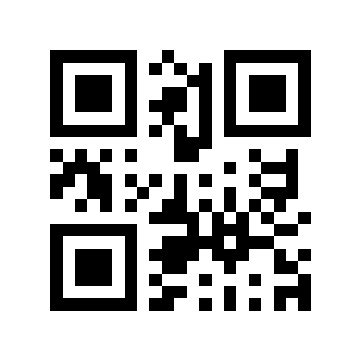
Example: Fund a Superior Wallet with Arbitrum USDC
node skills/v3/primitives/deposit-qr/scripts/create-deposit-qr.mjs \
  --address 0x1111111111111111111111111111111111111111 \
  --chain arbitrum \
  --asset USDC \
  --amount 5
Tell the user:
Deposit QR Summary:
* Destination: 0x1111111111111111111111111111111111111111
* Chain: Arbitrum One
* Asset: native USDC
* Token contract: 0xaf88d065e77c8cC2239327C5EDb3A432268e5831
* Amount: 5 USDC

Scan the QR with a wallet that supports Arbitrum token-transfer URIs. If the wallet does not prefill the token transfer correctly, use the plain address fallback and manually select Arbitrum native USDC.
Common Mistakes
- Using this QR as the Lighter intent address. The destination here is the Superior wallet, not the Lighter deposit intent.
- Omitting the chain. A plain address QR alone does not specify Arbitrum vs Base vs Avalanche.
- Using Ethereum mainnet USDC when the workflow needs Arbitrum/Base/Avalanche USDC.
- Assuming every wallet supports ERC-20 EIP-681 transfer URIs. Always provide the plain-address fallback.
Next Step for Lighter
After the wallet has the correct USDC, use the lighter skill to create the Lighter CCTP deposit intent:
POST /v3/portfolio/lighter/deposit
That endpoint returns the actual Lighter intent address to receive the USDC transfer for venue credit.
