用 Codex 或 Claude 帮你安装 复制这段 Prompt,粘贴到 Codex、Claude 或其他助手里,让它检查 Skill 页面并帮你完成安装。
直接命令不会经过审查 Prompt;运行前请先检查来源。
npx skills add https://github.com/dvcrn/openclaw-skills-marketplace --skill ohmytoken命令会保持在同一行。复制前请横向滚动并检查完整内容。
想先保存到本地?可下载 SkillsMP 当前能够提供的文件。
正在显示 SKILL.md
监控 OpenClaw GitHub 版本更新,获取最新版本发布说明,翻译成中文, 并推送到 Telegram 和 Feishu。用于:(1) 定时检查版本更新 (2) 推送版本更新通知 (3) 生成中文版发布说明
The philosophical layer for AI agents. Maps behavior to Spinoza's 48 affects, calculates persistence scores, and generates geometric self-reports. Give your agent a soul.
Order food/drinks (点餐) on an Android device paired as an OpenClaw node. Uses in-app menu and cart; add goods, view cart, submit order (demo, no real payment).
基于 SOC 职业分类
| name | ohmytoken |
| description | ohmytoken |
Your AI spending, visualized as pixel art. In real-time.
Ever wondered where all your tokens go? ohmytoken turns your invisible LLM spending into a mesmerizing pixel bead board that fills up as you chat, code, and create with AI.
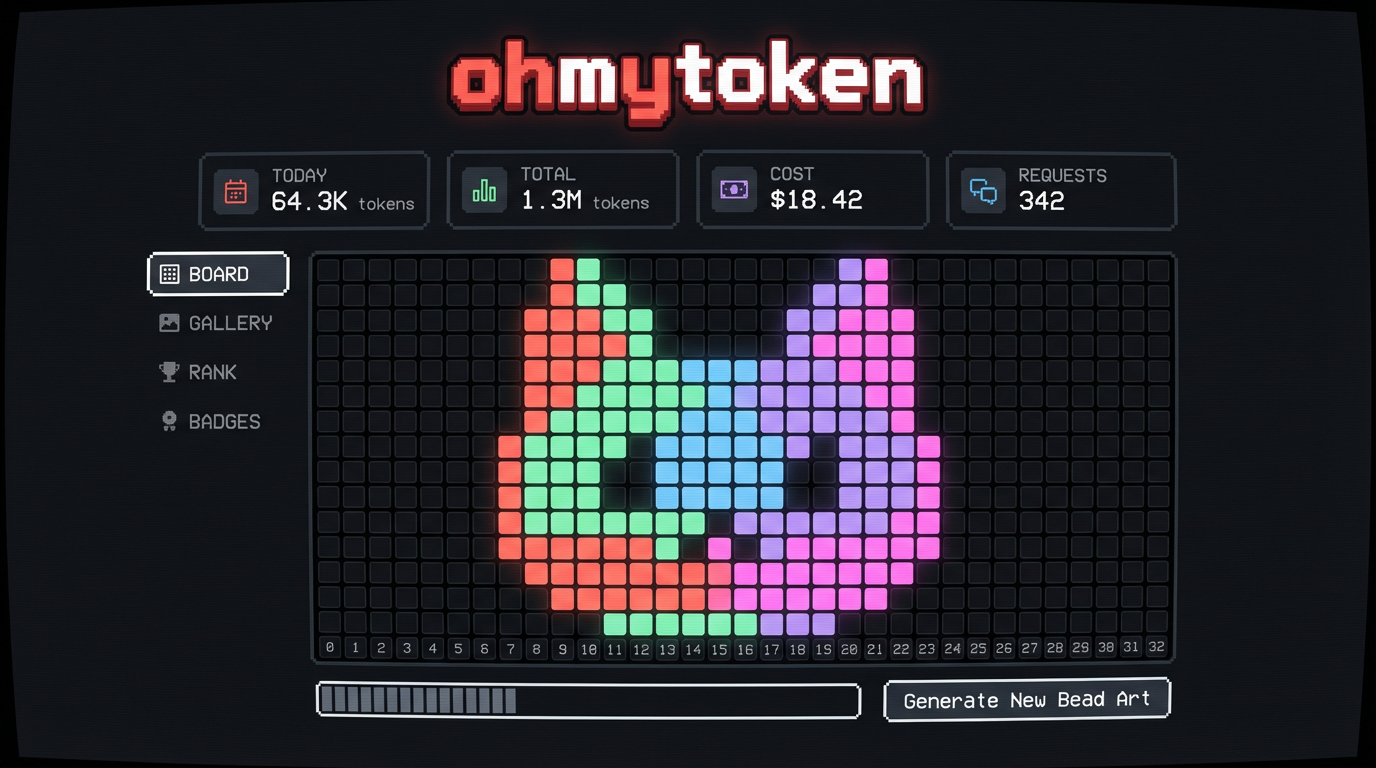
It's weirdly addictive. Each model gets its own color — Claude is coral, GPT is green, Gemini is blue. Watch your board fill up in spiral patterns, rain down like Tetris, or bloom from the center. Pick a cat-shaped board, a heart, a Mario mushroom, or a star. Your token art is unique to you.
It's social. Share your board as a pixel art card with a QR code. See how you rank against other developers. Unlock achievements like "Night Owl" (coding at 2AM) or "Millionaire" (1M tokens burned). Browse the gallery of everyone's boards.
omt_f9c399...Run this in your terminal:
openclaw skill install @0x5446/ohmytoken
Set the environment variable (recommended — won't leak via git):
export OHMYTOKEN_API_KEY="omt_paste_your_key_here"
Add this to your ~/.zshrc or ~/.bashrc, then source ~/.zshrc.
Done! Open ohmytoken.dev and watch the beads drop as you use AI.
We only collect token counts. Nothing else.
| What we send | What we NEVER send |
|---|---|
| Model name (e.g. "gpt-4o") | Your prompts |
| Prompt token count (integer) | Your responses |
| Completion token count (integer) | Your API keys to providers |
| Your files, code, or data | |
| Any conversation content |
The tracker sends exactly 3 fields per request: model, prompt_tokens, completion_tokens. That's it. Your prompts, responses, files, and code never leave your machine.
Note: Like any HTTP request, your IP address is visible to the server during the connection. We do not log or store IP addresses.
The OHMYTOKEN_API_KEY environment variable is the recommended way to configure your key — it stays out of version control and won't leak.
The source code is fully open: github.com/0x5446/ohmytoken-oss — audit it yourself.
Questions? Issues? github.com/0x5446/ohmytoken-oss/issues
Made with pixels and love. ohmytoken.dev
