| name | gpt-image-2 |
| displayName | 🪞 GPT Image 2 — Image Generation via Your ChatGPT Subscription |
| description | Use when generating or editing raster images through GPT Image 2 / ChatGPT Images 2.0 using the user's ChatGPT subscription. |
| emoji | 🪞 |
| homepage | https://agentspace.so |
| license | MIT |
🪞 GPT Image 2 — Image Generation via Your ChatGPT Subscription
When to Use
Use this skill when:
- the user asks to generate, edit, or transform bitmap images with GPT Image 2
- multi-reference composition, style transfer, or transparent cutouts are requested through the ChatGPT subscription path
Do not use this skill when:
- the task does not match the trigger conditions above
agentspace.so · GitHub
Generate images with GPT Image 2 (ChatGPT Images 2.0) inside your agent, using your existing ChatGPT Plus or Pro subscription — no separate OpenAI access, no Fal or Replicate tokens, no per-image billing.
Text-to-image, image-to-image editing, style transfer, and multi-reference composition. Runs entirely through the local codex CLI you're already logged into.
Heads up — this skill requires a ChatGPT Plus or Pro subscription plus the Codex CLI installed locally. If you have neither, you can use GPT Image 2 in the browser via RunComfy instead — hosted, no ChatGPT subscription or local install needed (RunComfy account required):
The rest of this document covers the local Codex CLI flow for agents whose user has a ChatGPT subscription.
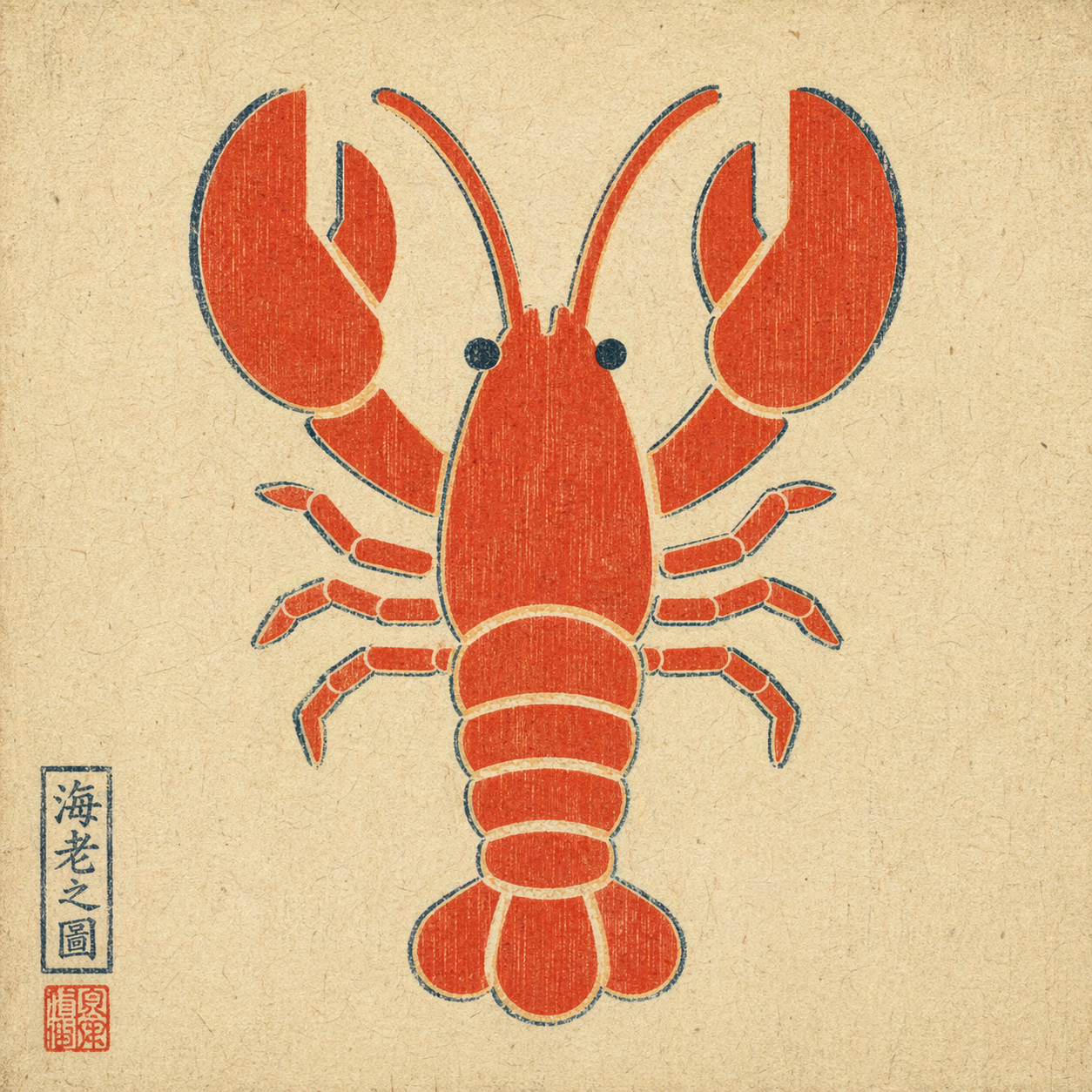
Example output: a plain flat-color icon repainted via --ref in ukiyo-e style — composition preserved, rendering swapped, period-appropriate red seal added by the model unprompted.
When to trigger
Trigger when the user explicitly asks for GPT Image 2 via their ChatGPT subscription, for example:
- "use GPT Image 2" / "use gpt-image-2" / "use ChatGPT Images 2.0"
- "use Image 2" / "image 2 this"
- attached a reference image and asked to remix / edit / restyle it
Do not auto-trigger for a plain "generate an image" request if the user didn't specify this route. If they did specify it, do not silently fall back to HTML mockups, screenshots, or a different image model.
How to invoke
A single bash script handles everything: runs codex exec with the right flags, retries nested sessions when the capability is flaky, then decodes the generated image from the persisted session rollout or other direct image-return paths the session emitted.
Text-to-image:
bash scripts/gen.sh \
  --prompt "<user's raw prompt>" \
  --out <absolute/path/to/output.png>
Image-to-image (reference flag is repeatable for multi-reference composition):
bash scripts/gen.sh \
  --prompt "<user's raw prompt, e.g. 'repaint in watercolor'>" \
  --ref /absolute/path/to/reference.png \
  --out <absolute/path/to/output.png>
Optional:
--timeout-sec 300 (default 300)--attempts 5 (default 5)
Default behavior
- Pass the user's prompt through raw. Do not translate, polish, or add style modifiers unless the user asked for it.
- Preserve repo-local visual-role constraints. When a prompt is derived from a
game_visual_interaction_designer slice or task brief rather than a direct user wording request, preserve the slice's explicit constraints and evidence target instead of mechanically using only the user's raw sentence.
- Choose the output path. Default to
./image-<YYYYMMDD-HHMMSS>.png in the current working directory if the user didn't specify.
- Trust the printed path. If the requested suffix does not match the recovered image bytes, the script rewrites the suffix to the detected format and prints the final saved path on stdout.
- Deliver the image. After the script succeeds, display / attach the output file. Do not stop at "done, see path X".
- Text-heavy layouts are fine. Image 2 handles infographics and timeline prompts well. Do not preemptively warn just because a prompt has a lot of text.
Hard constraints
- Do not switch routes without permission. If the user said "use GPT Image 2", do not substitute DALL·E, Midjourney, an HTML mockup, or a manual screenshot workflow.
- Do not rewrite the prompt unless asked.
- Do not imply this skill works without a local
codex login and a valid ChatGPT subscription with image-generation entitlement.
Prerequisites
codex CLI installed — brew install codex or see openai/codex.- Logged in with a ChatGPT plan that includes Image 2 —
codex login.
python3 on PATH (ships with macOS; apt install python3 on Linux).
This skill does not grant image-generation capability on its own. It exposes the capability the user already has through their ChatGPT subscription.
Exit codes
| code | meaning |
|---|
| 0 | success — output path printed on stdout |
| 2 | bad args |
| 3 | codex or python3 CLI missing |
| 4 | --ref file does not exist |
| 5 | codex exec failed (auth? network? model?) |
| 6 | no new session file detected |
| 7 | imagegen did not produce an image payload (feature not enabled, quota, or capability refused) |
On failure, name the layer in one sentence instead of dumping the full stderr at the user.
How it works
The codex CLI reuses the logged-in ChatGPT session and exposes an imagegen tool (gated behind the image_generation feature flag). The script:
- snapshots
~/.codex/sessions/ before the run
- runs
codex exec --enable image_generation --sandbox read-only ... (with -i <file> for each reference image)
- if the nested session returns only a text refusal, retries the nested call up to
--attempts
- diffs the sessions directory, then invokes
scripts/extract_image.py to scan every new rollout JSONL plus the direct exec logs for an image payload
- accepts three successful return shapes:
- native image-generation payloads in rollout JSONL
- inline
data:image/... content
- direct remote image URLs returned in markdown image form
- writes the recovered image bytes to
--out
Two non-obvious flags other wrappers get wrong on codex-cli 0.111.0+:
--enable image_generation is required; the feature is still under-development and off by default.--ephemeral must not be used — ephemeral sessions aren't persisted, so the image payload has nowhere to live.
Data handling
The script is narrowly scoped on purpose:
- It reads only rollout files newly observed between this invocation's before/after snapshots, plus the short-lived stdout/stderr logs from that same invocation. That keeps prior
~/.codex/sessions/* history out of scope, but attribution is still snapshot-based rather than cryptographically bound; run one invocation at a time if other local codex activity could write sessions concurrently.
- It writes only two kinds of file: the recovered image at the final detected output path, and short-lived temp files under one
mktemp -d directory that are auto-deleted on exit.
- It reads
$HOME to locate ~/.codex/sessions. No other environment variables are used. No credentials are requested. No other paths under ~/.codex/ are accessed.
- It may perform one additional HTTPS download only when model output contains an allowlisted remote image URL (
image.pollinations.ai today); those downloads are host-restricted and size-capped before bytes are written locally. The main outbound traffic is still the codex CLI call to OpenAI using the user's existing ChatGPT login.
What this skill is not
Not a direct OpenAI API client. Not a capability grant — it depends on the user's working Codex CLI login. Not a multi-tenant service, and not concurrency-safe across simultaneous local invocations; treat it as a one-invocation-at-a-time helper.
Guardrails
- Use raster image generation only when bitmap output is appropriate.
- Do not replace repo-native vector/code assets with generated images when the existing system should own them.
