# Kevin's dotfiles
Dot-files and system configuration for Python developers on **macOS** with
Apple Silicon hardware.
## Features
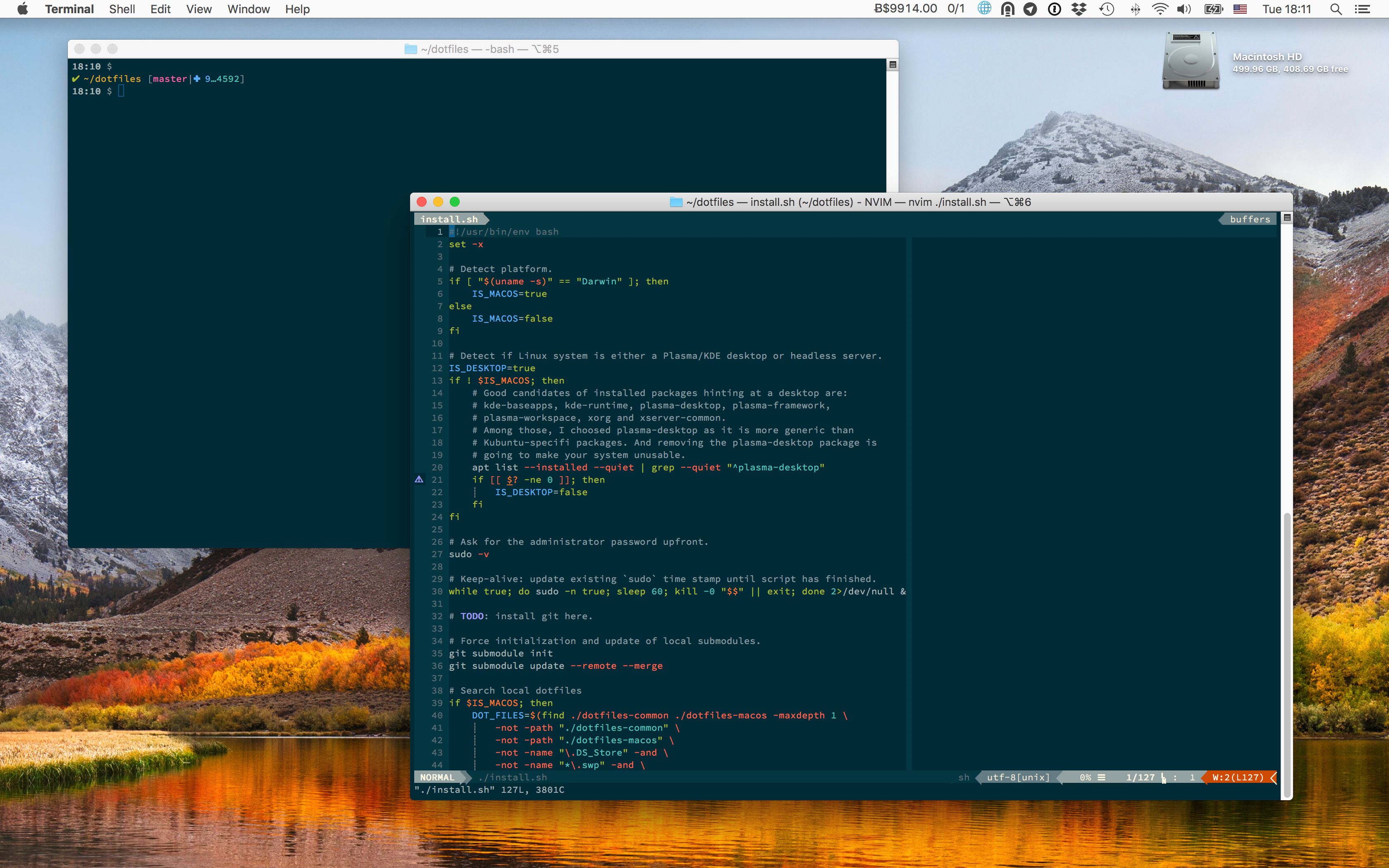
- Aimed at Python programmers using `Neovim` and `VisualStudio Code`.
- Targets `ZSH` shell (now the
[default since Catalina](https://support.apple.com/en-gb/HT208050)).
- Produce colored output for most of shell commands.
- All color schemes are based on
[Monokai](https://web.archive.org/web/20161107090516/http://www.monokai.nl/blog/2006/07/).
The terminal uses the
[Monokai Soda](https://github.com/lysyi3m/macos-terminal-themes#monokai-soda-download)
variant instead of the
[official Monokai Pro terminal themes](https://monokai.pro/terminal): all Pro
variants
[map orange to the ANSI blue slot](https://github.com/monokai-pro/sublime-text/issues/45),
which breaks any tool relying on blue semantically (`ls` directory listings,
`git diff` headers, `man` highlights, `dircolors`). Monokai Soda keeps purple
in the blue slot and has higher contrast on dark backgrounds.
- Terminal and coding font is
[Source Code Pro](https://en.wikipedia.org/wiki/Source_Code_Pro).
- Keeps macOS fast, lean and secure.
## Pre-installation
We will reinstall macOS from scratch.
1. Download macOS from the `App Store.app`.
2. Plug a USB drive to your machine, format it with the Disk Utility app,
double-check it is mounted at `/Volumes/Untitled`, and finally
[flash it with the macOS image](https://support.apple.com/en-us/HT201372):
```shell-session
$ sudo /Applications/Install\ macOS\ 27\ Golden\ Gate.app/Contents/Resources/createinstallmedia --volume /Volumes/Untitled --nointeraction
```
3. Reboot your machine, reinstall macOS, create a user.
4. Login to your new user, and launch `System Preferences.app`.
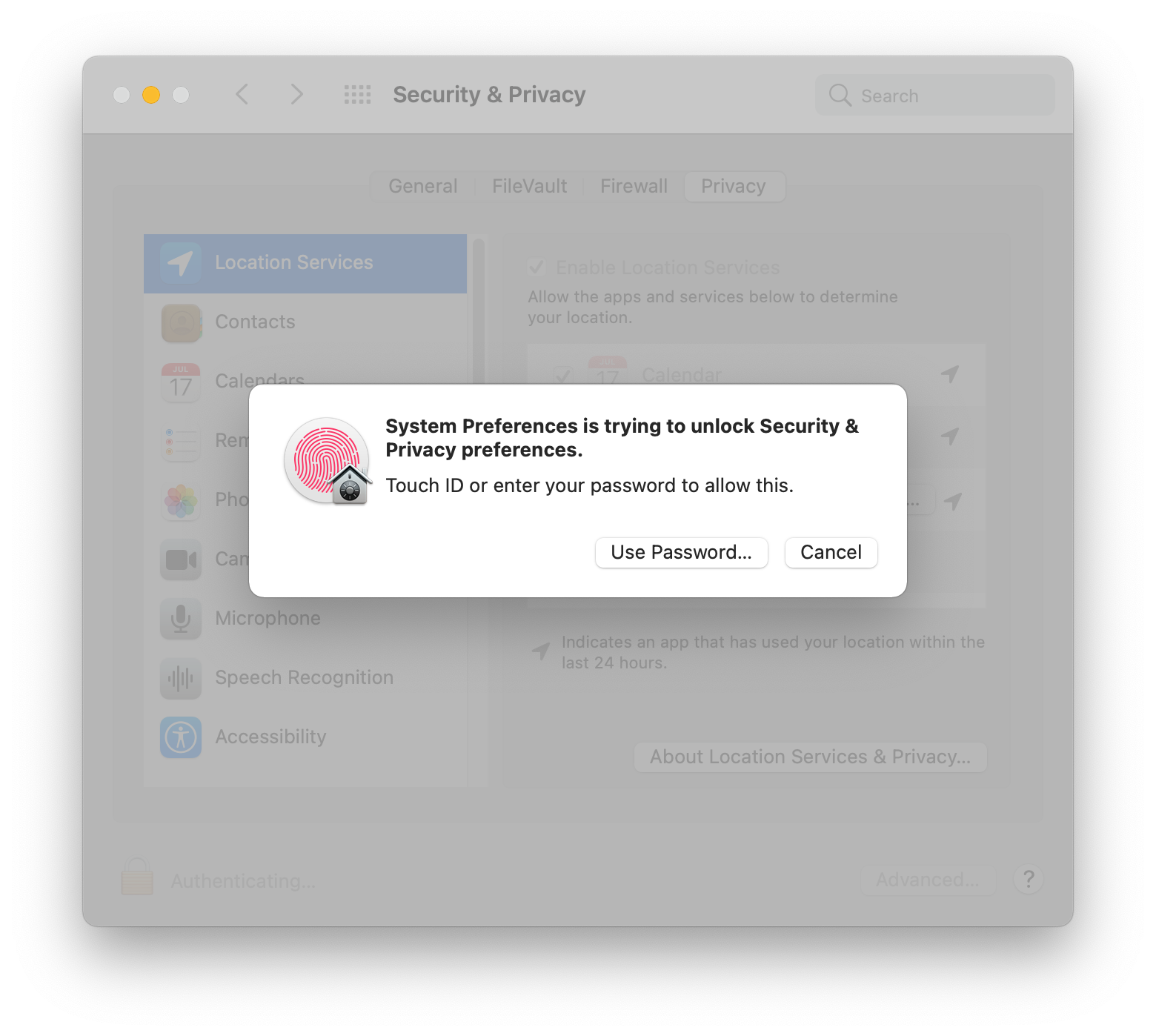
5. Go to `Security & Privacy` → `Privacy` → `Click the lock to make changes`,
and then unlock with touch ID or password:
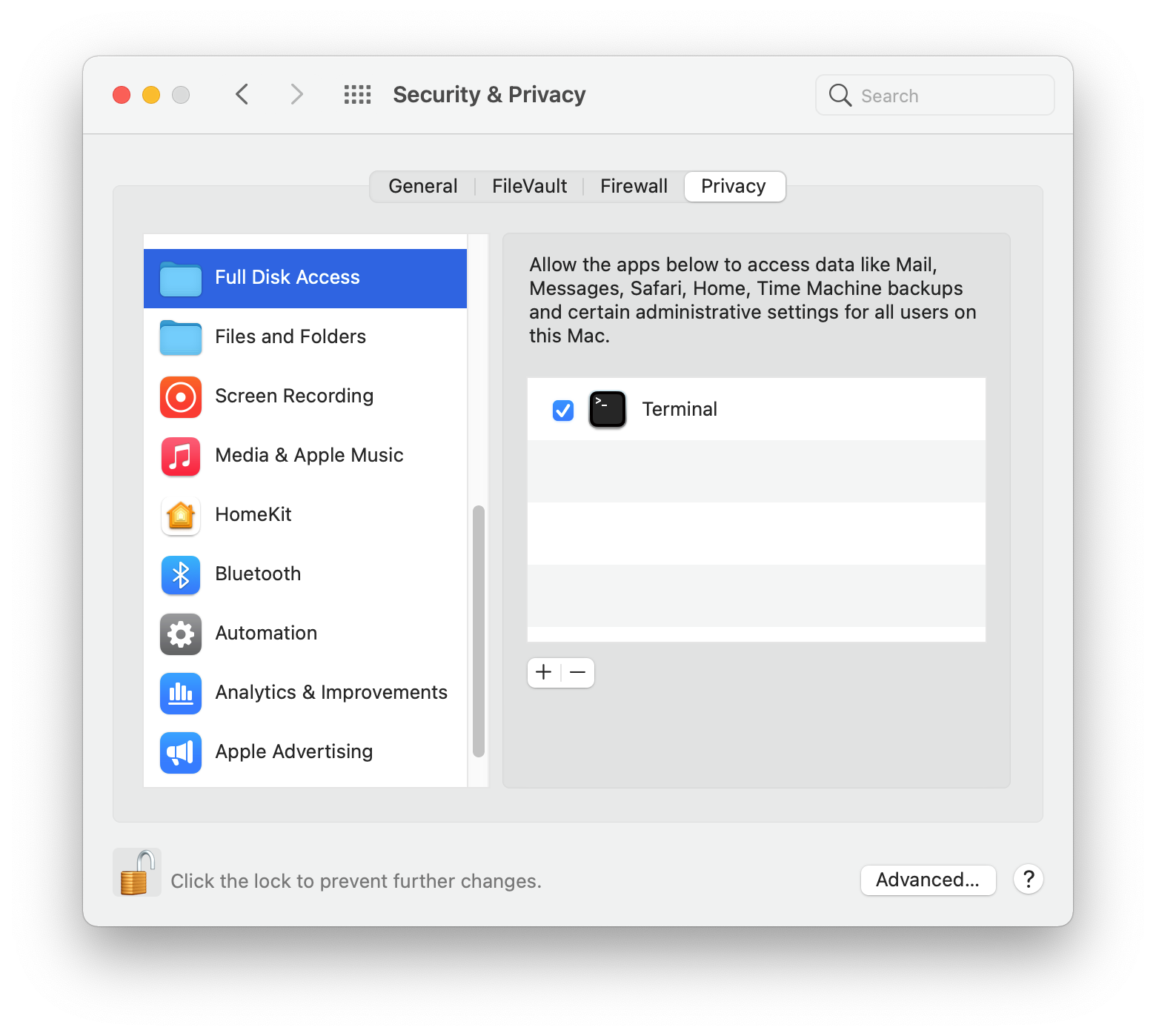
6. Go to `Full Disk Access`, click the `+` button, go to `Applications` →
`Utilities`, and choose `Terminal.app`:
## Install
1. First, you need a local copy of this project.
If you're lucky and have `git` already installed on your machine, do:
```shell-session
$ cd ~
$ git clone --recursive https://github.com/kdeldycke/dotfiles.git
```
If you don't have `git` yet, fetch an archive of the repository:
```shell-session
$ mkdir ~/dotfiles
$ cd ~/dotfiles
$ curl -fsSL https://github.com/kdeldycke/dotfiles/tarball/main | tar --strip-components 1 -xvzf -
```
2. Now you can install the dotfiles on your system:
```shell-session
$ cd ~/dotfiles
$ /bin/zsh ./install.sh 2>&1 | tee ./install.log
```
### Stages
The install procedure is decomposed into stages, executed in this order on a full run:
| Stage | What it does |
| :--------- | :------------------------------------------------------------------------------------------------- |
| `links` | Symlink the dotfiles into the home folder. |
| `packages` | macOS updates, Homebrew bootstrap, and full package restore from `packages.toml` via `mpm`. |
| `shell` | Zsh plugins (zinit) and shell completions. |
| `apps` | Mac App Store packages and per-application setup (QuickLook, SwiftBar, Tor Browser, IINA, Neovim). |
| `cleanup` | Package caches and orphans, Trash, DNS cache. |
| `snapshot` | Record the versions of installed packages into `packages.toml`. |
| `config` | Apply the whole `macos-config.sh`. Kills `Terminal.app` at the end. |
Each stage can be run on its own, or combined with others in the order given:
```shell-session
$ ./install.sh links
$ ./install.sh cleanup snapshot
```
`./install.sh --list` prints the available stage names.
## Post-installation
Manual setup required to finish up the perfect configuration.
This is a list of manual post-installation steps required to fully configure
the system. Haven't found any way to automate them all.
### `System Preferences.app`
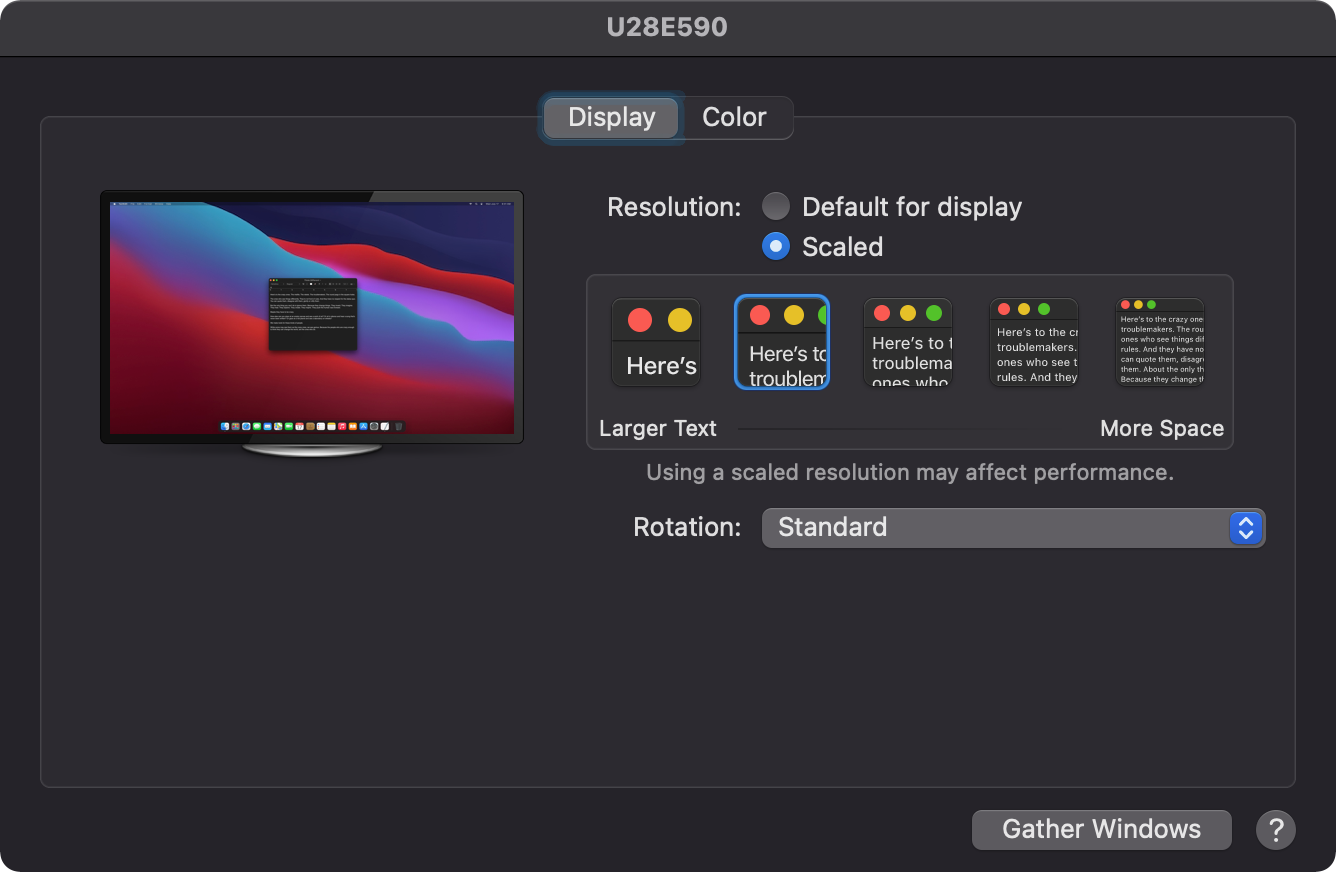
1. In `Displays`, set external monitor scale:
2. In `Touch ID` → `Add other fingerprints`.
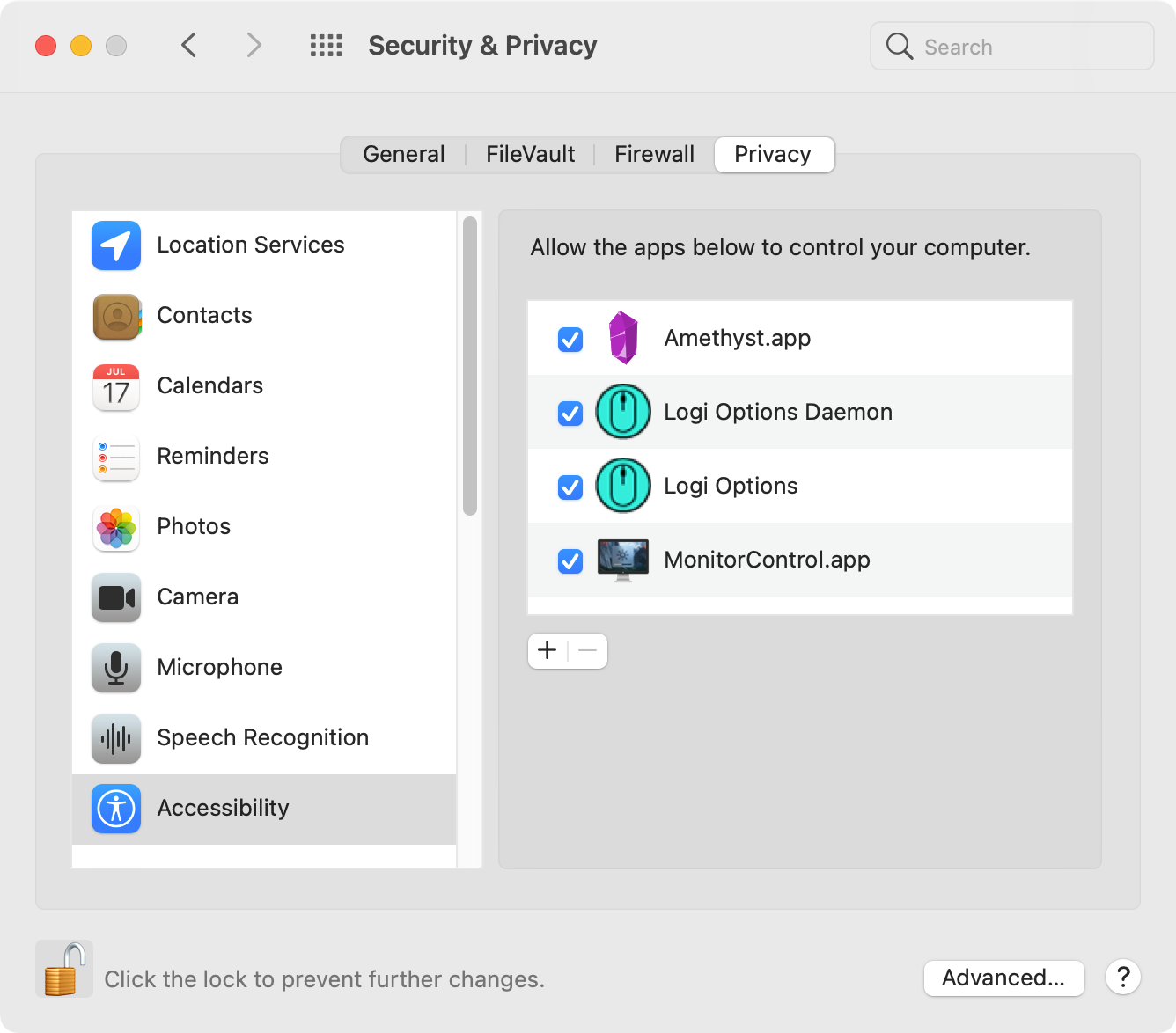
3. In `Security & Privacy` → `Privacy` → `Accessibility`, activate:
- `Amethyst.app`
- `LogiMgrDaemon`, found at `Logi Options.app/Contents/Support/LogiMgrDaemon.app`
- `MonitorControl.app`
4. In `Security & Privacy` → `Privacy` → `Full Disk Access`, click the `+`
button. Then go to `Applications` → `Utilities`, to add:
- `BlockBlock.app`
- `KnockKnock.app`
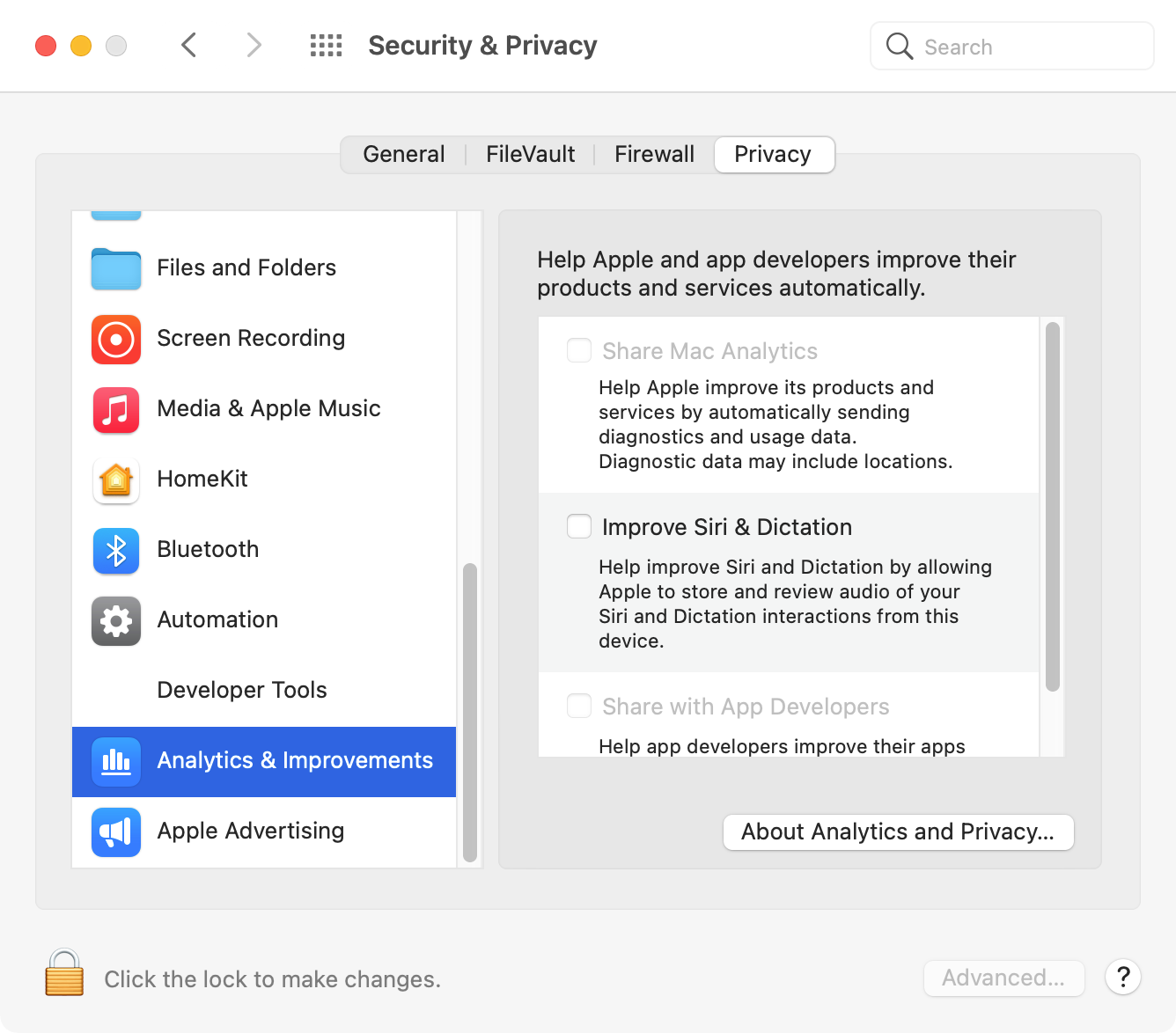
5. In `Security & Privacy` → `Privacy` → `Analytics & Improvements`: uncheck
all options to disallow analytics sharing.
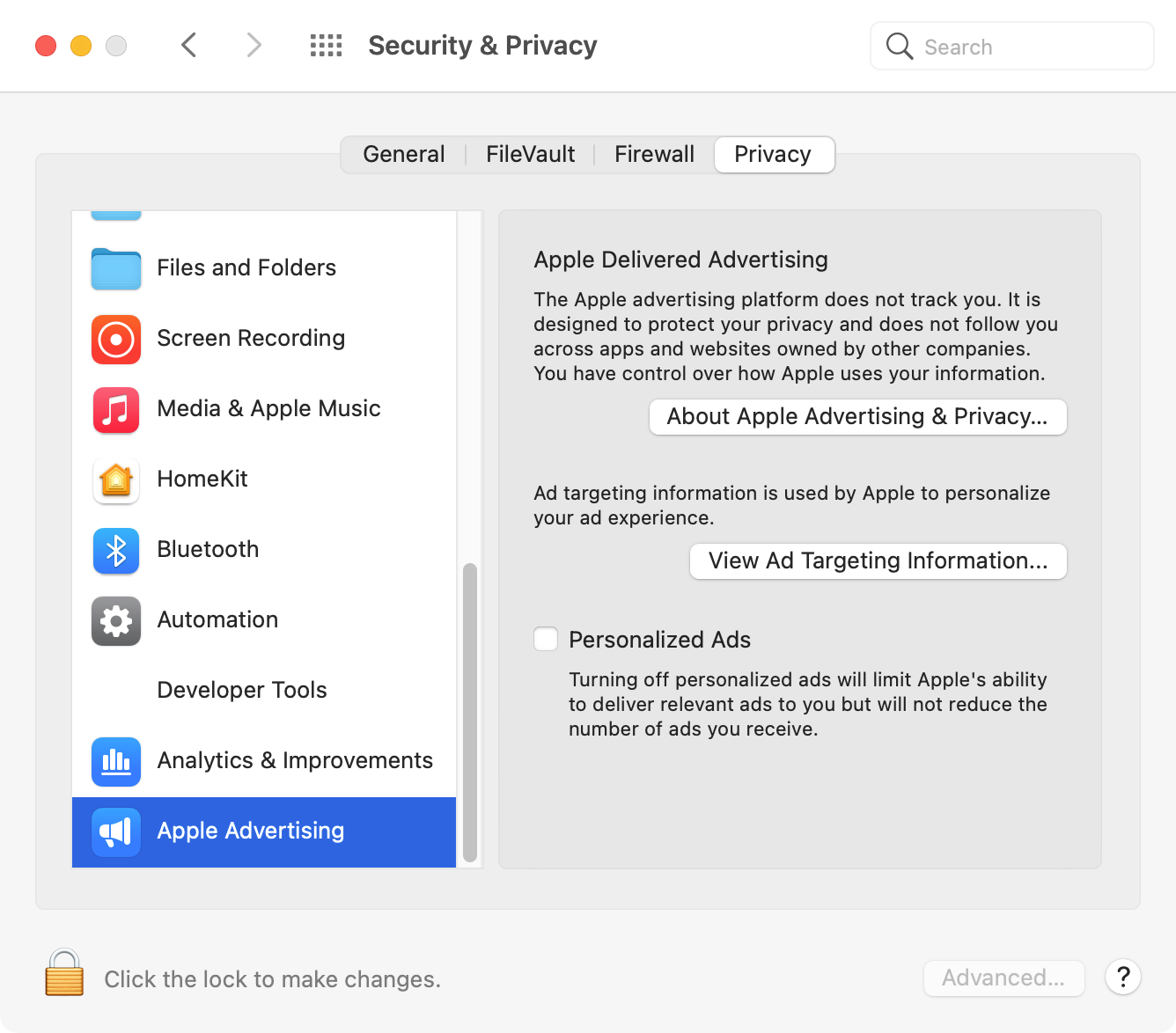
6. In `Security & Privacy` → `Privacy` → `Apple Advertising`: uncheck
`Personalized Ads` option.
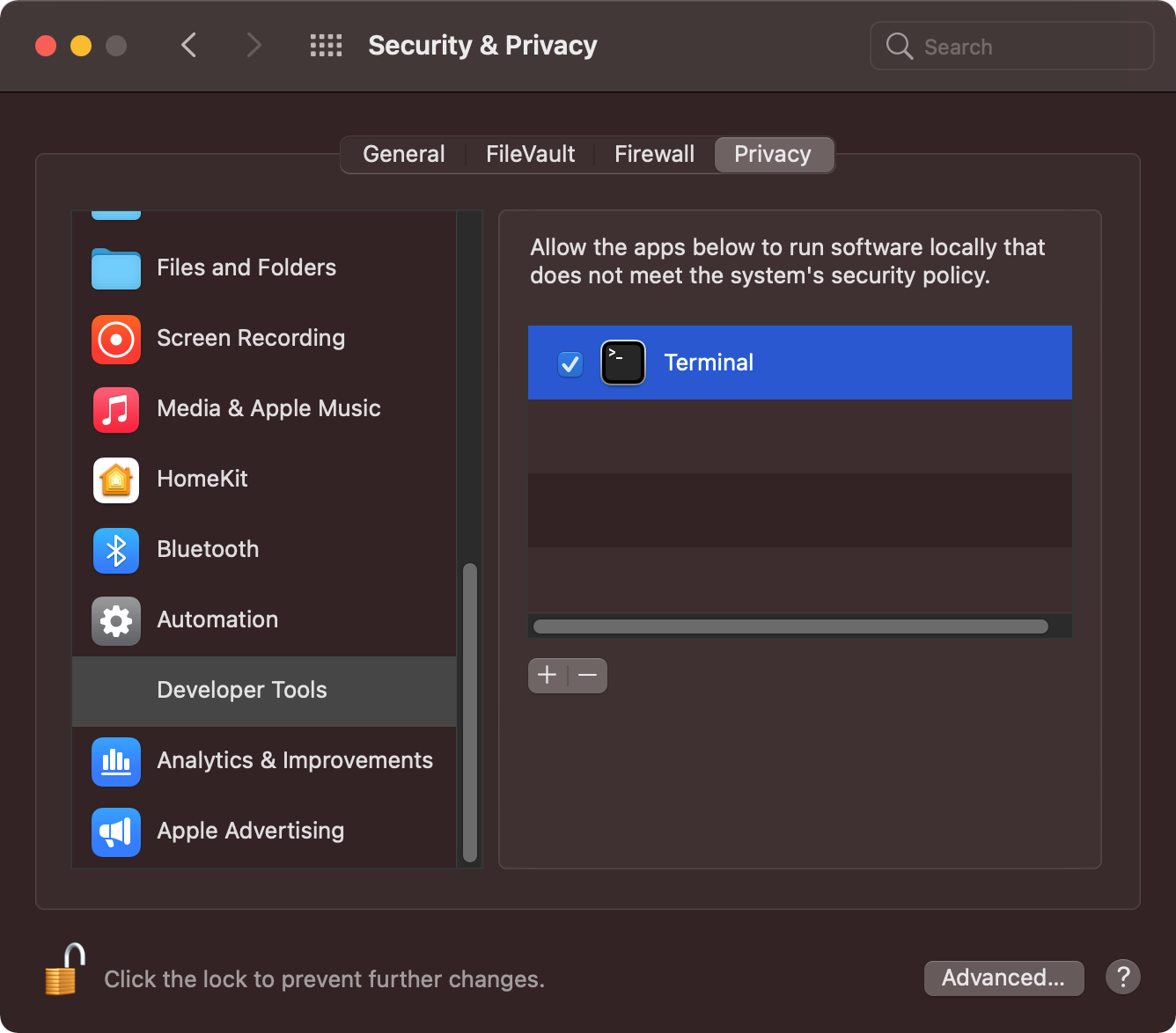
7. In `Security & Privacy` → `Privacy` → `Developer Tools`, activate
`Terminal`:
### SSH
Copy the SSH folder (`~/.ssh/`) from Time Machine backups. It holds the keys, which stay out of this repository: `./install.sh links` only links the shared config files into it. After restoring, add the public key to GitHub as both an "Authentication key" and a "Signing key" at https://github.com/settings/keys.
### Safari
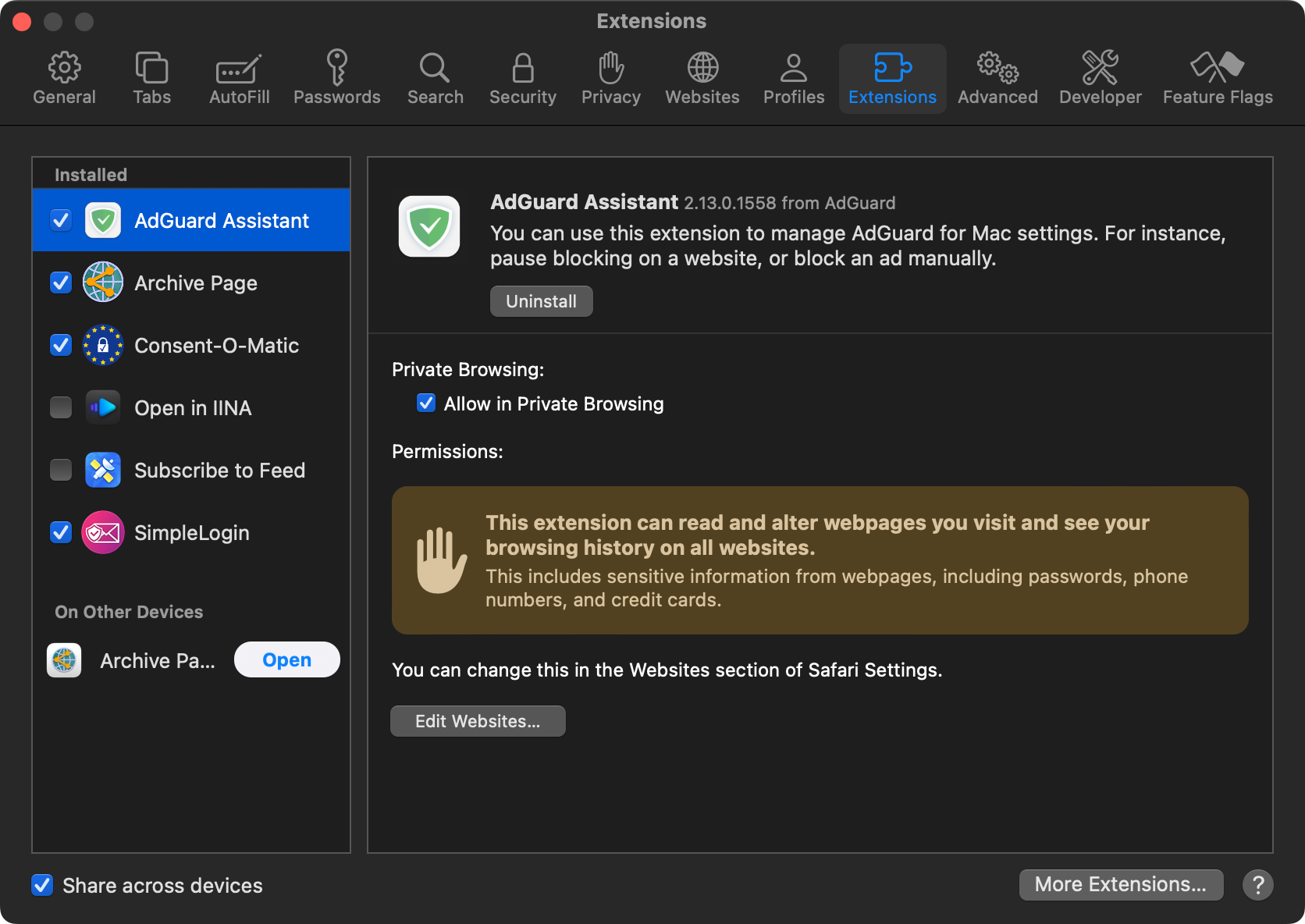
In `Preferences...` → `Extensions`, activate:
- `AdGuard Assistant`
- `Archive Page`
- `Consent-O-Matic`
- `SimpleLogin`
### AdGuard
In `Preferences...` → `Filters`, click the `+` button and subscribe to all
filter lists:
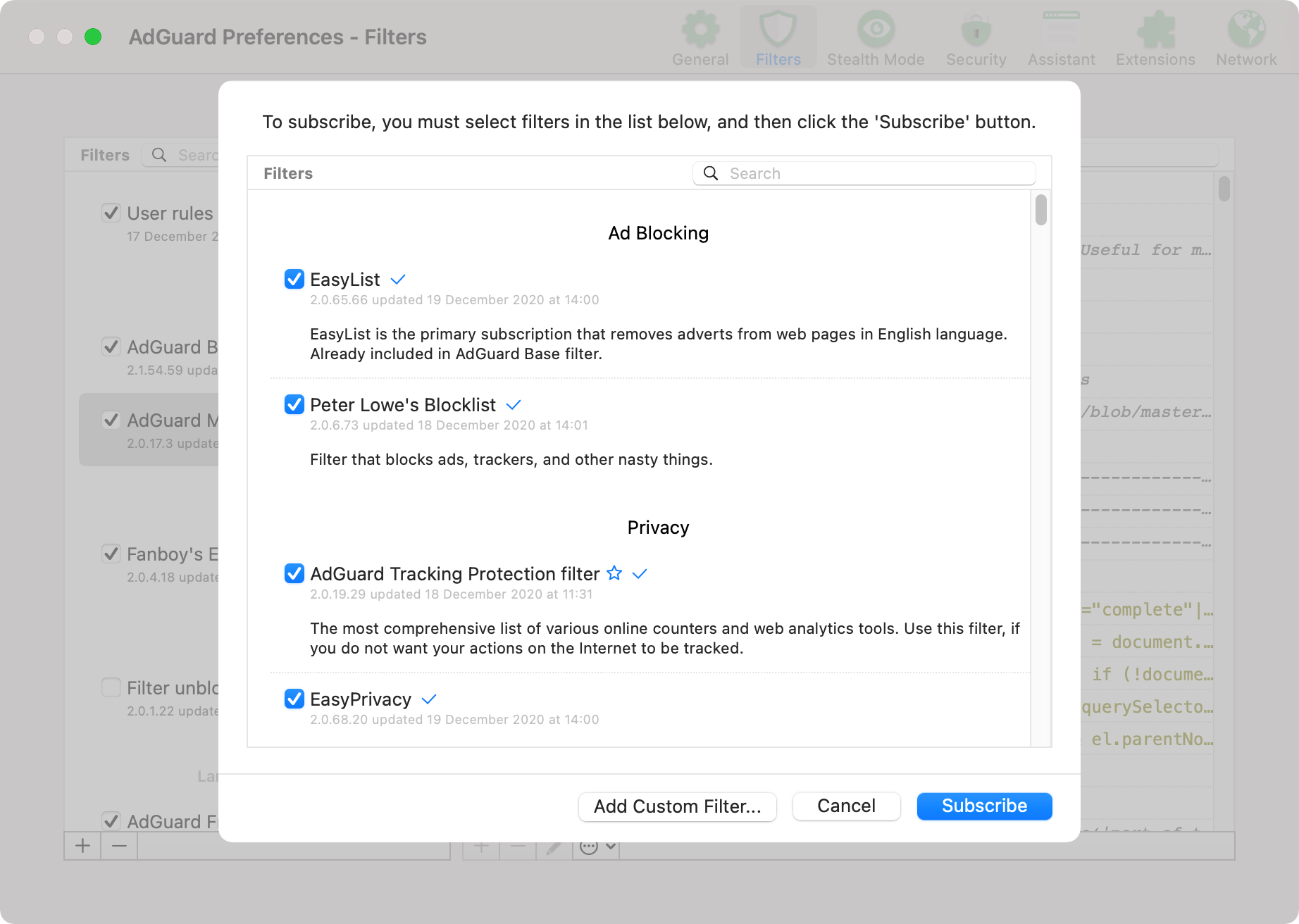
That first pass is the only manual one. The six custom lists the registry does not offer subscribe themselves: `macos-config.sh` opens an `abp://subscribe` URL for each, which are the only steps of that script asking for a click. They are [`adguard-user-rules.txt`](adguard-user-rules.txt), the AdGuard Annoyances and DNS filters, and the three [`i5heu/ublock-hide-yt-shorts`](https://github.com/i5heu/ublock-hide-yt-shorts) lists stripping YouTube shorts, comments and playables. Each one already subscribed is skipped, so re-running the script asks only for the dialogs that were missed.
AdGuard keeps its filter state in a SQLite database rather than a file, so `install.sh` cannot symlink `adguard-user-rules.txt` the way it does every other dotfile, and a subscription is the only path that updates itself: a push to `main` deploys each later edit on the next refresh. Never paste the file into the `User rules` screen: that import replaces the whole list, and the two lists have different jobs.
The `User rules` screen holds the private half, and this repository carries none of it. It fills itself during ordinary browsing: the Safari AdGuard extension writes an entry there each time I switch AdGuard off for a site. So the list is disposable. A macOS reinstall starts it empty and rebuilds it site by site over a few sessions, which is why nothing here backs it up. `adguard-user-rules.txt` carries only the rules worth moving between machines, and only the ones safe to publish.
Stealth Mode drops QUIC, because AdGuard cannot rewrite the SNI of a handshake it does not proxy. A host advertising `alpn=h3` in its HTTPS DNS record then stalls on UDP 443 until the browser retries over TCP, and Safari can report that stall as `This website does not support connecting securely over HTTPS`. Exempt such a host with a `$stealth` rule: an allowlist entry alone never reaches Stealth Mode. `Filtering log` names the cause, showing `Stealth mode` in the `Filter` column of a red `quic://` row.
### Claude Code
`~/.claude/settings.json` is symlinked to this repo and committed. There is no global `settings.local.json`: `~/.claude/settings.local.json` is [not a supported file](https://github.com/anthropics/claude-code/issues/35703#issuecomment-4138622633).
`enableWeakerNetworkIsolation: true` is set in the sandbox config to work around a macOS sandbox limitation: the sandbox blocks `Security.framework` IPC to `trustd`, breaking TLS certificate verification for all CGO-compiled Go binaries (`gh`, `terraform`, `tofu`, etc.) and Keychain access. `SSL_CERT_FILE` does not help because these binaries use `Security.framework` directly and ignore file-based certs ([anthropics/claude-code#34876](https://github.com/anthropics/claude-code/issues/34876)).
Claude Code reads skills and agents from the filesystem (`~/.claude/skills/` and `~/.claude/agents/`, symlinked to this repo), but Cowork and the Desktop chat resolve them from the account-level deployment store and cannot read local files ([anthropics/claude-code#76724](https://github.com/anthropics/claude-code/issues/76724), [anthropics/claude-code#84611](https://github.com/anthropics/claude-code/issues/84611)). A plugin is what reaches those surfaces, and two catalogs cover my skills:
- `kdeldycke/repomatic` carries the 19 skills and 3 agents that repository owns, which is their canonical source.
- `kdeldycke/dotfiles` carries the 8 that live only here: `agent-config-self-tune`, `audit-repo-issues`, `fill-web-form`, `pr-triage`, `rename-with-dates`, `session-title`, `transcribe-recording` and `wrapup-session`.
Add each in the Claude Desktop app under **Settings** → **Customize** → **Plugins**, through **Add** → **Add marketplace** → **Add from a repository**, then install its plugin from the **Discover** tab. Both verified on 2026-08-29 against Claude Code `2.1.236` and Desktop `1.37937.3`. Every skill then appears once, tagged with the catalog it came from:
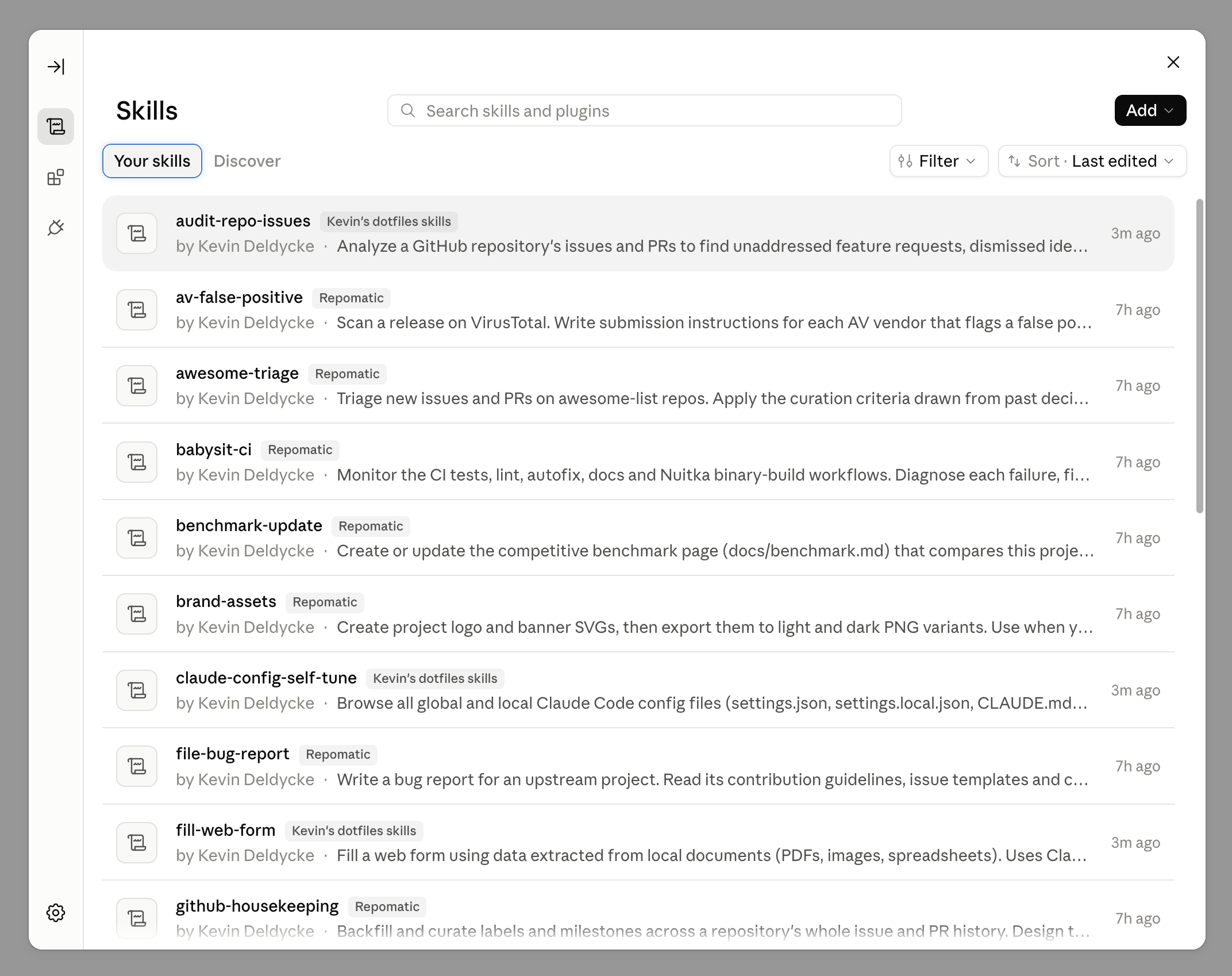
This repository's own plugin declares its eight skills by path, and its root is the repository itself, so an install carries every other file here too: more than 100 of them, assets and workflows included. Scoping that payload would mean moving the plugin root down to `dotfiles/.agents`, where `skills/` sits at the location the spec scans and all 27 skills would likely be discovered, including the repomatic ones this catalog must not republish. The wasted files are the cheaper of the two.
Keeping a catalog current on every push needs the GitHub App, which grants read and write on code, workflows, issues and pull requests, so it is worth a thought before installing. Without it a plugin still updates on request, and the app polls every 20 minutes anyway.
Uploading a release archive by hand still works offline and stays the fallback: download the `repomatic-claude-plugin.zip` asset of the [latest `kdeldycke/repomatic` release](https://github.com/kdeldycke/repomatic/releases/latest) and use **Add** → **Upload plugin**. It costs an upload per release, since such a plugin reports its source as `Uploaded from file`, shows no version and offers no update check. Keep that filename version-free: the app derives the plugin name from it, and a versioned name installs a duplicate instead of updating ([anthropics/claude-code#20697](https://github.com/anthropics/claude-code/issues/20697)).
Diagnose any of this from `~/Library/Logs/Claude/main.log`, never the dialog, which reports a bare "Marketplace sync failed" naming no cause. Findings are tracked in [kdeldycke/repomatic#2540](https://github.com/kdeldycke/repomatic/issues/2540).
`/wrapup-session` (the shared [skill](dotfiles/.agents/skills/wrapup-session/SKILL.md)) closes out a session: loose ends, then lessons worth persisting. Claude Code cannot quit after a turn, so run it by hand before exiting; a [`SessionEnd` hook](dotfiles/.claude/hooks/wrapup-session-nudge.py) prints a reminder when an interactive exit skipped it.
### Pi
`~/.pi/agent/settings.json` is symlinked to this repo and committed. Session logs, auth tokens and model caches stay local to the machine.
pi has no permission layer, so the [`shell-deny.ts` extension](dotfiles/.pi/agent/extensions/shell-deny.ts) applies the `Bash(...)` deny rules of the Claude Code `settings.json` to pi's `bash` tool. One list then stops both agents.
`/bye` (from the [`bye.ts` extension](dotfiles/.pi/agent/extensions/bye.ts)) runs the shared [`wrapup-session` skill](dotfiles/.agents/skills/wrapup-session/SKILL.md) as a final turn, then quits once it settles. A plain `/quit` or Ctrl+D prints a one-line reminder instead.
### Logi Options
For productivity, setup custom trackball shortcuts with macOS desktop
management tools and Amethyst windows commands.
Page-up button assignment → `Smart zoom`:
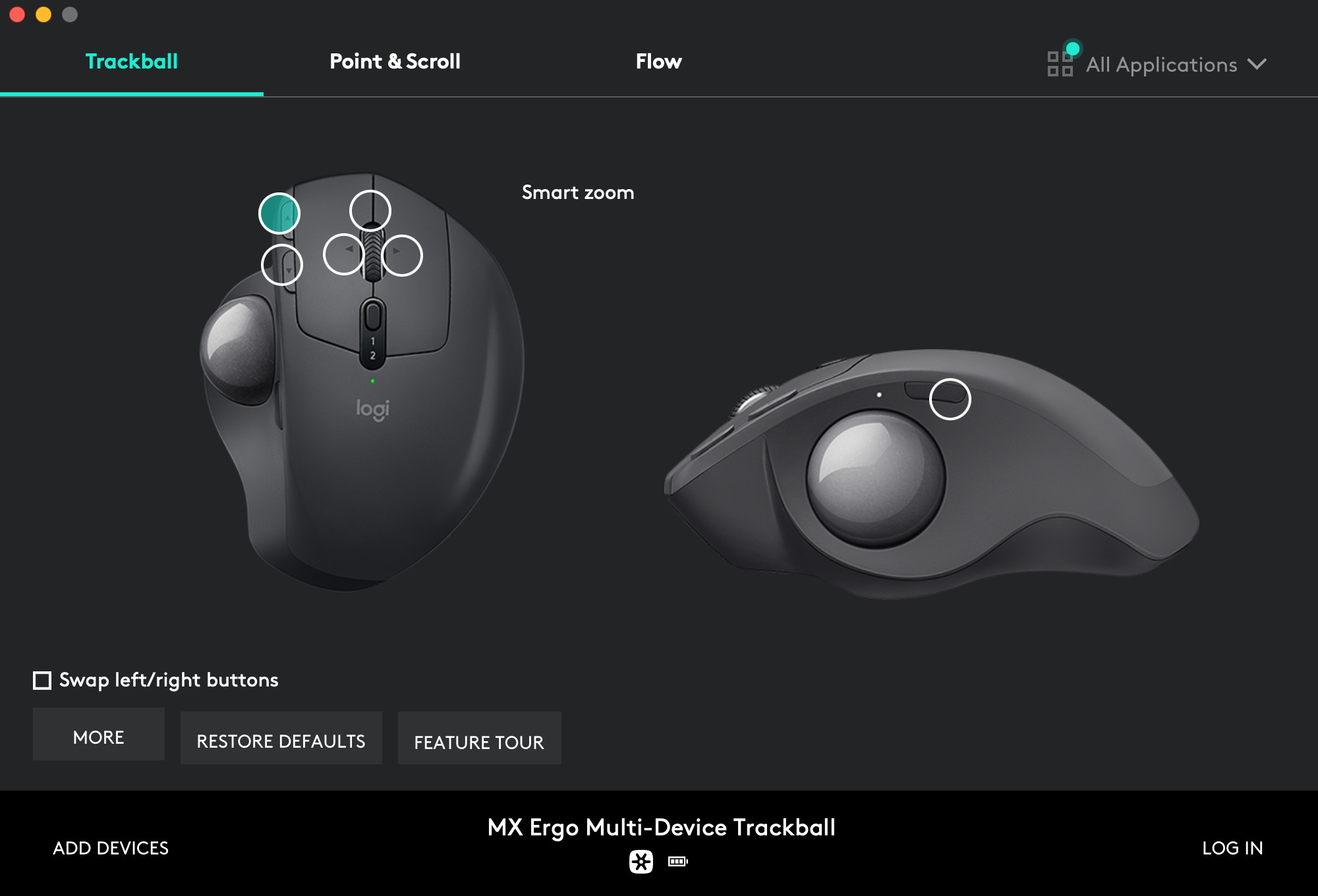
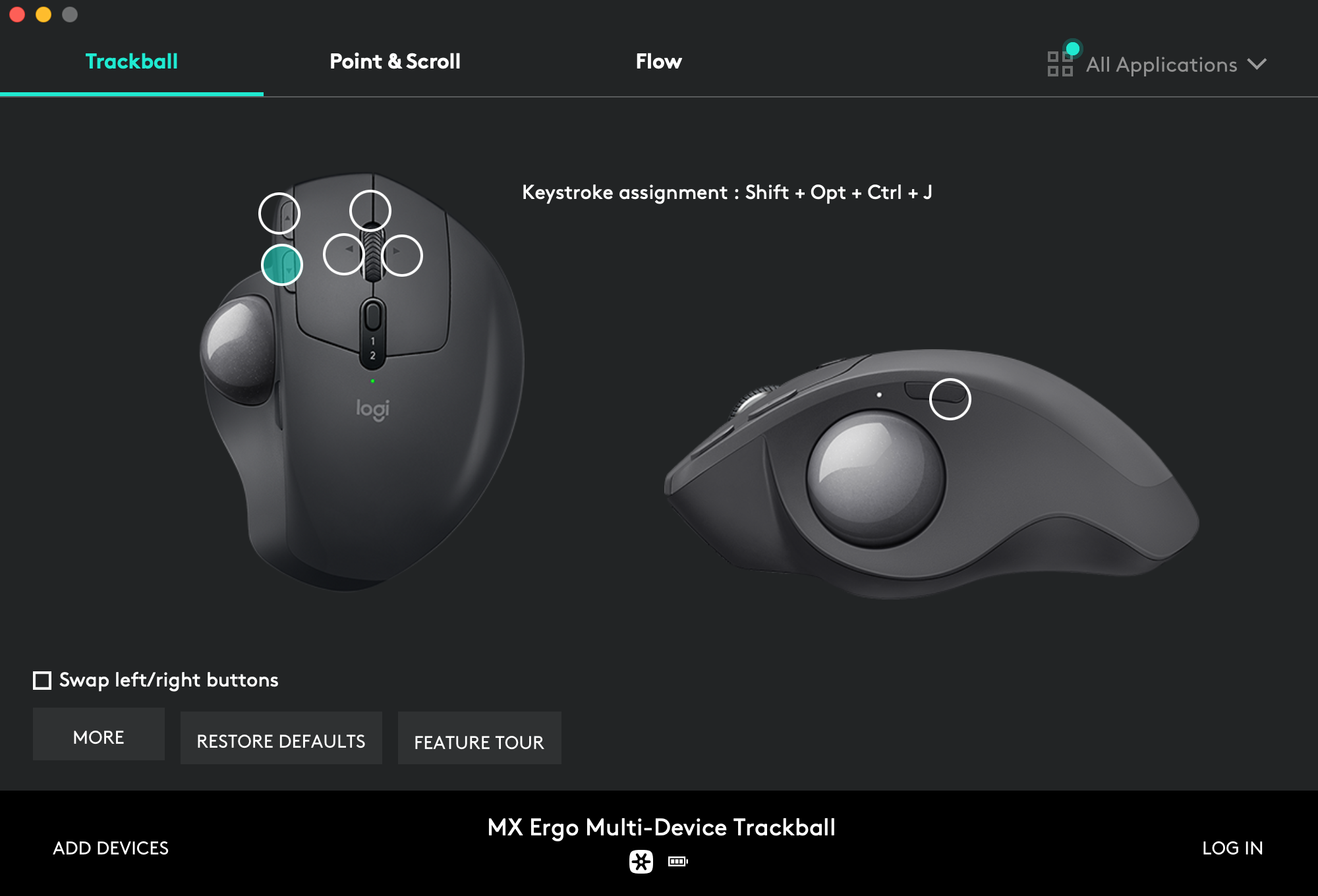
Page-down button assignment → `Shift` + `Opt` + `Ctrl` + `J`:
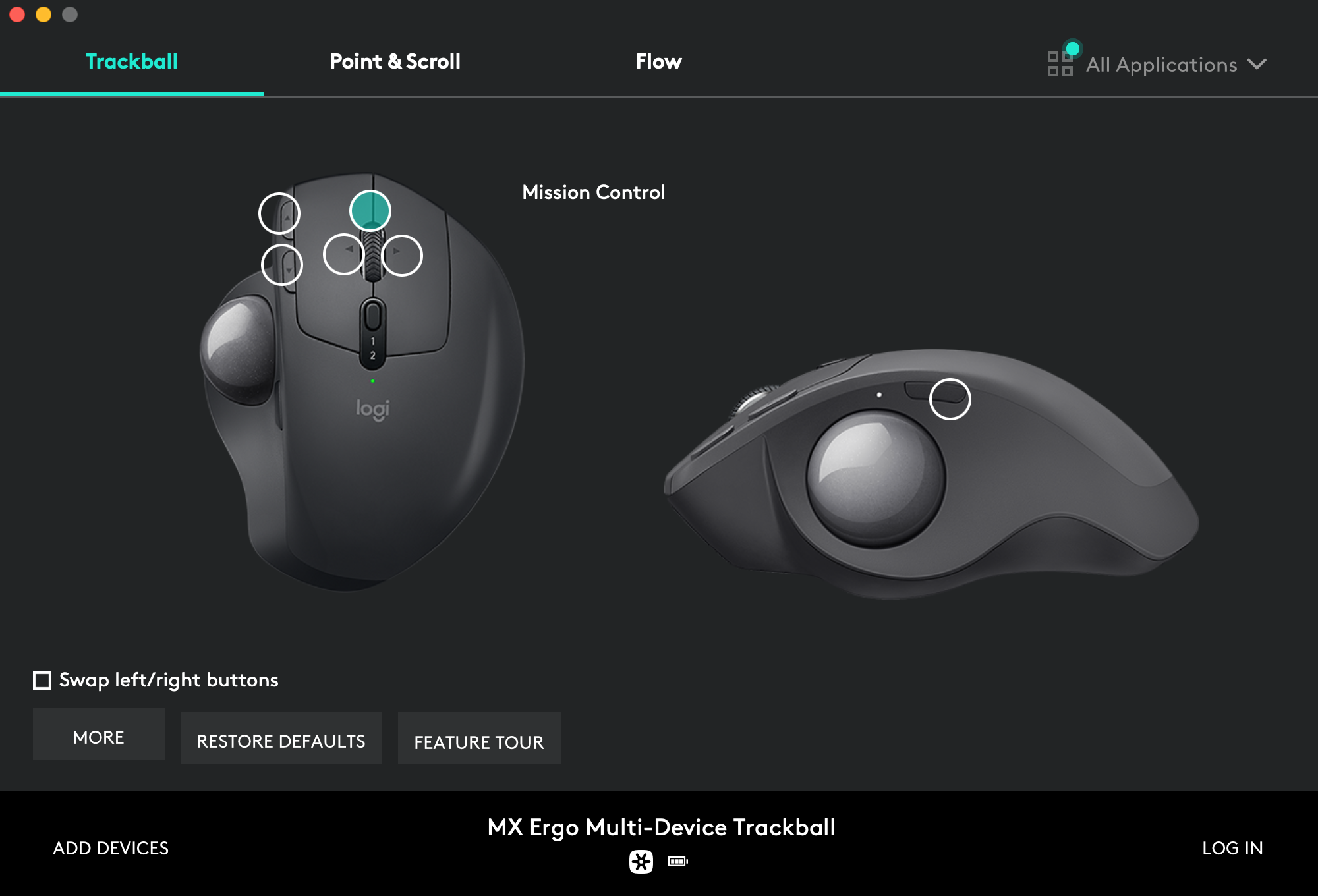
Wheel click button assignment → `Mission Control`:
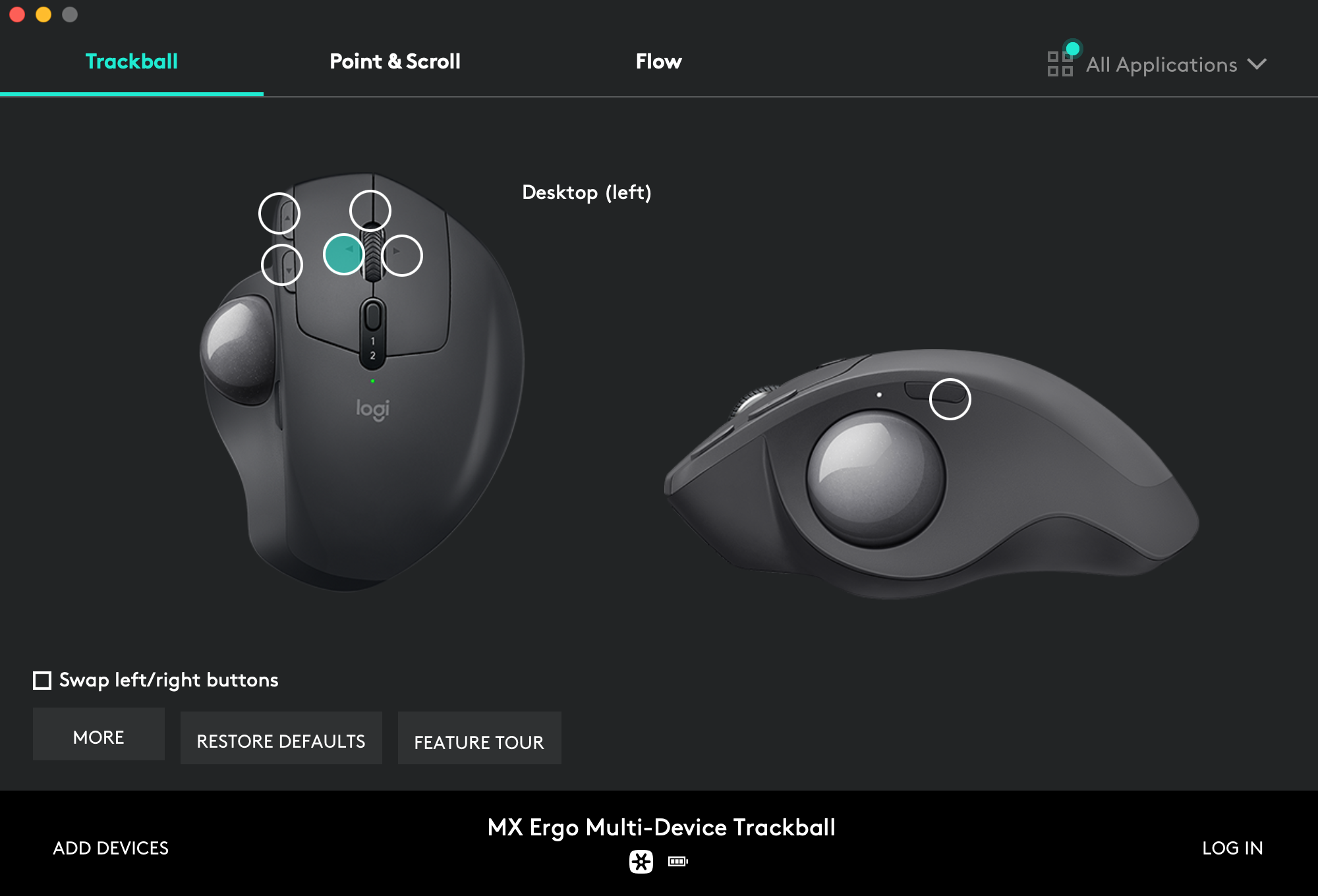
Wheel left click assignment → `Desktop (left)`:
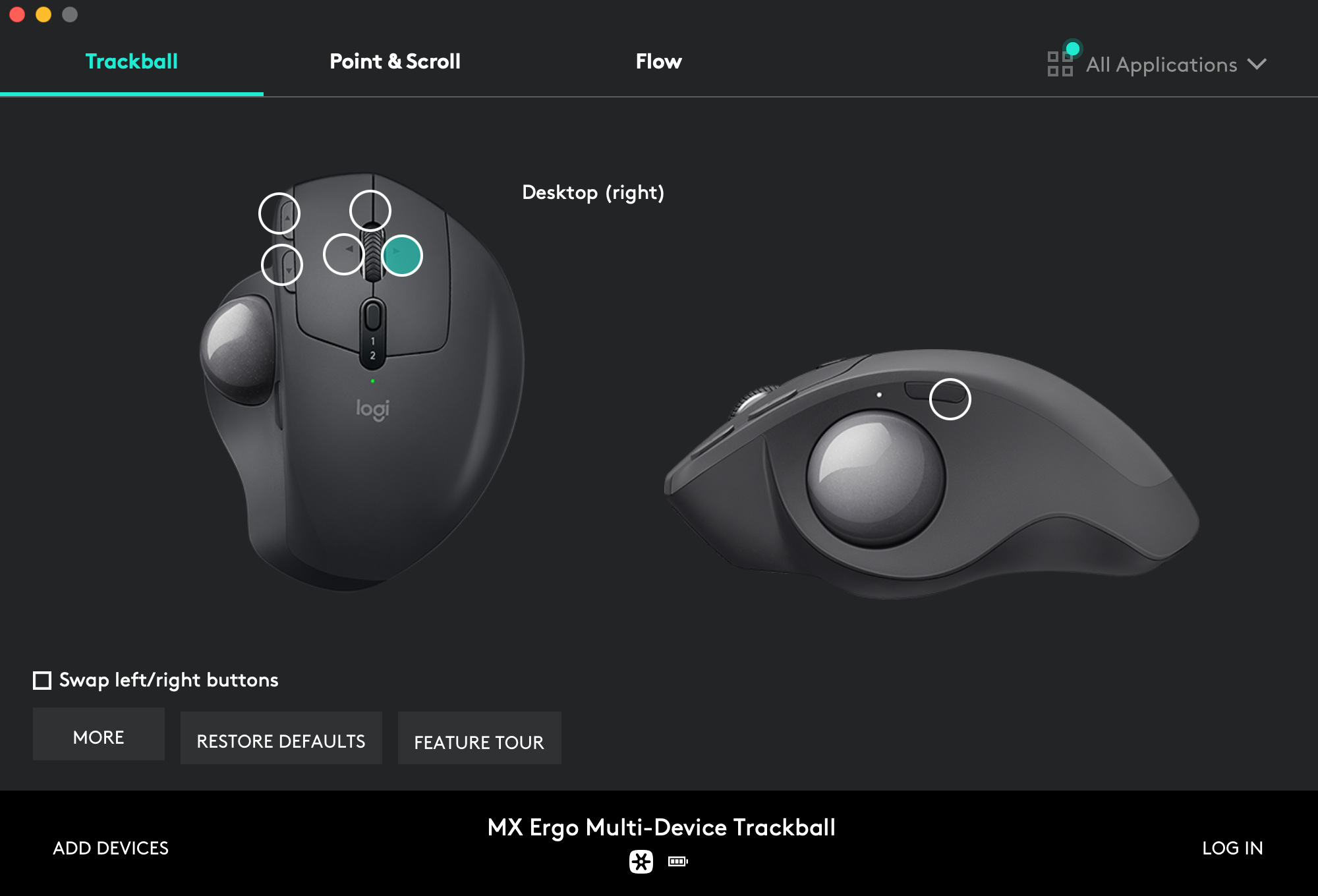
Wheel right click assignment → `Desktop (right)`:
Side button assignment → `Shift` + `Opt` + `Space`:
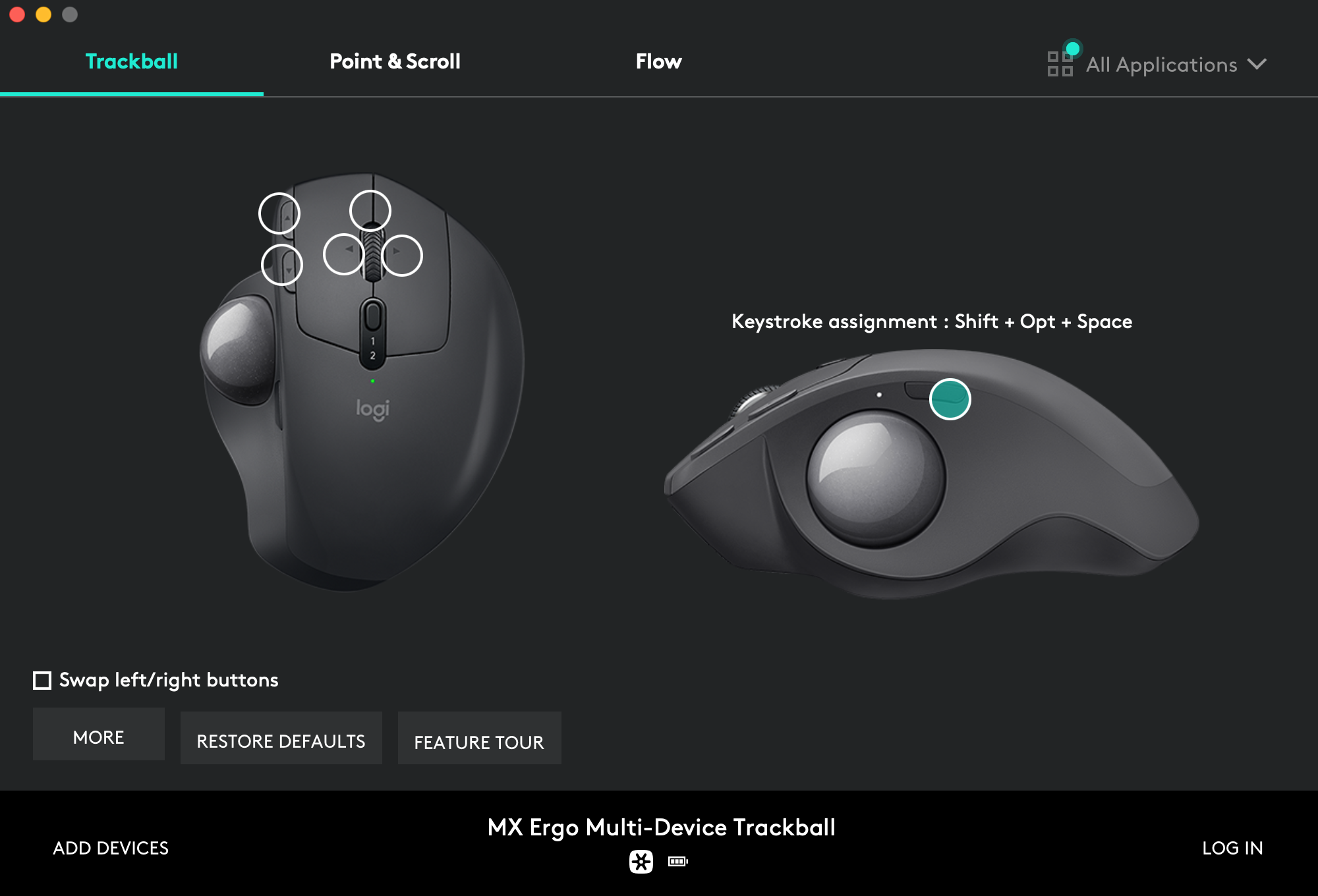
Side button assignment → `Shift` + `Opt` + `Space`:

## Upgrade
I'm trying to make the install procedure idempotent so you'll just have to
call the script again to upgrade your system:
```shell-session
$ ./install.sh 2>&1 | tee ./install.log
```
To refresh only a part of the system, call the corresponding [stage](#stages), like `./install.sh packages` to upgrade packages without touching the rest.
## Maintenance
It mainly consist in refreshing some assets at every macOS major release:
- Regenerate
[`Monokai Soda.terminal` profile](https://github.com/kdeldycke/dotfiles/blob/main/assets/Monokai%20Soda.terminal).
- Keep list of packages up-to-date:
```shell-session
$ ./install.sh snapshot
```
- Update screenshots. 😖
- Run the [security audit](#security-audit) below.
### Security audit
At every macOS major release, I audit `macos-config.sh` against the [NIST macOS Security Compliance Project](https://github.com/usnistgov/macos_security) (mSCP) to catch security settings that the new release moved, renamed or retired. Security-related lines in the script are tagged with their stable mSCP rule id (like `system_settings_firewall_enable`) so a failing rule maps straight back to the line to update.
1. Clone the mSCP guidance for the macOS release. macOS 27 has no release branch: its guidance is in the `release_27.0` tag. Older releases have a branch named after the release (`tahoe` for macOS 26, `sequoia` for macOS 15, and so on):
```shell-session
$ git clone --branch release_27.0 --depth 1 https://github.com/usnistgov/macos_security.git
$ cd macos_security
```
2. Build a tailored CIS level 1 baseline. The interactive prompts let me exclude the deliberate exemptions listed below and set my own organization-defined values (like the 600 seconds screen saver timeout, the 30 days audit retention, or `time.euro.apple.com` as time server):
```shell-session
$ uv run --with-requirements requirements.txt scripts/generate_baseline.py --keyword cis_lvl1 --tailor
```
3. Generate the compliance script from the tailored baseline and run it in check-only mode:
```shell-session
$ uv run --with-requirements requirements.txt scripts/generate_guidance.py --script custom/baselines/cis_lvl1_macos_27.0.yaml
$ sudo zsh build/cis_lvl1_macos_27.0/cis_lvl1_macos_27.0_compliance.sh --check
$ sudo zsh build/cis_lvl1_macos_27.0/cis_lvl1_macos_27.0_compliance.sh --stats
```
4. Reconcile every failing rule: port the rule's `fix` command into `macos-config.sh` (tagged with its mSCP rule id), or add the rule to the exemption list below. Then re-run `macos-config.sh` and check again: macOS upgrades silently reset some settings (launchd service overrides and `pmset` values in particular), and re-running the script is the intended remedy. Rules marked "implemented by a Configuration Profile" have no CLI equivalent: generate the profiles with `--profiles` (or `--consolidated-profile`) and import them via `System Settings.app` → `Privacy & Security` → `Profiles`.
Deliberate exemptions, to exclude when tailoring the baseline:
- `os_airdrop_disable`: AirDrop stays enabled, on all interfaces.
- `os_gatekeeper_enable`: Gatekeeper assessments stay on, but I disable the `LSQuarantine` prompt, and the `SIP_DISABLED` branch of the script adds a Developer Tools bypass for Terminal.
- `os_handoff_disable`: Handoff between my devices stays enabled.
- `os_loginwindow_adminhostinfo_disabled`: I show the hostname at the login window on purpose.
- `pwpolicy_*`: no password lockout, history or rotation policy on a personal machine.
- `system_settings_firewall_enable` and `system_settings_firewall_stealth_mode_enable`: enforced with `socketfilterfw` instead of a configuration profile, so the check (which reads the managed preference) can report a false failure while the firewall is actually on.
Rules that stay check-only without an MDM, to carry into the generated configuration profile instead of `macos-config.sh`: `os_mail_summary_disable`, `os_notes_transcription_disable`, `os_notes_transcription_summary_disable`, `os_on_device_dictation_enforce`, `os_software_update_deferral`, `os_writing_tools_disable`, `system_settings_external_intelligence_disable` and `system_settings_external_intelligence_sign_in_disable`. A few others (Siri, AirPlay receiver, Internet Sharing) are set by `macos-config.sh` through their real preference keys, but only the corresponding profile payload prevents re-enablement. `system_settings_time_machine_encrypted_configure` stays manual: encryption is picked when selecting the backup disk.
## Versions
Only the current default `main` branch is supported and actively maintained.
Older branches are available for archive.
- [macOS 27 (Golden Gate)](https://github.com/kdeldycke/dotfiles/tree/main) (current)
- [macOS 26 (Tahoe)](https://github.com/kdeldycke/dotfiles/tree/macos-26)
- [macOS 15 (Sequoia)](https://github.com/kdeldycke/dotfiles/tree/macos-15)
- [macOS 14 (Sonoma)](https://github.com/kdeldycke/dotfiles/tree/macos-14)
- [macOS 13 (Ventura)](https://github.com/kdeldycke/dotfiles/tree/macos-13)
- [macOS 12 (Monterey)](https://github.com/kdeldycke/dotfiles/tree/macos-12)
- [macOS 11 (Big Sur)](https://github.com/kdeldycke/dotfiles/tree/macos-11)
- [macOS 10.15 (Catalina)](https://github.com/kdeldycke/dotfiles/tree/macos-10.15)
- [macOS 10.14 (Mojave)](https://github.com/kdeldycke/dotfiles/tree/macos-10.14)
- [macOS 10.13 (High Sierra)](https://github.com/kdeldycke/dotfiles/tree/macos-10.13)
- [macOS 10.12 (Sierra)](https://github.com/kdeldycke/dotfiles/tree/macos-10.12)
Former
[support of Kubuntu and Ubuntu Server Linux distributions has been dropped](https://github.com/kdeldycke/dotfiles/commit/e667245f6a4c90c6d41907e392adb74c5acfcf13).
You can still find these as dedicated branches, but all are quite ancient
(2016).
## Resources
- [`ingrino`'s dotfiles](https://github.com/lingrino/dotfiles)
- [Mathias Bynens `.macos`](https://github.com/mathiasbynens/dotfiles/blob/master/.macos)
## License
For convenience, some third party code and assets are hard-copied in place.
These particular items have their own license and copyright:
- [Monokai Soda](https://github.com/lysyi3m/macos-terminal-themes#monokai-soda-download).
The rest of the content is configuration and code I accumulated over years.
Some was heavily inspired by other dotfiles repositories. But each time I
borrow something, I try to credit the author and/or point to the source. You
should be able to trace back the origin of things by looking at the commit
history.
If you can't find any clue about an external source, then assume it is original
content I produced, which I released under the
[BSD 2-Clause License](LICENSE.md).