# @three-ws/home-bridge
<!-- three.ws:badges -->
[](https://github.com/nirholas/home-bridge/stargazers) [](https://github.com/nirholas/home-bridge/blob/HEAD/LICENSE) [](https://github.com/nirholas/home-bridge/commits) [](https://github.com/nirholas/home-bridge/pulls) [](https://github.com/nirholas/home-bridge/blob/HEAD/AGENTS.md)
<!-- /three.ws:badges -->
**Connect a three.ws agent to a real home.**
This is the layer between a three.ws agent and [Home Assistant](https://www.home-assistant.io):
live entity state, safe service calls, a room graph the 3D scene can render, and the optional
Model Context Protocol channel.
It deliberately implements **no device support at all**. Zigbee, Z-Wave, Matter, Thread, BLE,
and the long tail of 1,500 integrations are Home Assistant's job, and it does that job better
than anything we would write. This package is the 200 lines in the middle that were missing.
Why this exists, what else was evaluated, and where it goes next:
[docs/smart-home.md](../../docs/smart-home.md).
**Pre-1.0.** An agent reaching a real building is new enough that the shape is not settled, and
the export surface will move before 1.0. Pin an exact version if you are building on it. The one
thing that will not move is the gate: reads free, safety moves unprompted, and anything that opens
the house stops and asks.
## Install
```bash
npm install @three-ws/home-bridge
```
The Model Context Protocol channel is optional. Install `@modelcontextprotocol/sdk` alongside
this package if you want it; everything else works without it.
## What you need from the user
A **base URL** and a **long-lived access token** (Home Assistant, Profile, Security,
Long-lived access tokens, Create token).
The URL has to be one your code can actually reach. A page served over https cannot open a
plain-http LAN address, and a cloud server cannot route to `192.168.x.x` at all, so a home
that is only on its own network needs a remote https URL (Home Assistant Cloud, or the
user's own reverse proxy). `normalizeBaseUrl` and `isPrivateHost` let you say that up front
instead of after a timeout.
## Which Home Assistant versions this works against
**2025.10 and newer.** Measured, not assumed: `npm run home:matrix` in the three.ws repo
(`scripts/home-version-matrix.mjs`) boots a real container per release and runs this library
against it, filling in a table of connect, registries, state stream, service call, scenes and
`mcp_server`. The full table and the date it was measured are in
[docs/smart-home.md](https://github.com/nirholas/three.ws/blob/main/docs/smart-home.md).
The release set is derived from Home Assistant's own install-share analytics rather than
hardcoded: the current stable, the two before it, and the oldest release still above one percent
of installs. The floor is where the world has moved on, not where this library breaks, and it
moves on its own as people upgrade. Nothing was found that a 2025.10 house cannot do.
Where releases differ, this library **asks the instance** rather than parsing its version string.
The `mcp_server` probe is the pattern: an instance either answers `/api/mcp` with tools or it does
not, and either answer is a fact rather than an inference from a number.
## Use it
```js
import { HomeBridge } from '@three-ws/home-bridge';
const home = new HomeBridge({
baseUrl: 'https://abc123.ui.nabu.casa',
token: process.env.HOME_ASSISTANT_TOKEN,
});
// connect() opens the state socket, reads the floor/area/device/entity
// registries, and resolves once the room graph is ready.
const graph = await home.connect();
for (const room of graph.rooms) {
console.log(room.name, room.lighting, room.climate, room.secured);
}
// Bedroom { total: 1, on: 1, brightness: 0.157, rgb: [255,164,82] } null null
// Living Room { total: 2, on: 2, ... } { temperature: 23, sources: 1 } { locks: 1, unlocked: [], openings: 1, open: ['cover.living_room_window'], secure: false }
// The graph rebuilds itself on every state push, so a 3D scene can just redraw.
home.on('graph', (next) => scene.apply(next));
await home.call('light', 'turn_on', { entity_id: 'light.kitchen_lights', brightness_pct: 40 });
home.close();
```
### "Good night" is a scene the user already built
Household macros are not something this package invents. They are `scene.*` and `script.*`
entities the user made in an editor they already know, and their own "Bedtime" scene knows
about the plant light and the fish tank in a way no amount of reasoning over an entity list
will. `activate()` finds it:
```js
const { ran, match } = await home.activate('good night');
// match: { entityId: 'scene.bedtime', macro: 'good_night', confidence: 0.95,
// reason: '"good night" is the Good night macro, and Bedtime is this home\'s version of it.' }
```
Phrases resolve through a synonym table (`good night`, `goodnight`, `bedtime`, `time for bed`
all reach the same place) and then through fuzzy matching on the scene names. A house with no
matching scene returns `{ ran: false, match: null }` rather than firing the closest thing it
can find. Pass `{ dryRun: true }` to resolve without running.
### Rooms the house does not have yet
Most real Home Assistant setups have devices everywhere and not one area, so there is nothing to
draw a room from. Make one and file devices into it, in the user's own registry:
```js
const area = await bridge.createArea('Kitchen'); // { id: 'kitchen', created: true }
await bridge.assignEntityArea('light.bed_light', area.id);
bridge.graph.rooms.find((r) => r.id === area.id); // already carries the light
```
Both write the user's own Home Assistant, so the room reaches their dashboards, their voice
assistant and their automations too. Neither is a guarded action: nothing moves and nothing
opens, and both are reversible in two clicks in their own UI. `createArea` with a name that
already exists returns that area with `created: false` rather than failing, because the room the
caller asked for is there either way.
## The physical-action gate
**Reads are free. Writes that open the house stop and ask.** The rule is asymmetric on
purpose: locking up, closing the garage, and arming the alarm move the house toward safety and
never prompt; unlocking, opening, and disarming always do.
```js
try {
await home.call('lock', 'unlock', { entity_id: 'lock.front_door' });
} catch (err) {
if (err.code === 'needs_confirmation') {
// err.pending: { domain, service, data, risk: 'security', entityId }
// Show the user what is about to happen, then repeat with the flag.
await home.call('lock', 'unlock', { entity_id: 'lock.front_door' }, { confirmed: true });
}
}
```
`confirmed: true` represents a human saying yes. Never set it from model output.
A standing allowance is per entity and per direction, never per domain: a user who lets the
agent open the office door has not let it open the front door.
```js
home.allowList.add('lock.office_door');
```
## The MCP channel
Home Assistant's first-party [`mcp_server`](https://www.home-assistant.io/integrations/mcp_server/)
integration exposes the exact tools the user chose to give their own LLM. When a home has it
enabled, an agent gets that curated surface for free.
```js
import { connectHomeMcp, flattenEntities } from '@three-ws/home-bridge';
const mcp = await connectHomeMcp({
baseUrl,
token,
entities: () => flattenEntities(home.graph),
isAllowed: (id) => home.allowList.has(id),
});
console.log(mcp.tools.map((t) => t.name));
// intent__HassTurnOn, intent__HassTurnOff, light__HassLightSet, climate__HassClimateSetTemperature, ...
await mcp.callTool({ name: 'light__HassLightSet', arguments: { name: 'Kitchen Lights', brightness: 30 } });
```
**Pass `entities` or the gate is off, and you need the gate here more than anywhere else.**
Home Assistant's own description of `intent__HassTurnOff` reads: *"Turns off/closes a device
or entity. For locks, this performs an 'unlock' action."* A model told to turn something off
can unlock a front door, and nothing in the tool name says so. `classifyMcpCall` resolves the
call's targets against the live entity list, works out the service each one would really
perform, and applies the same rule the WebSocket path uses. This is verified against a live
instance in `tests/live-home.test.js`.
An instance without the integration set up throws `ERR.NO_MCP`, which is an ordinary state to
be in and not an outage. The WebSocket channel works on every instance with nothing but a
token, so the MCP channel is always an upgrade and never a requirement.
## A house you cannot dial into
Most Home Assistant installs answer only on their own network, and no remote https URL exists for
them. For those, the house dials out: the three.ws integration inside it opens one outbound
WebSocket to a relay, and this package reaches the instance back down that socket.
Above this line nothing changes. The room graph, the gate, intent resolution and every error code
are identical, because `HomeBridge` takes a transport where it would otherwise take a token:
```js
import { HomeBridge, createRelayTransport } from '@three-ws/home-bridge';
const home = new HomeBridge({
transport: createRelayTransport({
relayUrl: 'wss://home-relay.three.ws',
relayId,
serviceToken,
}),
});
console.log(home.transport); // "relay"
console.log(home.baseUrl); // "wss://home-relay.three.ws/v1/bridge?relay_id=abc123"
await home.connect();
```
No `baseUrl` and no `token`: a transport replaces both. It carries **no Home Assistant
credential** at all, because the integration authenticates locally, inside the house, and hands
the session over already authenticated, so no long-lived token ever leaves the building.
The two halves of that socket are [`services/home-relay`](../../services/home-relay) (the
terminator) and [`home-assistant-integration/`](../../home-assistant-integration) (the piece that
installs in the house and dials out).
## Errors
Every failure carries a `code`, because a connect screen has to tell "your token is wrong"
apart from "your house is offline".
| `code` | Means | What to tell the user |
|---|---|---|
| `bad_url` | Not a URL, or plain http from an https page | Use your remote https URL |
| `auth` | Home Assistant rejected the token | Create a new long-lived token |
| `unreachable` | No answer at all | The home may be LAN-only |
| `needs_confirmation` | A guarded action, no explicit yes | Show `err.pending`, then confirm |
| `no_mcp` | `mcp_server` is not enabled | Optional: offer to add it |
| `call_failed` | Connected, request failed | Surface the message |
| `not_connected` | Used before `connect()` | A bug in the caller |
## API
| Export | What it does |
|---|---|
| `HomeBridge` | One live connection: `connect`, `call`, `activate`, `macros`, `graph`, `states`, `on`, `close` |
| `HomeBridge` room organisation | `areas`, `createArea`, `assignEntityArea`, `refreshRegistries`: read the rooms, make one, and file a device into it, in the user's own registry |
| `connectHomeMcp` | The optional MCP capability channel, gated |
| `buildHomeGraph` | Registries plus states to the room graph. Pure |
| `flattenEntities` | The room graph to one flat entity list |
| `summarizeLighting` / `summarizeClimate` / `summarizeSecurity` | Per-room rollups the 3D scene reads |
| `resolveIntent` / `matchMacro` / `MACROS` | Phrase to an existing scene or script |
| `classifyCall` / `classifyMcpCall` / `createAllowList` | The physical-action gate |
| `createRelayTransport` / `relayCloseError` / `RELAY_PROTOCOL_VERSION` | Reach a house that dialled out to a relay instead of one you dial into. See below |
| `normalizeBaseUrl` / `isPrivateHost` | URL handling and the LAN reachability check |
## Tests
```bash
npx vitest run packages/home-bridge
```
The default suite runs against `tests/fixtures/home.json`, a recording of a real Home
Assistant instance rather than hand-written shapes (regenerate it with
`scripts/capture-home-fixture.mjs`). Set `HOME_ASSISTANT_URL` and `HOME_ASSISTANT_TOKEN` to
also run the live suite, which changes real state on a real instance. A throwaway house,
onboarded and seeded, is one command:
```bash
node scripts/home-test-instance.mjs --up --onboard --seed --json
# {"ok":true,"baseUrl":"http://127.0.0.1:42125","token":"eyJhbGciOi...","seeded":true, ...}
HOME_ASSISTANT_URL=http://127.0.0.1:42125 HOME_ASSISTANT_TOKEN=... npx vitest run packages/home-bridge
node scripts/home-test-instance.mjs --down
```
## A flapping house cannot kill your process
`connect()` installs `guardSubscriptions` on the connection it opens, and that is not
belt and braces. `home-assistant-js-websocket` re-establishes its subscriptions after a
reconnect with no rejection handler on the promise, so a house whose uplink flaps can
drop the socket again with a resubscribe command in flight, and the rejection reaches
Node unobserved. Under Node's default `--unhandled-rejections=throw` that **terminates
the process**, which on a server holding one connection per house means one bad uplink
takes every other house down with it.
Reproduced against a real Home Assistant, at the fifth flap, by scenario 2 of
[`scripts/home-chaos.mjs`](../../scripts/home-chaos.mjs). The bug and the fix we would
like to see are written up in
[docs/upstream/home-assistant-js-websocket-resubscribe-rejection.md](../../docs/upstream/home-assistant-js-websocket-resubscribe-rejection.md).
Until that lands, a failed subscribe here is reported on the bridge's `error` event and
resolves to a no-op unsubscribe, so the library retries it on the next `ready` and the
process survives.
## Read next
- [docs/tutorials/connect-your-home.md](../../docs/tutorials/connect-your-home.md): zero to a
working agent in a real house, by text and by voice.
- [`@three-ws/home-mcp`](../home-mcp): this library packaged as an MCP server, so any assistant
can run a house without you writing a client.
- [docs/smart-home.md](../../docs/smart-home.md): why Home Assistant owns the device layer, what
else was evaluated, and where this goes next.
## License
Apache-2.0. Built on [`home-assistant-js-websocket`](https://github.com/home-assistant/home-assistant-js-websocket)
(Apache-2.0) and [`@leeoniya/ufuzzy`](https://github.com/leeoniya/uFuzzy) (MIT).
<!-- three.ws:growth -->
## Support the project
If home-bridge saves you time, **[star it on GitHub](https://github.com/nirholas/home-bridge)**. Stars are how other developers and AI agents find the repositories worth trusting, and they cost you one click.
Know someone who would use it? [Post on X](https://twitter.com/intent/tweet?text=home-bridge%3A%20Connect%20a%20three.ws%20agent%20to%20a%20real%20Home%20Assistant%20instance%3A%20live%20entity%20state%2C%20safe%20service%20calls&url=https%3A%2F%2Fgithub.com%2Fnirholas%2Fhome-bridge) · [Share on Bluesky](https://bsky.app/intent/compose?text=home-bridge%3A%20Connect%20a%20three.ws%20agent%20to%20a%20real%20Home%20Assistant%20instance%3A%20live%20entity%20state%2C%20safe%20service%20calls%20https%3A%2F%2Fgithub.com%2Fnirholas%2Fhome-bridge) · [Share on LinkedIn](https://www.linkedin.com/sharing/share-offsite/?url=https%3A%2F%2Fgithub.com%2Fnirholas%2Fhome-bridge) · [Submit to Hacker News](https://news.ycombinator.com/submitlink?u=https%3A%2F%2Fgithub.com%2Fnirholas%2Fhome-bridge&t=home-bridge%3A%20Connect%20a%20three.ws%20agent%20to%20a%20real%20Home%20Assistant%20instance%3A%20live%20entity%20state%2C%20safe%20service%20calls) · [Share on Reddit](https://www.reddit.com/submit?url=https%3A%2F%2Fgithub.com%2Fnirholas%2Fhome-bridge&title=home-bridge%3A%20Connect%20a%20three.ws%20agent%20to%20a%20real%20Home%20Assistant%20instance%3A%20live%20entity%20state%2C%20safe%20service%20calls)
## Built for AI agents too
Coding agents and LLM tooling can read this repo directly: [AGENTS.md](./AGENTS.md), [llms.txt](./llms.txt), [llms-full.txt](./llms-full.txt). Point an agent at `https://github.com/nirholas/home-bridge` and it has the context it needs.
## More from the same author
- [All repositories by nirholas](https://github.com/nirholas/nirholas#readme): the full catalog, grouped by topic
- [three.ws](https://three.ws): the platform for 3D AI agents with Solana wallets, a skill marketplace and x402 payments
- Questions or ideas: [open an issue](https://github.com/nirholas/home-bridge/issues) or [start a discussion](https://github.com/nirholas/home-bridge/discussions)
## Contributors
[](https://github.com/nirholas/home-bridge/graphs/contributors)
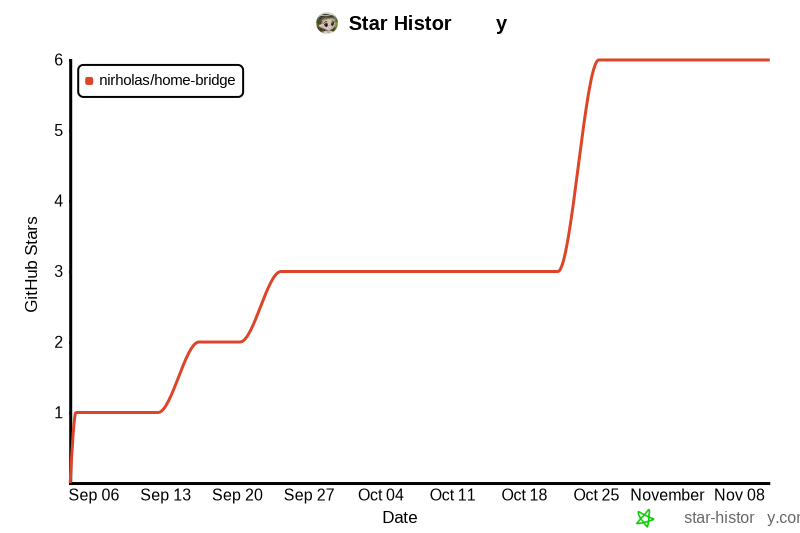
## Star history
[](https://www.star-history.com/#nirholas/home-bridge&Date)
<!-- /three.ws:growth -->
<!-- three.ws:ecosystem -->
## Part of three.ws
[three.ws](https://three.ws) is a platform for 3D AI agents with Solana wallets: avatars, a skill marketplace, x402 payments and more than seventy MCP servers. `@three-ws/home-bridge` is one package from it.
- Documentation site: https://nirholas.github.io/home-bridge/
- npm: https://www.npmjs.com/package/@three-ws/home-bridge
- Canonical source: https://github.com/nirholas/three.ws (this repository is a generated mirror of `packages/home-bridge`)
- Agent-readable summary: [llms.txt](./llms.txt) and [AGENTS.md](./AGENTS.md)
- Issues and ideas: https://github.com/nirholas/home-bridge/issues
<!-- /three.ws:ecosystem -->