# hood-cli
<!-- three.ws:badges -->
[](https://github.com/nirholas/robinhood-chain-cli/stargazers) [](https://github.com/nirholas/robinhood-chain-cli/commits) [](https://github.com/nirholas/robinhood-chain-cli/pulls) [](https://github.com/nirholas/robinhood-chain-cli/blob/HEAD/AGENTS.md)
<!-- /three.ws:badges -->
[](https://deploy.workers.cloudflare.com/?url=https://github.com/nirholas/robinhood-chain-cli)
[](https://vercel.com/new/clone?repository-url=https://github.com/nirholas/robinhood-chain-cli)
**The command-line toolkit for [Robinhood Chain](https://docs.robinhood.com/chain/) (chain ID 4663).**
Instant reads with zero config, guarded writes with an encrypted local wallet. Prices,
portfolios, launches, swaps, transfers, transaction decoding — the `gh`/`vercel` of Robinhood
Chain. Built on [`hoodchain`](https://github.com/nirholas/robinhood-chain-sdk) and
[viem](https://viem.sh).
Who it's for: anyone tracking Stock Tokens (tokenized equities on Robinhood Chain), watching
NOXA/Odyssey memecoin launches, or scripting swaps and transfers from a terminal or CI job.
Read commands (`price`, `stocks`, `coins`, `launches`, `tx`, `token`, `portfolio`, `watch`)
work immediately with no wallet or API key. Write commands (`swap`, `transfer`,
`deploy-token`) need a wallet and always stop for an explicit confirmation before signing.
Docs + a live animated terminal demo (a REAL captured session, not invented output):
**https://nirholas.github.io/robinhood-chain-cli/** · full flag-by-flag command reference:
**https://nirholas.github.io/robinhood-chain-cli/commands.html** (generated straight from `hood
<command> --help` — never hand-written, never drifts from the shipped binary).
## Install
```bash
npm install -g hood-cli
```
This installs two equivalent binaries: `hood` and `hoodc`.
Run without installing:
```bash
npx hood-cli price AAPL
```
From a checkout:
```bash
git clone https://github.com/nirholas/robinhood-chain-cli.git
cd robinhood-chain-cli
npm install
npm run build
node dist/cli.js price AAPL
```
Requires Node ≥ 20.
## Quickstart
```bash
$ hood price AAPL
◈ AAPL · Robinhood Chain mainnet
Oracle $315.50
Updated 1d 18h ago
DEX no pool
Premium —
Token 0xaF3D…93f9
$ hood stocks --sort premium --dex --limit 6
◈ Stock Tokens · mainnet · 6 shown · 6 priced
SYMBOL PRICE DEX PREMIUM AGE NAME ADDRESS
────────────────────────────────────────────────────────────────────────────────
CLSK $12.86 $15.51 +20.58% 1d 17h CleanSpark 0xcBB9…Cee3
IONQ $43.08 $49.44 +14.76% 1d 18h IonQ 0x5583…0EfE
NBIS $219.24 $248.41 +13.31% 1d 17h Nebius Group 0x9D9c…7931
$ hood portfolio 0x9701fb0aDe1E269c8f64Ec0C7b3cfADB31A13A52
◈ Portfolio · 0x9701…3A52 · mainnet
ETH 0.003784
USDG $0.0550
Stocks $0.00
Total $0.0550
No Stock Token positions. Fund with `hood swap --sell USDG --buy <ticker>`.
$ hood swap --sell USDG --buy WETH --amount 250
◈ Swap quote · mainnet · add --execute to send
Sell 250 USDG
Buy ~0.138501866807990729 WETH
Min. received 0.137809357473950775 WETH (0.50% slippage)
Rate 1 USDG ≈ 0.000554 WETH
Route direct pool
```
Every command supports `--json` for machine-readable output — pipe it into `jq` or a script.
## Global options
These apply to every command and must come before the subcommand name (`hood --json price AAPL`):
| Flag | Description |
| --- | --- |
| `-v, --version` | print the CLI version |
| `--json` | machine-readable JSON output instead of the human-formatted view |
| `--network <net>` | `mainnet` (default) or `testnet` |
| `--rpc <url>` | override the RPC endpoint for this invocation |
| `--verbose` | show the raw underlying error cause on failure |
| `--yes` | skip the interactive yes/no confirmation on writes (still requires `--execute`) |
| `--acknowledge-eligibility` | affirm Stock Token acquisition eligibility (you are not a US/CA/UK/CH person) |
| `--no-color` | disable ANSI colour in human output |
| `-h, --help` | show help for the command |
## Command reference
| Command | Description |
| --- | --- |
| `price <symbol>` | Chainlink oracle price + DEX price + premium for a Stock Token |
| `stocks` | The full Stock Token board with live Chainlink prices |
| `coins` | Memecoin screener — newest or trending launches |
| `launches` | Recent memecoin launches from NOXA and The Odyssey |
| `portfolio <address>` | Multiplier-correct Stock Token positions + USD totals for an address |
| `tx <hash>` | Decode a transaction: status, transfers, gas, method |
| `token <address>` | Inspect a token: metadata, supply, multiplier, price |
| `watch <addrOrToken>` | Live activity stream for an address or a token (ERC-20 transfers + native ETH) |
| `swap` | Quote (default) or execute a Uniswap v3 swap between two tokens |
| `transfer` | Send ETH or an ERC-20 token to an address |
| `faucet` | Print testnet faucet instructions + current testnet balances |
| `deploy-token` | Deploy a fixed-supply ERC-20 from a JSON config (direct-rail, no launchpad) |
| `config` | Manage hood-cli settings (rpc, wallet, network) |
Every argument below is a real, implemented flag — run `hood <command> --help` at any time to
see it straight from the CLI.
### `hood price <symbol>`
Chainlink oracle price, DEX price, and the premium/discount between them for one Stock Token.
| Flag | Description |
| --- | --- |
| `symbol` (arg) | ticker (`AAPL`) or token address |
| `--watch` | live-updating view that repaints in place |
| `--interval <ms>` | refresh interval for `--watch` (default `4000`) |
| `--max-age <seconds>` | max acceptable Chainlink answer age |
| `--no-dex` | skip the Uniswap price probe (oracle only) |
```bash
hood price AAPL
hood price 0xaF3D... --no-dex
hood price TSLA --watch --interval 2000
```
### `hood stocks`
The full Stock Token board — every canonical, verified Stock Token with a live Chainlink feed.
| Flag | Description |
| --- | --- |
| `--sort <key>` | `symbol` \| `price` \| `premium` (premium implies `--dex`); default `symbol` |
| `--dex` | also probe Uniswap for DEX price + premium (slower) |
| `--priced` | only show tokens with a live Chainlink feed |
| `--limit <n>` | show at most `n` rows |
```bash
hood stocks
hood stocks --sort premium --dex --limit 10
hood stocks --priced --json
```
### `hood coins`
Screener over the NOXA/Odyssey bonding-curve launchpads: newest launches, or ranked by trade
activity.
| Flag | Description |
| --- | --- |
| `--new` | newest launches (default) |
| `--trending` | rank by bonding-curve trade activity |
| `--lookback <blocks>` | blocks to scan (default `50000`) |
| `--limit <n>` | rows to show (default `20`) |
| `--names` | resolve token symbols on-chain |
Mainnet only — the launchpads don't exist on testnet.
```bash
hood coins --names
hood coins --trending --lookback 100000 --limit 10
```
### `hood launches`
The raw launch feed for NOXA and The Odyssey, or a live stream of new ones.
| Flag | Description |
| --- | --- |
| `--follow` | stream new launches live instead of a snapshot |
| `--launchpad <name>` | `noxa` \| `odyssey` (default: both) |
| `--lookback <blocks>` | blocks to scan for the snapshot (default `30000`) |
| `--limit <n>` | max rows in the snapshot (default `25`) |
| `--names` | resolve each token symbol on-chain |
```bash
hood launches --lookback 2000000 --limit 5 --names
hood launches --follow --launchpad odyssey
```
### `hood portfolio <address>`
Multiplier-correct Stock Token positions (share-equivalents, not raw balances) plus ETH,
USDG, and a USD grand total.
| Flag | Description |
| --- | --- |
| `address` (arg) | wallet address to inspect |
| `--max-age <seconds>` | max acceptable Chainlink answer age |
```bash
hood portfolio 0x9701fb0aDe1E269c8f64Ec0C7b3cfADB31A13A52
```
### `hood tx <hash>`
Decodes a transaction: status, from/to, value, method selector, gas, fee, block time, and
every ERC-20 `Transfer` log inside it (symbols resolved for known Stock Tokens and read
on-chain for anything else).
```bash
hood tx 0x870a3bee3070f10e3c4f34271cfde70fd5aa0dc2eade6f07d01ae6c9a00285bd
```
### `hood token <address>`
Token metadata: name, decimals, total supply, holder count, the `uiMultiplier` for Stock
Tokens, Chainlink oracle price (if it has a feed), and DEX price.
| Flag | Description |
| --- | --- |
| `address` (arg) | token address or ticker |
```bash
hood token AAPL
hood token 0xcBB9...
```
### `hood watch <addrOrToken>`
Streams live activity until `Ctrl-C`. Without `--token`, a wallet address streams native ETH
in/out plus every USDG transfer touching it (mainnet only — it needs the Stock Token
registry). With `--token`, or when the argument isn't a valid address, it streams every
transfer of that token.
| Flag | Description |
| --- | --- |
| `addrOrToken` (arg) | wallet address, token address, or ticker to watch |
| `--token` | treat the argument as a token (stream ALL transfers of it) |
```bash
hood watch 0x9701fb0aDe1E269c8f64Ec0C7b3cfADB31A13A52
hood watch AAPL --token
```
### `hood swap`
Quotes a Uniswap v3 swap by default; add `--execute` to sign and send it. Recognizes `USDG`,
`WETH`/`ETH`, any Stock Token ticker, or a raw `0x` address for both `--sell` and `--buy`.
| Flag | Description |
| --- | --- |
| `--sell <token>` | ticker or address to sell (e.g. `USDG`) — required |
| `--buy <token>` | ticker or address to buy — required |
| `--amount <amount>` | amount of `--sell` to spend, in whole tokens — required |
| `--slippage <bps>` | slippage tolerance in basis points (default `50` = 0.5%) |
| `--execute` | sign and send (default: quote only) |
```bash
hood swap --sell USDG --buy WETH --amount 250
hood swap --sell USDG --buy AAPL --amount 500 --slippage 100 --execute
```
`--execute` prints a confirmation table and stops for an explicit `y`/`N` unless `--yes` is
passed. It also checks the configured `maxSpendUsd` cap (see **Configuration** below) and
Stock Token acquisition eligibility — a swap that mints/acquires a Stock Token for a
non-affirmed operator fails with a guard error until you pass
`--acknowledge-eligibility`.
### `hood transfer`
Sends native ETH or an ERC-20 token to an address.
| Flag | Description |
| --- | --- |
| `--to <address>` | recipient address — required |
| `--amount <amount>` | amount to send, in whole tokens — required |
| `--token <token>` | ticker or address to send (default: native ETH) |
```bash
hood transfer --to 0x9701fb0aDe1E269c8f64Ec0C7b3cfADB31A13A52 --amount 0.01
hood transfer --to 0x9701... --amount 100 --token USDG
```
Same confirmation gate and `maxSpendUsd` cap as `swap`.
### `hood faucet`
Prints the testnet faucet URL and instructions, plus your current testnet balances if a
wallet is configured. Testnet-only (`--network testnet`); each claim (browser-only — it
requires Cloudflare Turnstile + Google Sign-In and can't be automated) drips testnet ETH plus
5 each of `TSLA`, `AMZN`, `PLTR`, `NFLX`, `AMD`.
```bash
hood faucet --network testnet
```
### `hood deploy-token`
Deploys a fixed-supply ERC-20 (not a Stock Token, not launchpad-listed — a plain direct-rail
token) from a JSON config.
| Flag | Description |
| --- | --- |
| `--config <path>` | path to a JSON file: `{ name, symbol, decimals?, initialSupply }` — required |
| `--execute` | sign and send (default: print the deploy plan only) |
Config file example:
```json
{
"name": "My Token",
"symbol": "MTK",
"decimals": 18,
"initialSupply": 1000000
}
```
```bash
hood deploy-token --config ./mytoken.json
hood deploy-token --config ./mytoken.json --execute
```
### `hood config`
Manages the persistent CLI config at `~/.config/hood/config.json` (or `$HOOD_CONFIG_DIR`).
| Subcommand | Description |
| --- | --- |
| `config set <key> [value]` | set a config value: `network`, `rpc`, `testnetRpc`, `alchemyKey`, `maxSpendUsd`, or `wallet` |
| `config get <key>` | print one config value |
| `config list` | print the full config (secrets masked) |
```bash
hood config set network testnet
hood config set rpc https://your-rpc.example.com
hood config set alchemyKey <your-alchemy-key>
hood config set maxSpendUsd 500
hood config set wallet
hood config get walletAddress
hood config list
```
`config set wallet` with no value generates a new private key (or, if
`ROBINHOOD_CHAIN_IMPORT_KEY` is set, imports it), prompts twice for a password, and writes an
AES-256-GCM keystore (scrypt KDF, Node's built-in `crypto` — the same primitive set as the
Web3 Secret Storage spec) to `~/.config/hood/keystore.json`. The private key never touches the
config file or plaintext disk.
### `hood init`
The one-command onboarding wizard for the whole trading stack: this CLI's wallet, the
[`hood-traders`](https://github.com/nirholas/robinhood-chain-traders) `llm-strategist` (bring your own key —
Claude, OpenAI, Groq, or OpenRouter), and the [`hood-alerts`](https://github.com/nirholas/robinhood-chain-alert-bot)
Telegram bot / Discord bot / X (Twitter) auto-posting. Every step is optional — skip anything you
don't need with `n` or Enter.
```bash
hood init
```
It writes `hood-traders.env` and `hood-alerts.env` into the current directory (`--out <dir>` to
choose another). Copy each into the matching package as `.env` and run it:
```bash
cp hood-traders.env hood-traders/.env && cd hood-traders && npx hood-traders
cp hood-alerts.env hood-alerts/.env && cd hood-alerts && npx hood-alerts
```
Needs an interactive terminal (secrets are typed, not passed as flags) — in CI or a non-interactive
shell, copy `hood-traders/.env.example` and `hood-alerts/.env.example` by hand instead.
## Wallet & signing
Every write command (`swap --execute`, `transfer`, `deploy-token --execute`, `config set
wallet`) needs a signer. Precedence:
1. `ROBINHOOD_CHAIN_PRIVATE_KEY` env var — a hex private key (with or without `0x` prefix).
Best for CI or power users; bypasses the keystore entirely.
2. The encrypted keystore created by `hood config set wallet`, unlocked by a password prompt
(or the `HOOD_WALLET_PASSWORD` env var, so scripts never need an interactive TTY).
No wallet is required for any read command (`price`, `stocks`, `coins`, `launches`, `tx`,
`token`, `portfolio`, `watch`).
## Configuration & environment variables
| Variable | Purpose |
| --- | --- |
| `HOOD_CONFIG_DIR` | overrides the config/keystore directory (default `~/.config/hood`) |
| `HOOD_WALLET_PASSWORD` | wallet keystore password, read non-interactively (for scripts/CI) |
| `ROBINHOOD_CHAIN_PRIVATE_KEY` | sign with this private key directly, skipping the keystore |
| `ROBINHOOD_CHAIN_IMPORT_KEY` | private key to import when running `hood config set wallet` (instead of generating a new one) |
Persistent config keys (`hood config set <key> <value>`):
| Key | Purpose |
| --- | --- |
| `network` | default network for every command: `mainnet` or `testnet` |
| `rpc` | custom mainnet RPC URL |
| `testnetRpc` | custom testnet RPC URL |
| `alchemyKey` | Alchemy API key — builds `https://robinhood-mainnet.g.alchemy.com/v2/{key}` automatically |
| `maxSpendUsd` | hard USD ceiling on a single `swap`/`transfer`; the write is refused if the estimated spend exceeds it (unpriceable tokens are never blocked, only warned about) |
| `wallet` | special: runs the interactive wallet setup flow described above |
Resolution order for RPC URL: `--rpc` flag → `alchemyKey` (mainnet) / `testnetRpc` → `rpc` →
the SDK's public default.
## Networks
| Network | Chain ID | Notes |
| --- | --- | --- |
| `mainnet` (default) | 4663 | Stock Tokens, Chainlink feeds, NOXA/Odyssey launchpads, Uniswap v3 pools all live here |
| `testnet` | 46630 | `TSLA`, `AMZN`, `PLTR`, `NFLX`, `AMD` faucet tokens; no launchpads, no Chainlink feeds |
Pass `--network testnet` on any command, or set it once with `hood config set network
testnet`.
## Exit codes
| Code | Meaning |
| --- | --- |
| `0` | success |
| `1` | generic runtime failure |
| `2` | bad usage / invalid arguments |
| `3` | network / RPC unreachable or timed out |
| `4` | a guard rail refused the action (eligibility, spend cap, unconfirmed prompt) |
| `5` | requested resource not found (unknown symbol, missing transaction) |
| `6` | wallet required but not configured, or wrong password |
Every error also prints a human hint on how to fix it; add `--verbose` to see the raw
underlying cause, or `--json` to get `{ error, hint, exitCode }` for scripting.
## Safety notes
- **Stock Token eligibility.** Stock Tokens are tokenized securities and may not be acquired
by US/CA/UK/CH persons. Any write that would acquire one refuses to run unless you pass
`--acknowledge-eligibility`, affirming you are not a person from a restricted jurisdiction.
- **Confirmation gate.** `swap --execute`, `transfer`, and `deploy-token --execute` always
print a confirmation table and require an explicit `y` before signing, unless `--yes` is
passed. On a non-interactive stdin without `--yes`, the command fails closed rather than
hanging or silently proceeding.
- **Spend cap.** Set `maxSpendUsd` once (`hood config set maxSpendUsd 500`) to have every swap
and transfer checked against it before signing.
## Development
```bash
npm install
npm run build # tsup → dist/cli.js (single self-contained ESM file)
npm run typecheck
npm test # vitest run tests/unit — parsing, formatting, guard rails (offline)
npm run e2e # scripts/e2e.mjs — exercises the BUILT binary against live chain data
```
`npm run compile-erc20` regenerates `src/generated/erc20.ts` from `contracts/ERC20.sol`
(the fixed-supply token `deploy-token` deploys) — only needed if you change the contract.
### Docs site
The `docs/` folder is a static site (GitHub Pages, deploy-from-branch, no build step on
Pages itself) whose content is generated, never hand-written:
```bash
npm run capture # drives the built binary against live mainnet, saves docs/session.json
npm run docs:commands # generates docs/commands-data.json from the CLI's own --help output
npm run docs:build # stitches both into docs/index.html + docs/commands.html
npm run docs # runs all three in order
```
`docs/index.template.html` and `docs/commands.template.html` are the editable sources;
`docs/index.html` and `docs/commands.html` are the generated, real-data-inlined output that
Pages actually serves — re-run `npm run docs` after any command change to keep them in sync.
**Where it's hosted:** GitHub Pages is the default (`Settings → Pages → Deploy from a branch →
main → /docs`) → <https://nirholas.github.io/robinhood-chain-cli/>. The **Deploy to Cloudflare**
and **Deploy with Vercel** buttons at the top of this README are one-click alternatives —
`wrangler.json`/`vercel.json` at the repo root both point at `docs/` as a plain static folder, no
build command needed. There's no server component to this tool (it's a local CLI), so only the
docs site is deployable — `npm install -g hood-cli` is how you get the tool itself.
### Publishing
```bash
npm run build
npm test
npm pack # verify the tarball installs clean: npm i -g ./hood-cli-*.tgz
npm publish --access public
```
## License
All rights reserved. See [LICENSE](./LICENSE).
---
Built by [nirholas](https://x.com/nichxbt) · [three.ws](https://three.ws)
## Star History
[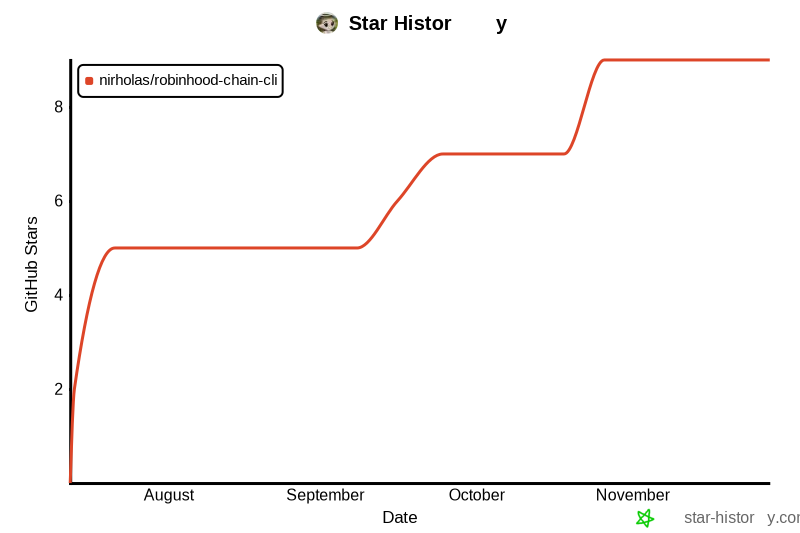](https://www.star-history.com/#nirholas/robinhood-chain-cli&Date)
<!-- three.ws:growth -->
## Support the project
If robinhood-chain-cli saves you time, **[star it on GitHub](https://github.com/nirholas/robinhood-chain-cli)**. Stars are how other developers and AI agents find the repositories worth trusting, and they cost you one click.
Know someone who would use it? [Post on X](https://twitter.com/intent/tweet?text=robinhood-chain-cli%3A%20The%20command-line%20toolkit%20for%20Robinhood%20Chain%3A%20instant%20reads%20with%20zero%20config%2C%20guarded%20writes%20with%20a&url=https%3A%2F%2Fgithub.com%2Fnirholas%2Frobinhood-chain-cli) · [Share on Bluesky](https://bsky.app/intent/compose?text=robinhood-chain-cli%3A%20The%20command-line%20toolkit%20for%20Robinhood%20Chain%3A%20instant%20reads%20with%20zero%20config%2C%20guarded%20writes%20with%20a%20https%3A%2F%2Fgithub.com%2Fnirholas%2Frobinhood-chain-cli) · [Share on LinkedIn](https://www.linkedin.com/sharing/share-offsite/?url=https%3A%2F%2Fgithub.com%2Fnirholas%2Frobinhood-chain-cli) · [Submit to Hacker News](https://news.ycombinator.com/submitlink?u=https%3A%2F%2Fgithub.com%2Fnirholas%2Frobinhood-chain-cli&t=robinhood-chain-cli%3A%20The%20command-line%20toolkit%20for%20Robinhood%20Chain%3A%20instant%20reads%20with%20zero%20config%2C%20guarded%20writes%20with%20a) · [Share on Reddit](https://www.reddit.com/submit?url=https%3A%2F%2Fgithub.com%2Fnirholas%2Frobinhood-chain-cli&title=robinhood-chain-cli%3A%20The%20command-line%20toolkit%20for%20Robinhood%20Chain%3A%20instant%20reads%20with%20zero%20config%2C%20guarded%20writes%20with%20a)
## Built for AI agents too
Coding agents and LLM tooling can read this repo directly: [AGENTS.md](./AGENTS.md), [llms.txt](./llms.txt), [llms-full.txt](./llms-full.txt). Point an agent at `https://github.com/nirholas/robinhood-chain-cli` and it has the context it needs.
## More from the same author
- [All repositories by nirholas](https://github.com/nirholas/nirholas#readme): the full catalog, grouped by topic
- [three.ws](https://three.ws): the platform for 3D AI agents with Solana wallets, a skill marketplace and x402 payments
- Questions or ideas: [open an issue](https://github.com/nirholas/robinhood-chain-cli/issues) or [start a discussion](https://github.com/nirholas/robinhood-chain-cli/discussions)
## Contributors
[](https://github.com/nirholas/robinhood-chain-cli/graphs/contributors)
<!-- /three.ws:growth -->
<!-- nirholas:watermark -->
---
<p align="center">
Built by <a href="https://github.com/nirholas"><b>nirholas</b></a> · <a href="https://x.com/nichxbt">@nichxbt</a> · <a href="https://github.com/nirholas">github.com/nirholas</a>
</p>
<!-- /nirholas:watermark -->