# Cocoa-Way
<div align="center">
[](https://github.com/J-x-Z/cocoa-way/releases)
[](https://github.com/J-x-Z/cocoa-way/actions)
[](https://www.gnu.org/licenses/gpl-3.0)
[](https://www.rust-lang.org/)
[](https://www.apple.com/macos/)
[](https://github.com/rust-unofficial/awesome-rust)
[](https://github.com/jaywcjlove/awesome-mac)
**A native macOS Wayland compositor and Linux application control plane.**
[Demo](#demo) | [Install](#installation) | [Quick start](#quick-start) | [Container mode](#container-mode) | [Architecture](#architecture)
</div>
---
## What is Cocoa-Way?
Cocoa-Way receives the Wayland protocol on macOS and presents Linux applications through a Metal renderer. It can connect to an existing Linux machine with Waypipe or manage local GUI applications through Apple Container, Docker, and OrbStack.
Applications are modeled around three objects:
- **Application profile**: saved image, command, runtime, presentation, audio, mounts, and environment settings.
- **Application instance**: one running profile with its own process, logs, transport, and lifecycle state.
- **Display**: the default compositor window or an isolated display worker assigned to an instance.
Version 2.1 adds an opt-in interactive desktop background, event-driven Wayland wakeups, display-aware frame pacing, and bounded transport backpressure. It also reduces dependency maintenance with pinned upstream Smithay, a small reproducible patch set, no unused Pixman linkage, and pinned native window bindings. Existing SSH, container, Desktop, and Rootless workflows remain available.
Version 2.1.1 focuses on startup diagnostics, clearer native controls, language settings, bounded client dispatch, and safer application and rendering lifecycles. End-to-end input and display latency remains under investigation; this update does not claim to eliminate it.
## Demo
### Cocoa-Way 2.0
[](https://youtu.be/MOZRRifSazY)
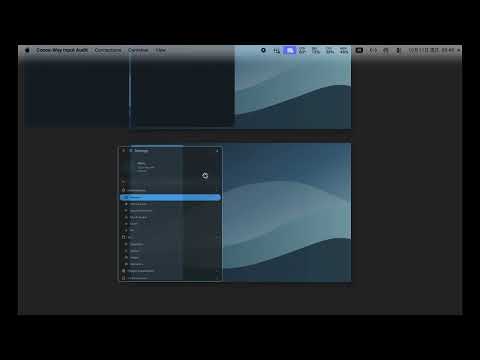
### Cocoa-Way 2.1: Desktop Background
[](https://youtu.be/XT3ixgXXI-w)
The Niri and DankMaterialShell setup in this video is an optional demo configuration, not a Cocoa-Way dependency or bundled desktop.
## Highlights
| Area | Cocoa-Way 2.1 |
| --- | --- |
| Rendering | Native Metal renderer with Retina scaling and damage-aware SHM uploads |
| Presentation | Desktop mode for compositors and rootless mode for individual xdg-shell applications |
| Desktop integration | Manually enabled interactive desktop background, with ordinary macOS apps above it and a restore shortcut |
| Runtimes | Apple Container, Docker-compatible engines, OrbStack, SSH, and local Waypipe sockets |
| Displays | Automatic assignment, named displays, and isolated workers for concurrent applications |
| Transport | Apple Container Transport V2 over `--publish-socket`, with a compatibility relay fallback |
| Integration | Bidirectional text and PNG clipboard (images up to 64 MiB), low-latency CoreAudio forwarding, keyboard, pointer, and gestures |
| Control plane | Native runtime panels, `cocoa-wayctl --json`, diagnostics, tasks, logs, and resource warnings |
| Automation | Read-only-by-default MCP diagnostics and onboarding; optional allowlisted controls, with no resource-deletion tools |
## Installation
### Apple Container (for managed local applications)
Apple Container is a separate Apple runtime and is not bundled with Cocoa-Way. Apple officially supports it on Apple silicon with macOS 26; see its [current requirements](https://github.com/apple/container#requirements). Install it before using Cocoa-Way's managed local application workflow:
1. Download and install the [latest official Apple Container release](https://github.com/apple/container/releases/latest).
2. Open Cocoa-Way and select **Container > Apple Container**.
3. Use **Start System**, then confirm that the Compatibility card reports a running service.
Use the latest official release; the managed workflow has been validated with [1.5.0](https://github.com/apple/container/releases/tag/1.5.0). Avoid versions older than [1.4.1](https://github.com/apple/container/releases/tag/1.4.1), which fixes OCI image loading and Unix-socket vulnerabilities. Cocoa-Way checks runtime capabilities separately from the version number.
This runtime is optional when Cocoa-Way is used only with SSH, Docker, OrbStack, or an existing local Waypipe socket.
### Homebrew
```bash
brew tap J-x-Z/tap
brew trust --tap J-x-Z/tap
brew install cocoa-way waypipe-darwin
```
### Release archive
Download the current `.dmg` or `.zip` from [GitHub Releases](https://github.com/J-x-Z/cocoa-way/releases).
The app bundle declares the minimum macOS version required by its bundled native libraries. Apple Container separately requires macOS 26 on Apple silicon. Release apps are ad-hoc signed, not Apple-notarized; if macOS blocks a trusted download, review the release and use **System Settings > Privacy & Security > Open Anyway** rather than disabling Gatekeeper globally.
### Build from source
```bash
brew install libxkbcommon pkg-config
git clone https://github.com/J-x-Z/cocoa-way.git
cd cocoa-way
cargo build --release
```
`waypipe-darwin` is required on the Mac for transported applications. The Linux host or GUI-ready container image also needs a compatible Waypipe server.
## Quick start
Start Cocoa-Way:
```bash
cocoa-way
```
Startup installs the menu bar controls without opening an application panel or an empty display window. The Cocoa-Way icon on the right side of the macOS menu bar provides applications, saved connections, displays, environment checks, and diagnostic logs. Open the panel from this menu when needed; closing it keeps Cocoa-Way running. Use **Quit Cocoa-Way** to exit. A Desktop display opens when a client connects, or through **New Display Window**. Rootless applications still open their own native windows.
Connect to an SSH host with the compatibility script:
```bash
./run_waypipe.sh ssh user@linux-host firefox
```
Waypipe must be installed on both the Mac and the remote Linux host. The script checks the local command and prints this remote requirement before connecting. It also supports local Waypipe/socket workflows and remains independent of Container Mode. The same connection can be created from **Connections > Connect to Machine...**. Saved entries appear in the Connections menu and are stored in `~/.config/cocoa-way/connections.toml`; passwords are never stored.
For a local Apple Container application:
1. Install Apple Container separately, then open **Container > Apple Container** to start and validate it. If it is missing, Cocoa-Way links to Apple's official release page.
2. Open **Container > Applications**.
3. Use **Images** to pull/import an OCI image or build the bundled GUI-ready example.
4. Create an application, choose Desktop or Rootless presentation, and leave Display on Auto unless a stable slot is required.
5. Run **Check**, then **Launch**.
6. Inspect instance status, logs, terminal, files, audio, display assignment, and resource diagnostics in the same panel.
Use the application's **More... > Resources & Platform...** action to set CPUs, memory, shared memory, platform, or Rosetta for the next launch. Empty fields restore runtime defaults; existing unrelated runtime arguments are preserved. Resource changes do not resize a running VM.
The first check or launch after installing or updating Apple Container may download its kernel and init image. If this bootstrap fails or times out, finish the runtime download and retry Check. It does not mean the application image is missing GUI dependencies. The default init and Transport V2 paths have been tested with Apple Container 1.5.0.
## Presentation modes
- **Desktop** maps Linux windows into one compositor window. Use it for nested compositors such as niri or Hyprland, or a shared Linux desktop.
- **Rootless** maps each xdg-toplevel to a native macOS window, forwarding move, resize, minimize, maximize, fullscreen, titles, popups, and per-surface input. Use it for ordinary Wayland applications such as Foot or Firefox, not nested desktop compositors.
### Desktop Background (experimental)
To place a Linux desktop behind ordinary macOS application windows:
1. Launch a Desktop-mode application in the default Cocoa-Way display window.
2. Leave fullscreen or minimized mode, then select **View > Use Desktop Background (Experimental)** and confirm.
3. Click the background to focus it. Restore the normal window with **View > Restore Desktop Window** or **Command+Option+B** while Cocoa-Way is active.
This opt-in placement uses public AppKit APIs and the existing input path. It is not another compositor backend or a WallpaperExtensionKit provider. It currently covers Finder desktop icons, applies to the default display on its current monitor and Space, and does not extend into other apps' fullscreen Spaces or the macOS lock screen. It does not remove guest rendering or transport latency.
## Container mode
### Runtime support
- `runtime = "container"` uses Apple's official `container` CLI. Apple Container itself requires supported Apple silicon and macOS versions; Cocoa-Way reports the installed version and missing capabilities in the Apple Container panel.
- `runtime = "docker"` uses the active Docker-compatible context.
- `runtime = "orb"` or `runtime = "orbstack"` uses OrbStack-compatible lifecycle and inventory controls.
The runtime panels expose system state, machines or contexts, containers, images, logs, terminal access, CPU/memory statistics, and guarded lifecycle actions. Cocoa-Way does not require Docker or OrbStack for Apple Container sessions.
Managed Docker lifecycle actions require a captured local Unix-socket endpoint. Docker image and volume deletion is temporarily disabled until those resources have endpoint-bound identities; use Docker's own tools instead. This prevents a later context switch from redirecting a destructive action.
### Apple Container transport
When socket publishing is available, Cocoa-Way prefers Transport V2. It publishes a host Unix socket into the container, multiplexes Waypipe streams over that channel, and ties the relay lifetime to the application instance. If publishing is unavailable or fails during startup, it can fall back to the stdio relay. Both paths still need Waypipe to reconstruct cross-system shared memory and file descriptors; publishing a raw Wayland socket alone is not sufficient.
Clipboard and audio use dedicated local relays. If the Mac uses a loopback HTTP proxy, Cocoa-Way can expose that proxy to the Apple Container subnet without changing global network settings.
### Application configuration
The GUI writes profiles to `~/.config/cocoa-way/container-sessions.toml`. A representative profile is:
```toml
[[session]]
name = "Niri Desktop"
runtime = "container"
image = "localhost/cocoa-way-niri:latest"
profile = "niri"
command = "niri"
presentation = "desktop"
display = "auto"
audio = true
runtime_args = ["--memory", "4G", "--cpus", "4"]
```
`display = "auto"` uses the built-in display when it is free and allocates an isolated display when necessary. `display = "default"` requires the built-in display. Any other stable name selects a dedicated display slot.
## Local control and MCP
While Cocoa-Way is running it exposes a private Unix-socket control API. `cocoa-wayctl` uses the same validation and event-loop paths as the GUI:
```bash
cocoa-wayctl --json status
cocoa-wayctl --json applications
cocoa-wayctl --json displays
cocoa-wayctl --json debug-snapshot
cocoa-wayctl --json performance
cocoa-wayctl open-panel diagnostics
cocoa-wayctl diagnostics "Niri Desktop"
cocoa-wayctl launch "Niri Desktop"
cocoa-wayctl stop "Niri Desktop"
cocoa-wayctl display-create "Research Window"
cocoa-wayctl display-close "Research Window"
```
`cocoa-way-mcp` is an optional local stdio adapter. By default its tools are read-only: inspect the environment, suggest trusted image paths, generate reviewable application/connection templates, collect diagnostics, and prepare issue drafts without posting them. Cached debug snapshots, per-display performance and cursor-path data, and clipboard metadata help diagnose problems without starting runtime probes or exposing clipboard contents. CPU-submit timing is not screen-presentation timing.
For a trusted local agent, explicitly start `cocoa-way-mcp --allow-control` to also expose panel opening, application check/launch/stop by persistent profile ID, and named display creation/closure. Closing a display or stopping an application can discard unsaved work; queued acceptance does not mean the operation succeeded. Container, image, and volume deletion, arbitrary commands, and configuration writes are never exposed. Do not enable this flag for an untrusted agent.
The bundled `skills/cocoa-way-onboarding` workflow guides new users through image selection and profile creation without replacing explicit GUI confirmation.
## Architecture
Linux Wayland clients connect through Waypipe over SSH, a Unix socket, or Transport V2. On macOS, Smithay handles protocol state, Cocoa-Way presents SHM buffers through Metal, and AppKit/winit manage windows and input. Clipboard and CoreAudio forwarding use dedicated relays. The GUI, CLI, and MCP share the same local control plane.
Dedicated displays run as isolated Cocoa-Way worker processes. A rootless worker may own several native application windows while retaining one runtime/display assignment. Worker telemetry is published back to the control plane without forcing the GUI to redraw continuously.
## Future Direction
### [Relationship to Plyra](https://github.com/J-x-Z/Plyra)
Some of the compositor, native-surface, transport, and cross-platform work developed in Cocoa-Way has also informed Plyra, a broader project currently being incubated.
Cocoa-Way remains an independent project and has not been abandoned. More information will be shared when Plyra reaches a stage suitable for public release.
## Diagnostics and expected behavior
- A static display reports `0.0 fps - idle`; Cocoa-Way renders on demand rather than polling at a fixed frame rate.
- Apple Container does not currently provide guest GPU passthrough to Cocoa-Way. Linux applications may render with Mesa/CPU before their SHM buffers are uploaded to Metal on macOS.
- Rootless mode targets native Wayland xdg-shell clients. X11 applications still require an Xwayland environment inside Linux, and nested desktop compositors should use Desktop mode.
- Registry images are not automatically GUI-ready. They need Waypipe and the requested application; clipboard and audio require the Cocoa-Way helper binaries.
- A nested compositor can draw its cursor into the guest image, so visible cursor or hover delay can remain even when native cursor feedback is responsive. Low-latency behavior remains an active optimization goal, not a zero-latency guarantee.
Use the GUI diagnostics page or:
```bash
cocoa-wayctl --json diagnostics "Application Name"
cocoa-wayctl --json logs "Application Name"
```
For startup and dependency troubleshooting without opening windows, run `cocoa-way --check-environment`. Warnings and errors are kept in bounded, private logs under `~/Library/Logs/Cocoa-Way`; the menu bar's **Open Diagnostic Logs** action reveals them. Environment checks do not start containers, and missing optional runtimes do not prevent other connection types from working.
For classic SSH socket conflicts, `run_waypipe.sh` adds `StreamLocalBindUnlink=yes`. The equivalent manual command is:
```bash
waypipe ssh -o StreamLocalBindUnlink=yes user@host application
```
## Roadmap
- Continue refining GUI behavior and improving Cocoa-Way's responsiveness and runtime efficiency.
- Continue closing the remaining integration gaps toward a WSLg-like experience for Linux applications on macOS.
### Toward Cocoa-Way 3.0.0
Preparations for Cocoa-Way 3.0.0 are underway, with Vulkan integration and a more modular rendering architecture as the next major focus. The goal is a stronger foundation for native presentation, efficient host/guest communication, and future acceleration backends.
Vulkan support is not included in this release. Guest GPU acceleration and game compatibility remain research goals, not promises of hardware passthrough or current capabilities.
## Development
```bash
cargo fmt --all --check
python3 scripts/vendor-smithay.py
cargo test --workspace --locked
cargo build --release --bins --locked
```
Smithay is vendored from a pinned official upstream revision with proven frontend backports, one Darwin read-only keymap-file patch, and standalone packaging metadata. Sources and checksums are recorded in [`vendor/sources.toml`](vendor/sources.toml); normal builds are offline and do not need a separately maintained Smithay Universal checkout. To reproduce the vendor tree from a local upstream clone containing the pinned commits, run `python3 scripts/vendor-smithay.py --source /path/to/smithay` (Python 3.11+).
`waypipe-darwin` remains an external upstream-based port for Darwin FD/SHM and lifecycle compatibility. Winit and the native Objective-C bindings remain pinned. Wayland readiness now wakes the event loop directly; Metal remains the normal renderer. The native frame-source experiment is disabled by default and is not required for the demo or ordinary use.
## Contributing
See [CONTRIBUTING.md](CONTRIBUTING.md) for reproduction and validation requirements. AI-assisted changes are welcome, but the author remains responsible for understanding, testing, and reporting the actual results of their changes.
## License
[GPL-3.0](LICENSE) - Copyright (c) 2024-2026 J-x-Z
Read the source README