# Slides AI Plugin
[](LICENSE)
[](https://code.claude.com/docs/en/plugins)
[](#supported-formats)
[](#style-presets)
[](https://bun.sh)
<img src="https://github.com/proyecto26/sherlock-ai-plugin/blob/main/images/claude-mascot-jumping-animated.svg" width="150">
https://github.com/user-attachments/assets/3c7250dd-59d7-4eea-835b-12a3c0871bb3
**Turn any idea, outline, or existing deck into a professional presentation — straight from Claude Code.** Generate animated HTML decks (GSAP + CSS, single-file, viewport-fitted) or fully editable PowerPoint (`.pptx`) files with 12 curated style presets, adaptive typography, layout validation, and speaker notes — just ask Claude.
---
## Quick Start
### Installation
#### Option 1: CLI Install (Recommended)
Use [npx skills](https://github.com/vercel-labs/skills) to install skills directly:
```bash
# Install the skill
npx skills add proyecto26/slides-ai-plugin
# List available skills
npx skills add proyecto26/slides-ai-plugin --list
```
This automatically installs to your `.claude/skills/` directory.
#### Option 2: Claude Code Plugin
Install via Claude Code's built-in plugin system:
```bash
# Add the marketplace
/plugin marketplace add proyecto26/slides-ai-plugin
# Install the plugin
/plugin install slides-ai-plugin
```
#### Option 3: Clone and Copy
Clone the repo and copy the skills folder:
```bash
git clone https://github.com/proyecto26/slides-ai-plugin.git
cp -r slides-ai-plugin/skills/* .claude/skills/
```
#### Option 4: Git Submodule
Add as a submodule for easy updates:
```bash
git submodule add https://github.com/proyecto26/slides-ai-plugin.git .claude/slides-ai-plugin
```
Then reference skills from `.claude/slides-ai-plugin/skills/`.
#### Option 5: Fork and Customize
1. Fork this repository
2. Customize skills, presets, and helpers for your brand
3. Clone your fork into your projects
### Generate Your First Deck
Just describe what you want:
> *"Create a 15-minute conference talk about AI adoption for engineering teams, with a bold editorial style — both HTML and PPTX."*
That's it — the skill handles everything: content discovery, structure planning, style selection, slide generation, and validation. Outputs land in your working directory as `.html` and/or `.pptx` files.
---
## Features
### Orchestrated Pipeline
The `slide-design` skill drives the full workflow from raw idea to validated deck. It handles:
1. **Content discovery** — topic, audience, duration, tone, existing content
2. **Structure planning** — duration-indexed slide count with tagged slide types
3. **Style selection** — pick from 12 curated presets or mix backgrounds per section
4. **Format selection** — HTML, PPTX, or both
5. **Generation** — delegates to `html-slides` or `pptx-slides`
6. **Validation** — density limits, speaker notes, overlaps, viewport fitting
### Supported Formats
| Format | Output | Best For | Key Capabilities |
|:-------|:-------|:---------|:-----------------|
| **HTML** | Single `.html` file | Conference talks, web sharing, live demos | GSAP timelines, CSS animations, viewport fitting, Mermaid diagrams, inline video, `contenteditable` live edit |
| **PPTX** | OOXML `.pptx` | Corporate sharing, offline editing, templates | Native text boxes, editable shapes, speaker notes, master layouts, adaptive font sizing |
### Duration-Indexed Structure
| Duration | Slides | Structure |
|:---------|:-------|:----------|
| 5 min (Lightning) | 5-7 | Hook → 2-3 key points → CTA |
| 15 min (Short talk) | 12-18 | Intro → 3-4 sections → Summary → CTA |
| 30 min (Conference) | 25-35 | Title → Agenda → 5-6 sections → Q&A |
| 45 min (Keynote) | 35-50 | Title → Agenda → 7-8 sections → Summary → CTA |
| 60 min (Workshop) | 40-60 | Title → Agenda → Sections with exercises → Wrap-up |
### Slide Type Vocabulary
Every slide is tagged with a type — the generator picks the right template and density rules:
`title`, `section-divider`, `content`, `image-focus`, `comparison`, `quote`, `code`, `feature-grid`, `timeline`, `metrics`, `meme-gif`, `diagram`, `demo-divider`, `audience-question`, `closing`.
### Style Presets
12 curated visual identities with typography pairs, color palettes, and signature elements:
`darkMonospace`, `swissModern`, `boldSignal`, `darkBotanical`, `cleanCorporate`, `neonCyber`, `warmMinimal`, `vintageEditorial`, `terminalGreen`, `gradientWave`, `midnightBlue`, `paperInk`.
Mix presets across sections for multi-mood decks (e.g., cream for content, black for demos, accent color for section dividers).
### HTML Generation Highlights
- **Single-file, zero runtime deps** — inline CSS/JS, no build step
- **Viewport-fitted** — every slide locks to `100vh`/`100dvh` with `overflow: hidden`, `clamp()` typography
- **GSAP animations** — timelines, SplitText, ScrollTrigger, spring physics (Remotion-inspired damping presets)
- **CSS-first fallback** — animations work with JS disabled via staggered `.reveal` classes
- **Accessibility** — `prefers-reduced-motion` respected, semantic HTML
- **Mermaid + Prism.js** — flowcharts, sequence diagrams, syntax-highlighted code
- **Inline edit mode** — `contenteditable` attributes let users tweak text in the browser
### PPTX Generation Highlights
- **PptxGenJS + Bun** — TypeScript helpers run with `npx -y bun`, no build step
- **skia-canvas text measurement** — `autoFontSize()` fits paragraphs to exact boxes; `scale()` is the PPTX equivalent of CSS `clamp()`
- **Layout validators** — overlap detection, bounds checking, alignment/distribution helpers
- **High-level builders** — `addFeatureGrid()`, `addCardRow()`, `addTimeline()`, `addMetricsRow()`, `addComparisonTable()`
- **Decorative personality** — `addStaircase()`, `addSectionBadge()`, `addProgressBar()`, `addSlideNumber()`
- **Syntax highlighting** — `codeToRuns()` converts Prism.js tokens into PptxGenJS text runs
- **Pre-save validation** — `validateDeck()` enforces font minimums, bullet caps, speaker notes, boundaries
- **Editable by design** — native text boxes, native shapes, grouped elements, speaker notes on every content slide
### Automatic Validation Hooks
Built-in `PostToolUse` and `Stop` hooks inspect every generated file:
- PPTX → verifies `h.validateDeck()` was run and speaker notes exist
- HTML → verifies viewport CSS (`100vh`/`100dvh`), `prefers-reduced-motion`, and `clamp()` typography
- Stop → blocks task completion if slides were requested but not delivered with speaker notes
### PPTX → HTML Conversion
Bring legacy decks into the modern web:
```bash
python ${CLAUDE_PLUGIN_ROOT}/skills/html-slides/scripts/extract-pptx.py deck.pptx
```
Extracts text, images, and speaker notes into JSON — then the `slide-design` skill rebuilds it as an animated HTML presentation with your chosen style preset.
---
## Usage Examples
Just describe what you need to Claude — the `slide-design` orchestrator triggers automatically:
**"I need to create slides for my 30-min conference talk on AI adoption for engineering teams"**
> Runs content discovery → structure planning → style selection → generates both HTML and PPTX.
**"Convert this PPTX into an interactive HTML deck with GSAP animations"**
> Extracts text/images/notes from the `.pptx`, rebuilds as a single-file animated HTML with viewport fitting.
**"Turn my markdown outline into a pitch deck with the boldSignal style"**
> Applies the `boldSignal` preset, maps bullets to slide types, generates `.pptx` with validation.
**"Create a 5-minute lightning talk with meme-driven tone and a mixed-background deck"**
> Structures 5-7 slides, alternates backgrounds per section, injects meme/GIF slides.
**"Generate a corporate pitch deck (PPTX only) with editable shapes and speaker notes"**
> Uses `cleanCorporate` preset, native shapes for diagrams, `slide.addNotes()` on every content slide.
**"Build a workshop deck with code slides, timelines, and feature grids"**
> Applies density limits, splits long content automatically, uses `addTimeline()` / `addFeatureGrid()` / `codeToRuns()`.
---
## Configuration
### Per-Project Overrides
Create `.claude/slides-ai-plugin.local.md` in your project to override defaults. The orchestrator reads YAML frontmatter from this file:
```markdown
---
default_format: pptx
default_preset: darkMonospace
default_language: en
speaker_notes_style: conversational
aspect_ratio: 16:9
---
```
### Environment Variables
| Variable | Description |
|:---------|:------------|
| `CLAUDE_PLUGIN_ROOT` | Plugin install root (auto-set by Claude Code; used to resolve bundled scripts) |
| `CLAUDE_SKILL_DIR` | Active skill directory (auto-set; used to resolve `references/` paths) |
### Runtime Dependencies
Dependencies are auto-installed on first run — no manual setup required:
| Runtime | Why |
|:--------|:----|
| **Bun** (via `npx -y bun`) | Runs PPTX TypeScript helpers without a build step |
| **pptxgenjs** | OOXML `.pptx` generation |
| **skia-canvas** | Font-aware text measurement for `autoFontSize()` |
| **fontkit, linebreak** | Typography metrics and line-breaking |
| **prismjs** | Syntax highlighting (shared between HTML and PPTX paths) |
| **python3 + python-pptx** | PPTX → HTML conversion (`extract-pptx.py`, only needed for PPTX import) |
---
## Project Structure
```
slides-ai-plugin/
├── .claude-plugin/
│ ├── plugin.json # Plugin manifest
│ └── marketplace.json # Marketplace metadata
├── hooks/
│ └── hooks.json # PostToolUse + Stop validation hooks
├── skills/
│ ├── slide-design/ # Entry-point orchestrator
│ │ ├── SKILL.md # 5-step pipeline (discovery → validation)
│ │ └── references/
│ │ ├── style-presets.md # 12 curated visual identities
│ │ └── design-principles.md # Typography, color, layout, a11y
│ ├── html-slides/ # HTML generator
│ │ ├── SKILL.md # GSAP, viewport rules, slide templates
│ │ ├── assets/
│ │ │ └── viewport-base.css # Mandatory viewport CSS
│ │ ├── references/
│ │ │ ├── html-template.md # Boilerplate + slide type templates
│ │ │ └── animation-patterns.md# CSS + GSAP recipes
│ │ └── scripts/
│ │ └── extract-pptx.py # PPTX → JSON extraction
│ └── pptx-slides/ # PPTX generator
│ ├── SKILL.md # PptxGenJS workflow + validation
│ ├── references/
│ │ ├── pptxgenjs-helpers.md # Helper API reference
│ │ └── slide-patterns.md # Slide type dimensions + positioning
│ └── scripts/
│ ├── main.ts # CLI entry + library re-exports
│ ├── theme.ts # 12 presets, createTheme, resolveFont
│ ├── text.ts # autoFontSize, scale, skia-canvas measurement
│ ├── layout.ts # Overlap detection, alignment, bounds
│ ├── layout_builders.ts # addFeatureGrid, addCardRow, addTimeline, ...
│ ├── decorative.ts # addStaircase, addSectionBadge, addProgressBar
│ ├── validation.ts # validateDeck pre-save quality check
│ ├── code.ts # Prism.js → PptxGenJS text runs
│ ├── image.ts # Binary dimension detection, sizing
│ ├── svg.ts # SVG sanitization + base64 encoding
│ ├── util.ts # Shadows, colors, unit conversion
│ └── types.ts # Shared TypeScript interfaces
├── LICENSE
└── README.md
```
> For full skill docs, see [`skills/slide-design/SKILL.md`](skills/slide-design/SKILL.md), [`skills/html-slides/SKILL.md`](skills/html-slides/SKILL.md), and [`skills/pptx-slides/SKILL.md`](skills/pptx-slides/SKILL.md).
---
## Architecture
```mermaid
graph TB
subgraph "Claude Code"
A["User Prompt"] --> B["slide-design Skill"]
end
subgraph "Orchestration Pipeline"
B --> C1["1. Content Discovery"]
C1 --> C2["2. Structure Planning"]
C2 --> C3["3. Style Selection"]
C3 --> C4["4. Format Selection"]
end
subgraph "Generators"
C4 --> H["html-slides Skill"]
C4 --> P["pptx-slides Skill"]
end
subgraph "HTML Pipeline"
H --> H1["Viewport Base CSS"]
H --> H2["GSAP + CSS Animations"]
H --> H3["Mermaid / Prism.js"]
H1 --> HO["Single-file .html"]
H2 --> HO
H3 --> HO
end
subgraph "PPTX Pipeline"
P --> P1["Theme Presets"]
P --> P2["Layout Builders"]
P --> P3["Text Measurement"]
P1 --> PV["validateDeck()"]
P2 --> PV
P3 --> PV
PV --> PO[".pptx File"]
end
subgraph "Validation Hooks"
HO --> V["PostToolUse Hook"]
PO --> V
V --> S["Stop Hook"]
end
style A fill:#7c3aed,color:#fff
style B fill:#1a73e8,color:#fff
style H fill:#ea4335,color:#fff
style P fill:#34a853,color:#fff
style HO fill:#fbbc04,color:#000
style PO fill:#fbbc04,color:#000
style V fill:#7c3aed,color:#fff
```
### How It Works
```mermaid
sequenceDiagram
participant U as User
participant C as Claude Code
participant SD as slide-design
participant HS as html-slides
participant PS as pptx-slides
participant H as Hooks
U->>C: "Create a 30-min conference talk on AI adoption"
C->>SD: Invoke slide-design skill
SD->>SD: 1. Content discovery (topic, audience, duration)
SD->>SD: 2. Structure planning (25-35 slides, typed)
SD->>SD: 3. Style selection (preset or mixed)
SD-->>U: Present 3 visual directions
U-->>SD: Pick "boldSignal" + both formats
Note over SD,HS: Generate HTML first
SD->>HS: Generate HTML with outline + preset
HS->>HS: Apply viewport-base.css
HS->>HS: Build slides + GSAP timelines
HS-->>C: Write deck.html
C->>H: PostToolUse hook
H-->>C: Verify 100vh/100dvh, clamp(), reduced-motion
Note over SD,PS: Then generate PPTX
SD->>PS: Generate PPTX with outline + preset
PS->>PS: createTheme(PRESETS.boldSignal)
PS->>PS: Build with layout_builders
PS->>PS: validateDeck(pptx)
PS-->>C: Write deck.pptx
C->>H: PostToolUse hook
H-->>C: Verify validateDeck + speaker notes
C->>H: Stop hook
H-->>C: Confirm both files delivered
C-->>U: "Deck saved to deck.html and deck.pptx"
```
### Why Two Formats?
HTML and PPTX solve different problems — they're not interchangeable, so the orchestrator supports both and can generate them side-by-side:
| Need | Format |
|:-----|:-------|
| Animated conference talk, live demo, web embed | **HTML** |
| Offline sharing, recipient-edits, corporate template | **PPTX** |
| Talk you present *and* hand off afterward | **Both** |
### Text Measurement in PPTX
PowerPoint has no `clamp()` — but `scale()` approximates it, and `autoFontSize()` goes further by measuring actual rendered width via **skia-canvas** with real font metrics (**fontkit**) and proper line-breaking (**linebreak**). This means a 400-character paragraph fits its text box precisely, not by guessing.
### Layout Validation
`validateDeck(pptx)` runs before every save:
| Check | Rule |
|:------|:-----|
| Element overlaps | Bounding-box intersection tests per slide |
| Slide boundaries | Every element must fit within `10" × 5.625"` |
| Font minimums | No text below 14pt (18pt preferred for body) |
| Bullet caps | Max 6 bullets per slide |
| Speaker notes | Every content slide requires `slide.addNotes()` |
---
## Content Density Limits
Exceeding limits triggers automatic splitting — never cram content. Minimum body text is **18pt** (non-negotiable).
| Slide Type | Maximum Content |
|:-----------|:----------------|
| Title | 1 heading + 1 subtitle + optional image |
| Section divider | 1 heading + 1 sentence |
| Content | 1 heading + 4-6 bullet points |
| Image focus | 1 heading + 1 image + 1 caption |
| Comparison | 1 heading + 2 columns (3-4 items each) |
| Quote | 1 quote + attribution |
| Code | 1 heading + 1 code block (max 15 lines) |
| Feature grid | 1 heading + max 6 cards |
| Timeline | 1 heading + max 5 milestones |
| Metrics | 3-4 large numbers with labels |
---
## Anti-Patterns the Plugin Avoids
- **Font soup** — never more than 2 font families
- **Color rainbow** — 60-30-10 rule, max 3 colors
- **Wall of text** — keywords and phrases, not paragraphs
- **Transition carnival** — one entrance animation, applied consistently
- **AI slop aesthetics** — no purple gradients + Inter everywhere; every deck has a distinct identity
- **Scrollable slides (HTML)** — `overflow: hidden` is mandatory
- **Text below 14pt (PPTX)** — enforced by `validateDeck()`
- **Hardcoded colors / font sizes (PPTX)** — use theme tokens and `scale()` / `autoFontSize()`
---
## 🌟 Star History
[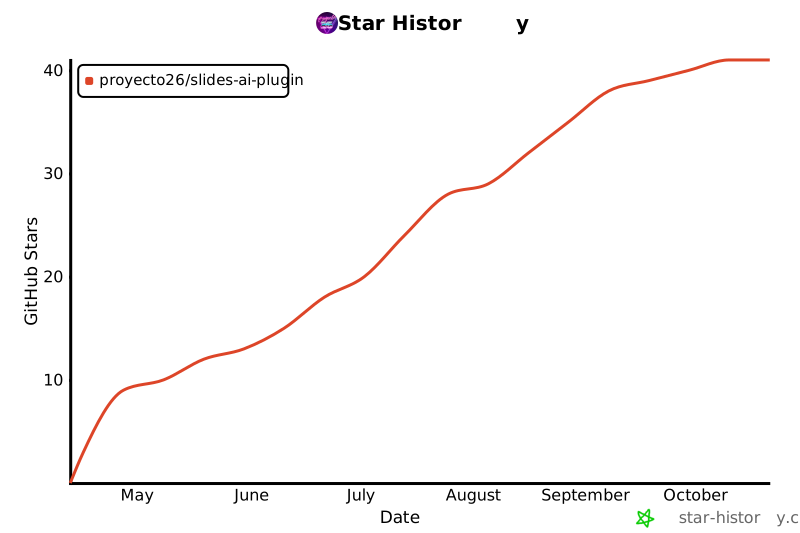](https://star-history.com/#proyecto26/slides-ai-plugin&Date)
## 💜 Sponsors
This project is free and open source. Sponsors help keep it maintained and growing.
[**Become a Sponsor**](https://github.com/sponsors/proyecto26) | [Sponsorship Program](https://proyecto26.com/sponsors/)
## 🤝 Contribution
When contributing to this repository, please first discuss the change you wish to make via issue,
email, or any other method with the owners of this repository before making a change.
Contributions are what make the open-source community such an amazing place to learn, inspire, and create. Any contributions you make are **greatly appreciated** ❤️.
You can learn more about how you can contribute to this project in the [contribution guide](https://github.com/proyecto26/.github/blob/master/CONTRIBUTING.md).
## ⚖️ License
This repository is available under the [MIT License](./LICENSE).
## 👍 Credits
- [PptxGenJS](https://github.com/gitbrent/PptxGenJS) — OOXML PowerPoint generation in JavaScript
- [GSAP](https://gsap.com) — Animation engine powering HTML timelines, SplitText, and ScrollTrigger
- [skia-canvas](https://github.com/samizdatco/skia-canvas) — Font-aware text measurement backbone of `autoFontSize()`
- [Prism.js](https://prismjs.com) — Syntax highlighting shared across HTML and PPTX code slides
- [Mermaid](https://mermaid.js.org) — Diagrams-as-code for HTML technical decks
## Happy vibe coding 💯
Made with ❤️ by [Proyecto 26](https://proyecto26.com) - Changing the world with small contributions.
One hand can accomplish great things, but many can take you into space and beyond! 🌌
Together we do more, together we are more ❤️ <img width="150px" src="https://avatars0.githubusercontent.com/u/28855608?s=200&v=4" align="right">