| name | how-to-deploy-pocketbase-to-cloud-run |
| description | Learn how to deploy PocketBase on Google Cloud Run using the new volume mounting feature, enabling scale-to-zero, infinite storage, and easy backups. |
| metadata | {"url":"https://rodydavis.com/posts/pocketbase-cloudrun","last_modified":"Tue, 03 Feb 2026 20:04:35 GMT"} |
How to Deploy PocketBase to Cloud Run
It is now possible to run PocketBase on Google CloudRun because of the recent support for mounting volumes. This is a guide on how to deploy PocketBase on Google Cloud Run.
Features
- Scale to zero
- Infinite storage (and file deletion protection, file versions, and multi region)
pb_data/pb_public/pb_hooks all in the same file system- Backups can be done either by PocketBase or by protecting the bucket
Prerequisites
- Google Cloud project
- Google Cloud Storage bucket
Getting Started
Fork this repository or click "Use this template" to create your own repository.
Steps
Create a new service
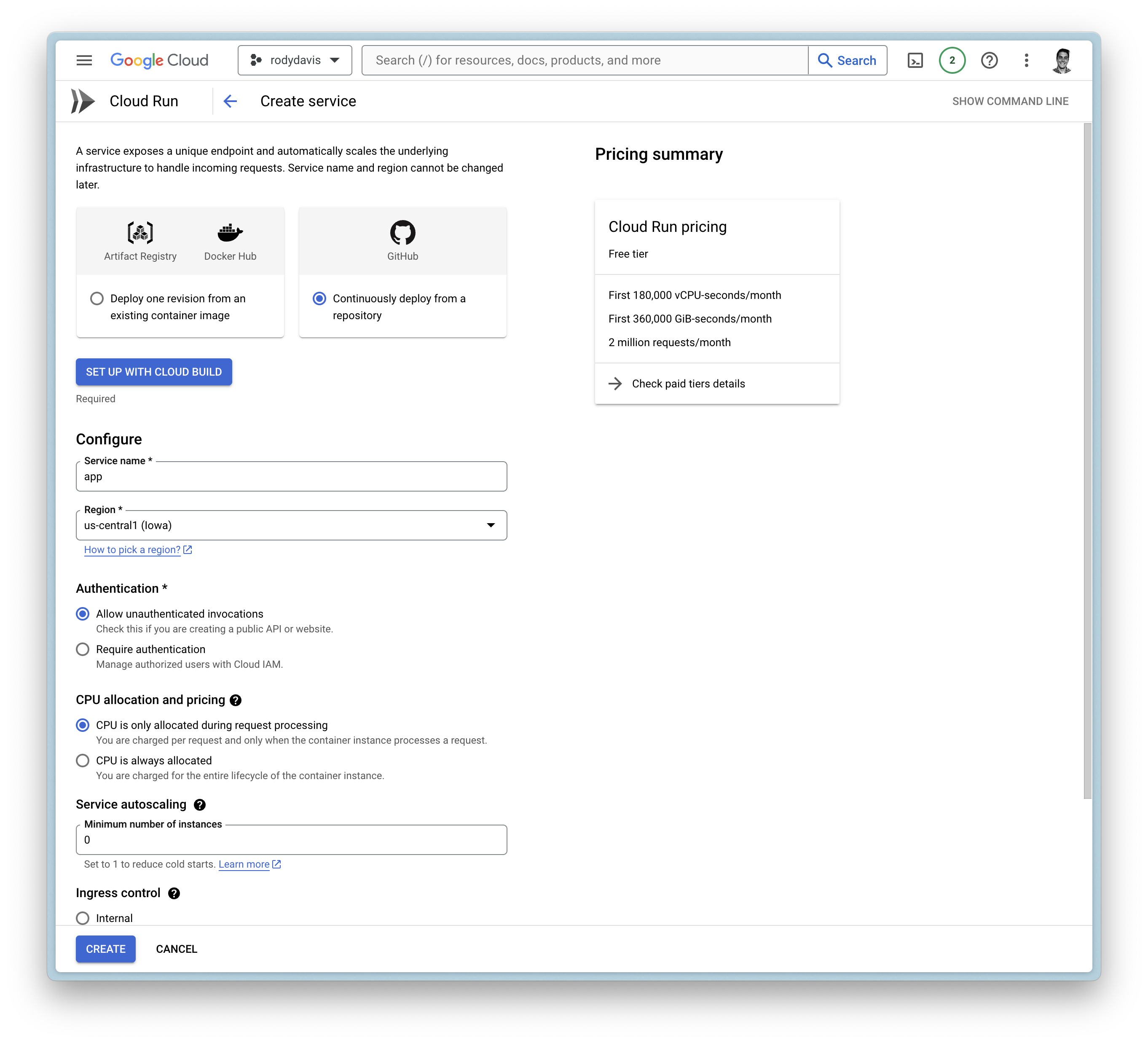
Google Cloud Build
- Setup with Cloud Build
- Repository Provider:
GitHub
- Select Repository:
THIS_REPOSITORY_FORK
- Branch:
main
- Build Configuration:
Dockerfile
General Settings
- Allow unauthenticated invocations
- CPU is only allocated when the service is handling requests
- Maximum number of requests per container is set to
1000
- Maximum number of containers is set to
1
- Timeout is set to
3600
- Ingress is set to internal and
all traffic
Container(s), Volumes, Networking, Security
Volumes
- Add volume
- Volume type:
Google Storage bucket
- Volume name:
remote-storage (or any name you want)
- Bucket:
YOUR_BUCKET_NAME
- Read-only:
false
Container(s)
- Startup CPU boost is
enabled
- Volume mount (s)
- Volume name:
remote-storage
- Mount path:
/cloud/storage
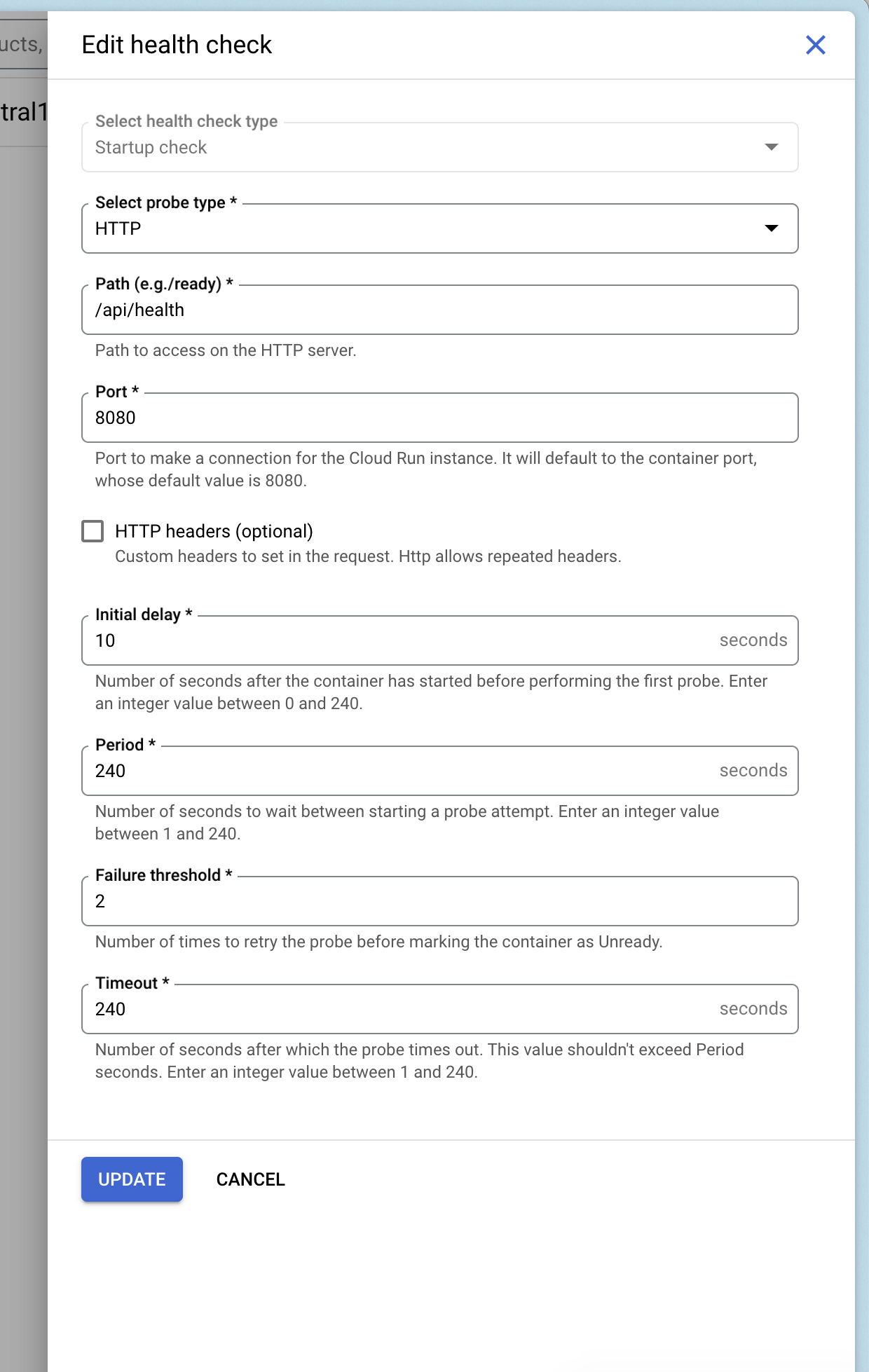
Add Health Checks
You can add a health check to your service that uses Pocketbase's health check endpoint /api/health.
Deploy and Wait
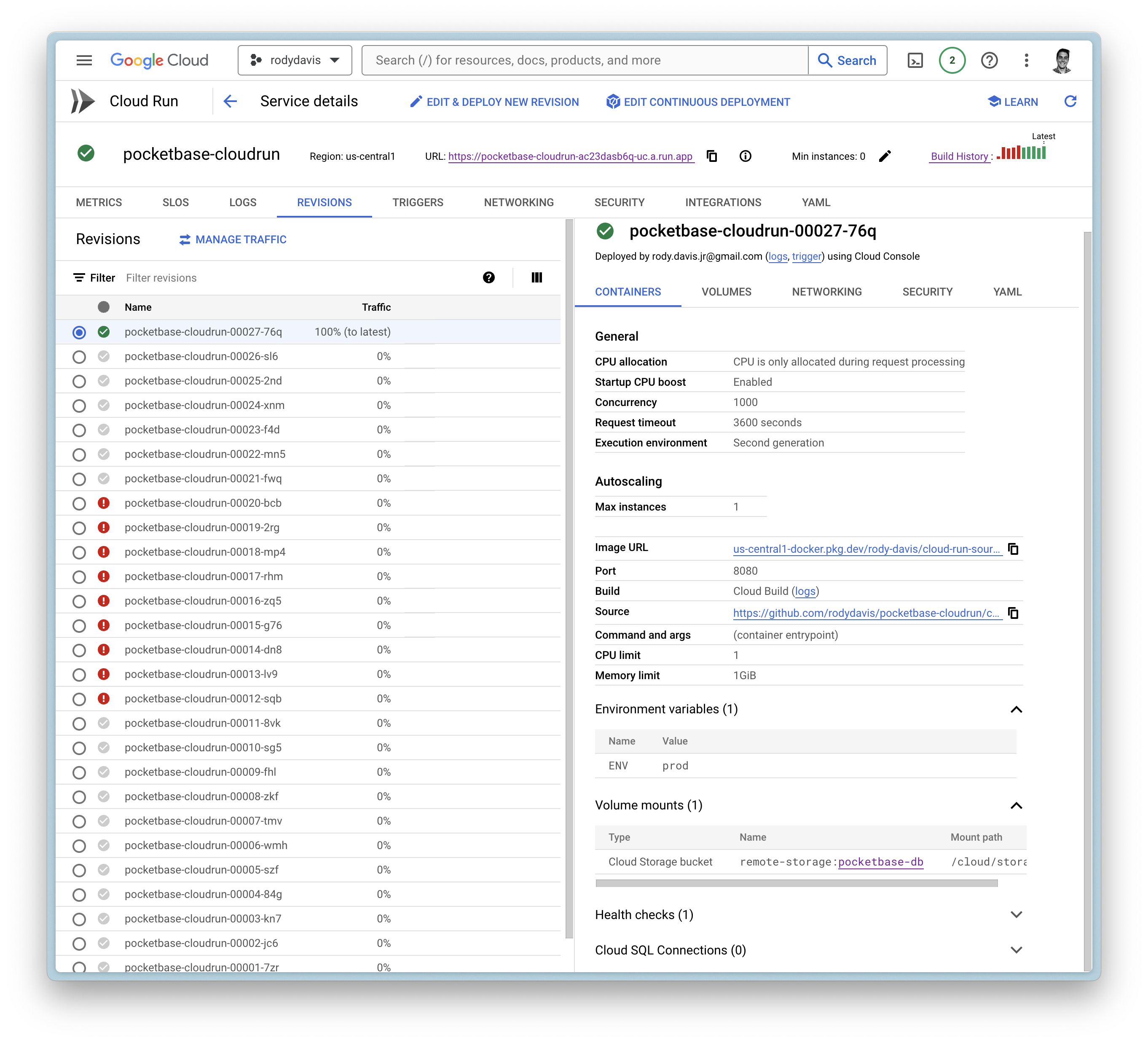
Now create the service and wait for the cloud build to finish.
If everything goes well, you should see the service deployed.
FAQ
What if I have local files that I want to use?
pb_data, pb_public, and pb_hooks are all directories you might use during development.
You can upload these directories to your Google Cloud Storage bucket you created earlier to the root directory.
Can I use a custom domain?
Yes, you can use a custom domain. You can follow the guide on the official documentation.
