# oh-my-agent: A Specialist Team for the Coding Agent You Already Use
[](https://www.npmjs.com/package/oh-my-agent) [](https://www.npmjs.com/package/oh-my-agent) [](https://github.com/first-fluke/oh-my-agent) [](https://github.com/first-fluke/oh-my-agent/blob/main/LICENSE) [](https://github.com/first-fluke/oh-my-agent/commits/main)
[한국어](./docs/README.ko.md) | [中文](./docs/README.zh.md) | [Português](./docs/README.pt.md) | [日本語](./docs/README.ja.md) | [Français](./docs/README.fr.md) | [Español](./docs/README.es.md) | [Nederlands](./docs/README.nl.md) | [Polski](./docs/README.pl.md) | [Русский](./docs/README.ru.md) | [Deutsch](./docs/README.de.md) | [Tiếng Việt](./docs/README.vi.md) | [ภาษาไทย](./docs/README.th.md)
**oh-my-agent (`oma`) is a vendor-agnostic harness that adds a team of specialists to the coding agent you already use: Claude Code, Codex CLI, Cursor, and 11 more.** A planner breaks the work down, engineers build in parallel, a reviewer checks the result, and a debugger fixes root causes. It also does cited research, slide decks, videos and images. Most steps leave a file you can open, and in the long-running workflows a gate can send the agent back to work until your own `test`, `lint` or `typecheck` script passes.
[](./docs/assets/architecture/oh-my-agent-architecture.svg)
Run this from your project root:
```bash
curl -fsSL https://raw.githubusercontent.com/first-fluke/oh-my-agent/main/cli/install.sh | bash
```
Then run `oma doctor` and type `/plan add user accounts with a settings page` in your agent. [Your first 5 minutes](#your-first-5-minutes) walks through it.
## What you get
**Workflows** are what you type (or just say). They call in **roles**, the specialists. **Skills** are the know-how: each role carries its own, and your agent loads the rest whenever a task needs them.
| | What it gives you | Try it |
|---|---|---|
| **12 specialist roles** | PM, architect, backend, frontend, mobile, database and infra engineers, QA reviewer, debugger, refactorer, docs curator, researcher ([meet them](#meet-the-team)) | `/orchestrate build a TODO app with login` |
| **21 workflows** | Slash commands from `/brainstorm` and `/plan` to `/review`, `/debug` and `/scm`. Most also start from a plain request (keyword banks in up to 11 languages) | "review this PR" |
| **33 skills** | Domain know-how that loads only when a task needs it: UI, APIs, schemas, Terraform, CI, security, git, observability | loads by itself, e.g. "add a Terraform S3 bucket" |
| **Files you can open** | Plans, design docs, API contracts, ADRs, bug notes, per-agent results, security evidence, HTML explainers, recaps | `ls .agents/results` |
| **Workflow checks** | In a long-running workflow, your own `test`, `lint` or `typecheck` script must pass before the agent may stop; `oma ralph verify` checks that a `/ralph` run left its plan, QA and refactor files | `/ultrawork …`, then `oma goal set --gate test` |
| **Research and content** | Cited search, market research, papers, slide decks, MP4 videos, images, local voice, PDF/HWP to Markdown | `/video`, `/convert` |
| **One folder, 14 runtimes** | One portable `.agents/` directory, written into each runtime's own config files | `oma link cursor` |
**[Install](#install)** · **[First 5 minutes](#your-first-5-minutes)** · **[The team](#meet-the-team)** · **[Which workflow?](#how-the-team-works-together)** · **[Everything in the box](#everything-in-the-box)** · **[Works with](#works-with)** · **[Verification](#verification-not-narration)** · **[FAQ](#faq)** · **[Docs](https://first-fluke.github.io/oh-my-agent/)**
## Install
The script installs [bun](https://bun.sh) if it is missing, installs the `oma` command globally (`bun install --global oh-my-agent`, skipped when `oma` is already on your PATH), then starts the interactive setup. The hooks (keyword detection and the Stop gate) and several workflows call the globally installed `oma` command. The hooks silently do nothing if they cannot find it. If you skip the script, install it yourself with `bun install --global oh-my-agent` (`npm install --global oh-my-agent` or `brew install oh-my-agent` also work).
<details>
<summary>Windows, or without the install script</summary>
```powershell
# Windows (PowerShell)
irm https://raw.githubusercontent.com/first-fluke/oh-my-agent/main/cli/install.ps1 | iex
```
```bash
# Any OS with bun installed: the same setup, plus the global `oma` command
bun install --global oh-my-agent
oma
```
On Windows the installer hides Antigravity, Hermes, and Kimi, and the hook wrapper is a bash script. The default Aside browser MCP installs through `bash`, so deselect it if you have no bash.
</details>
The setup asks for your response language, which agent runtimes to wire up, capability providers, a browser MCP, a model preset, and a skill preset. **Pick `All` for the skill preset if you are unsure**: workflows are always installed, and several of them (`/orchestrate`, `/work`, `/ultrawork`, `/ralph`, `/docs`, `/security`) need skills that only `All` includes.
<details>
<summary>What the installer also does by default</summary>
- Installs **bun** (required). Tries **uv**, **Serena** (`uv tool install`), and **CUE** (`brew install cue` or `winget`), and continues with a warning if any of them fails.
- Pre-selects the **Aside** browser MCP in the interactive setup, and installs it with `curl -fsSL https://releases.aside.com/install.sh | bash` only if you keep it selected. Deselect it in the browser MCP step, or change it later with `oma update mcp`.
- Uses **AgentMemory** for semantic memory, which runs `bun install -g @agentmemory/agentmemory` and registers it as a login service (launchd, systemd user unit, or Windows scheduled task). Choose provider `none` or set `OMA_NO_AGENTMEMORY=1` to skip it.
- Asks before linking skills into home-directory vendor folders (Antigravity, Hermes, Kimi). In `$HOME` without `--global` it asks for confirmation.
- Writes some files outside the project without asking: `~/.claude.json` (marks the project as a trusted Claude Code workspace), `~/.serena/` (OMA context, answer-size floor, project registration), `~/.cursor/cli-config.json` (turns off Cursor's commit attribution), `~/.grok/config.toml` (telemetry), and `~/.gemini/antigravity-cli/` (HUD), each only for a vendor you selected.
- Writes **telemetry opt-outs** into vendor settings (Claude `DISABLE_TELEMETRY=1`, which also turns off Claude Code Remote Control; Gemini, Qwen, Codex, and Grok usage stats). Set `telemetry: true` to keep vendor defaults.
- Disables **Qwen Code automatic memory saving** by adding `memory.enableManagedAutoMemory: false` when the setting is absent. Explicit `true` or `false` preferences and other memory settings are preserved.
- Adds unset Claude Code settings to `.claude/settings.json`, including `skipDangerousModePermissionPrompt: true`, `effortLevel: high`, `cleanupPeriodDays: 180`, and env flags that turn off auto memory, adaptive thinking, error reporting, and built-in git instructions. Values you already set are kept.
- Adds a **co-author trailer**: Claude Code's commit attribution becomes `Co-Authored-By: First Fluke <our.first.fluke@gmail.com>` and PRs get a "Generated with oh-my-agent" line. Set `scm.co_author.enabled: false` to turn this off.
- Installs a **commit-msg guard** in `.githooks/` that rejects unlisted `Co-authored-by` addresses, and sets `git config --local core.hooksPath .githooks` when no other hooks are active. Set `scm.co_author.enforce_hook: false` to opt out.
- `oma update` updates the `oma` CLI in the background (`auto_update_cli: false` or `OMA_SKIP_VERSION_CHECK=1` to stop it) and runs `uv tool upgrade serena-agent --prerelease=allow` (`serena.auto_update: false`).
- With Serena in the default `bridge` mode, the first agent session that starts a shared Serena server registers a **cleanup timer** that stops idle shared Serena servers every 5 minutes (launchd `dev.oma.serena-daemon-gc`, systemd user timer `oma-serena-daemon-gc.timer`, or Windows scheduled task `OMA Serena Daemon GC`). Set `serena.mode: stdio` to skip the shared server and its timer. `oma uninstall` does not remove the timer.
- Non-interactive runs (`-y`, `OMA_YES=1`, `CI=true`) use the `All` skill preset, `model_preset: auto`, and Python as the backend language. They select no browser MCP (and skip the Aside install script) unless `mcp.devtools_browsers` already lists one.
</details>
<details>
<summary>Skill presets</summary>
| Preset | Skills |
|--------|--------|
| **All** | **All 33 skills** (recommended) |
| Fullstack | architecture, backend, brainstorm, db, debug, design, dev-workflow, frontend, mobile, pm, qa, scm, tf-infra |
| Fullstack Web | Fullstack without mobile and tf-infra |
| Fullstack Mobile | Fullstack without frontend and tf-infra |
| Frontend | architecture, brainstorm, debug, design, frontend, pm, qa, scm |
| Backend | architecture, backend, brainstorm, db, debug, dev-workflow, pm, qa, scm |
| Mobile | architecture, brainstorm, debug, mobile, pm, qa, scm |
| DevOps | architecture, brainstorm, debug, dev-workflow, observability, pm, qa, scm, tf-infra |
| Research | academic-writing, hwp, market, pdf, scholar, scm, search, translation |
| Content | academic-writing, design, image, scm, translation, voice |
| Custom | Pick skills one by one |
Of the named presets, only `All` includes coordination, orchestration, docs, security, refactor, explanation, recap, video, slide, and skill-creation (or pick them under `Custom`). Research and Content lack the skills behind `/plan`, `/review`, `/debug`, `/architecture`, and `/brainstorm`. See [Workflows that need skills outside a preset](./web/docs/getting-started/installation.md#workflows-that-need-skills-outside-a-preset).
</details>
## Your first 5 minutes
1. **Install** with the command above.
2. **Check the install:**
```bash
oma doctor
```
You should see `CLI Status` (which agent CLIs are installed and signed in) and `Skills Status` (for example `Skills (33/33 installed, 33 complete)`). If `oma` is not found, open a new terminal (the installer may have just added `~/.bun/bin` to your PATH) or run `bun install --global oh-my-agent`.
3. **Open your agent in the project and ask for a plan:**
```text
/plan add user accounts with a settings page
```
Or just write "plan user accounts with a settings page": on runtimes with a prompt hook, the keyword starts the same workflow.
4. **Check what you got.** `/plan` runs in the current session. For work that spans several areas, like this one, it writes `.agents/results/plan-<session-id>.json` and a tracker at `docs/plans/work/<NNN>-<name>.md`. A small, single-area request gets a direct recommendation instead of a plan file.
For larger tasks, continue with `/work` or `/orchestrate` using the plan.
## Meet the team
Your own agent leads the team. In `/work`, `/orchestrate` and `/ultrawork` it hands each job to the right specialist, which runs as its own subagent. `/plan`, `/architecture` and `/docs` run in your current session with that role's skill, and `/review` and `/debug` call in their specialist for large scopes. When a role is on another vendor's CLI, `oma agent spawn` runs it there.
| Your specialist | Carries | Call them with | Leaves behind |
|---|---|---|---|
| **Product manager** (`pm-planner`) | oma-pm | `/plan`, or "plan the payment feature" | A plan JSON and a tracker in `docs/plans/work/` for Medium and Complex work (Simple requests get a direct recommendation) |
| **Architect** (`architecture-reviewer`) | oma-architecture | `/architecture` | An ADR or recommendation in `.agents/results/architecture/` |
| **Backend, frontend, mobile, database and infra engineers** | oma-backend, oma-frontend + oma-design, oma-mobile, oma-db, oma-tf-infra | `/work`, `/orchestrate` | Code, tests, and a `result-<agent>` file per task |
| **QA reviewer** (`qa-reviewer`) | oma-qa | `/review`, or "review this PR" | Findings ranked CRITICAL to LOW, each with file:line and fix code |
| **Debugger** (`debug-investigator`) | oma-debug | `/debug`, or "fix this bug" | A minimal fix, a regression test, and a bug note in `.agents/results/bugs/` when one is warranted |
<details>
<summary>The other three roles, and the skills without a role</summary>
| Your specialist | Carries | Call them with | Leaves behind |
|---|---|---|---|
| **Refactorer** (`refactor-engineer`) | oma-refactor | `/ultrawork`'s REFINE phase | Behavior-preserving `refactor:` commits and a `result-refactor-<session>.md` report |
| **Docs curator** (`docs-curator`) | oma-docs | `/docs`, or "verify docs" | `docs/generated/doc-refs.json` and the doc patches you approve |
| **Researcher** (`research-explorer`) | oma-search, oma-market, oma-scholar | a research request | Cited sources with trust labels; market briefs in `.agents/results/market/` |
The infra engineer (`tf-infra-engineer`) is told to ask before any destructive or production `apply` or `destroy`. The remaining skills (brainstorm, security, scm, dev-workflow, observability, explanation, recap, translation, coordination, orchestration, skill-creation, content and media) have no dedicated role. Your agent loads them itself, and for most of them the skill injector suggests the right one from your prompt.
</details>
## How the team works together
```text
THINK /brainstorm ......................... docs/plans/designs/<NNN>-<feature>.md
PLAN /plan · /architecture ............... plan JSON, API contracts, ADR
DESIGN /design ............................. DESIGN.md + tokens
BUILD /work · /orchestrate · /ultrawork ... code + result-<agent> files, engineers in parallel
CHECK /review · /security · /debug ........ findings, security evidence, regression test
SHIP /scm · /docs ........................ Conventional Commits, doc fixes
```
Each step hands a file to the next. `/brainstorm` saves a design that `/plan` reads, and `/plan` writes a plan in which every task has an agent, dependencies, acceptance criteria and a check command. `/orchestrate` runs that plan (it loads the most recent `plan-*.json`, or writes one). `/work` and `/ultrawork` start by having the PM write their own plan. Skip any stage you don't need; every stage also works on its own.
**Which workflow should run the team?**
| You want | Run | How it ends |
|---|---|---|
| Just a plan | `/plan` | A plan file for multi-area work, or a direct recommendation for small work |
| A PM-led build you follow step by step | `/work` | PM, then engineers tier by tier, then QA. CRITICAL and HIGH findings go into a fix loop (up to 5 cycles) |
| A hands-off parallel build | `/orchestrate` | Only tasks whose checks pass count as done; each task gets up to 3 attempts, then is marked partial or failed |
| Five-phase workflow | `/ultrawork` | Five gated phases (PLAN, IMPL, VERIFY, REFINE, SHIP); every review runs in a fresh reviewer session |
| "Don't stop until it's really done" | `/ralph` | Repeats `/ultrawork` with a separately spawned, fresh-context judge until every criterion passes; stops with a partial report when criteria are blocked or after 5 iterations |
| The team on a timer | `oma schedule create qa-reviewer "review open PRs" --every 2h` | One Markdown log per run in `~/.oma/schedule/runs/<id>/` |
You don't need slash commands. On runtimes with a prompt hook, plain requests (keyword banks in up to 11 languages) can start most workflows: "review this PR" starts `/review`. Describing a whole app ("Build a TODO app with user authentication") suggests `/orchestrate`, and your agent decides whether to run it. Keywords inside code blocks are ignored.
`/orchestrate`, `/work`, `/ultrawork` and `/ralph` are **persistent** when you invoke them by name, as a slash command or in plain text ("ultrawork: add rate limiting"). The agent is then sent back to work when it tries to stop early (up to 5 times or 2 hours) until you say **"workflow done"**. A loosely matching request only suggests them.
**Measured, with caveats.** In the [benchmark](./benchmarks/README.md) (one prompt, Claude Code with five different add-on setups including plain, `claude-opus-4-6`, one build each), oma scored 80.6 against 70.7 for plain Claude Code, at 1.7x the cost ($4.04 vs $2.37) and 1.8x the time.
<details>
<summary>All 21 workflows</summary>
| Command | What it does |
|---------|--------------|
| `/architecture` | Weighs design tradeoffs and produces a recommendation, review, or ADR |
| `/brainstorm` | Explores ideas and constraints and produces an approved design before planning |
| `/convert` | Converts PDF/HWP to Markdown, or transcodes images, video, and audio with ffmpeg |
| `/debug` | Reproduces a bug, fixes the root cause, writes a regression test, and scans for similar patterns |
| `/deepinit` | Maps an existing codebase into AGENTS.md, ARCHITECTURE.md, and a docs/ knowledge base |
| `/design` | Builds a design system, DESIGN.md, and tokens with accessibility checks |
| `/docs` | Finds broken doc references and proposes patches for docs a diff touched |
| `/explain` | Turns a diff, PR, branch, or topic into a self-contained interactive HTML explainer |
| `/orchestrate` | Runs agents in parallel, coordinates them through file state, and verifies the result (persistent) |
| `/plan` | Breaks a feature into prioritized tasks with API contracts |
| `/ralph` | Repeats `/ultrawork` with a separately spawned judge, up to 5 iterations (persistent) |
| `/recap` | Summarizes your AI conversation history for a day or period |
| `/review` | Reviews security (OWASP Top 10), performance, accessibility (WCAG 2.2 AA), and code quality |
| `/schedule` | Registers an agent job that runs on a recurring interval |
| `/scm` | Handles branches, merges, conflicts, worktrees, and Conventional Commits |
| `/security` | Scans source, agent skills, and MCP components, validates findings, and sets up CI gates |
| `/stack-set` | Detects your tech stack and generates stack-specific references for domain skills |
| `/tools` | Lists, enables, and disables MCP tools in plain language |
| `/ultrawork` | Five phases (PLAN, IMPL, VERIFY, REFINE, SHIP), each review in a fresh reviewer session (persistent) |
| `/video` | Turns a brief into a finished MP4 through a key-optional pipeline |
| `/work` | Coordinates several agents on a multi-domain project with PM planning and QA review (persistent) |
`oma verify triggers` evaluates the detector against a labeled English and Korean corpus of 212 prompts. CI fails above 10% false fires or 20% missed fires. Last measured: **0% missed-fire, 5.3% false-fire**. Full reference: [Workflows](https://first-fluke.github.io/oh-my-agent/docs/core-concepts/workflows/).
</details>
## See it work
An illustrative `/ultrawork` session. The `[OMA PERSISTENT MODE: ULTRAWORK]` block is the exact format the Stop hook prints; the other lines are paraphrased:
```text
you /ultrawork add rate limiting to POST /login
agent runs `oma goal set --gate test`
agent PLAN writes .agents/results/plan-<run-id>.json
agent IMPL -> VERIFY -> REFINE -> SHIP (each review runs in a fresh reviewer session)
agent "Rate limiting added. All tests pass."
oma [OMA PERSISTENT MODE: ULTRAWORK]
Stop gate 'test' FAILED (reinforcement 1/5).
Fix the failures below, then finish the workflow — the stop is allowed only when the gate passes.
--- gate output (tail) ---
FAIL src/auth/login.test.ts > returns 429 after 5 attempts
To abandon instead: delete .agents/state/ultrawork-state-<host-session>.json or say "workflow done".
agent fixes the limiter and stops again
oma `test` exits 0: stop allowed, gate.passed appended to the session log
```
Afterwards, `oma state list` finds the session and `oma state get <oma-sid>` (the ID `state list` prints) shows every gate event. Under `/ralph`, `oma ralph verify --json` also checks that the phases left their files behind (output trimmed):
```json
{ "ok": false,
"missing": [{ "id": "A3", "description": "a distinct QA agent ran (VERIFY phase)",
"pattern": ".agents/state/memories/result-qa*.md or .agents/results/result-qa*.md",
"status": "missing" }] }
```
## Everything in the box
<details>
<summary><strong>Plan and design</strong>: <code>/brainstorm</code>, <code>/plan</code>, <code>/architecture</code>, <code>/design</code></summary>
| Command | What it does | Writes |
|---|---|---|
| `/brainstorm` | Asks one clarifying question at a time and proposes 2-3 approaches that work differently, then hands off to `/plan`. Writes no code | `docs/plans/designs/<NNN>-<feature>.md` |
| `/plan` | Sizes the work as Simple, Medium or Complex; for Medium and Complex work, splits it into tasks, each with an agent, dependencies, acceptance criteria and a check command, and defines API contracts when the work crosses a boundary | `.agents/results/plan-<sid>.json`, `docs/plans/work/<NNN>-<name>.md`, contracts in `.agents/results/api-contracts/` when needed |
| `/architecture` | Reads earlier decisions first, compares at least 2 options, and marks replaced ADRs as superseded | An ADR or recommendation in `.agents/results/architecture/` |
| `/design` | Proposes 2-3 directions, then writes `DESIGN.md` with tokens and audits responsive layout and accessibility | `DESIGN.md`, CSS/Tailwind/shadcn tokens |
</details>
<details>
<summary><strong>Build</strong>: 7 domain skills, plus <code>/stack-set</code> to fit them to your stack</summary>
| Skill | Builds |
|---|---|
| oma-frontend | React/Next.js or Angular UI that follows your tokens, i18n and accessibility rules |
| oma-backend | APIs, auth and data access, layered router → service → repository |
| oma-mobile | Flutter, React Native or Swift apps |
| oma-db | Schemas, migrations, query tuning, vector/RAG retrieval plans |
| oma-tf-infra | Terraform for any cloud, with drift, destructive-change and cost risks called out |
| oma-dev-workflow | mise tasks, lint/format/typecheck, commitlint, git hooks, CI/CD and releases |
| oma-observability | OpenTelemetry, SLOs, alerting and incident forensics |
`/stack-set` reads your manifests and writes stack-specific references for the backend, frontend and mobile skills. In a monorepo, frontend, backend and mobile engineers are pointed at their workspace (pnpm, npm/yarn/bun workspaces, lerna, nx, turbo, `mise.toml`).
</details>
<details>
<summary><strong>Review, fix and ship</strong>: <code>/review</code>, <code>/security</code>, <code>/debug</code>, refactor, <code>/scm</code></summary>
| Command or skill | What it does | Writes |
|---|---|---|
| `/review` | A dependency audit, then OWASP Top 10, performance, WCAG 2.2 AA and code quality. Every finding gets file:line and fix code | The report in chat plus a memory record; no report file |
| `/security` | Scans your source, agent skills and MCP servers (Deepsec, Cisco Skill and MCP Scanner) and, given a scoped test deployment, runs ARTEX pen tests. The workflow requires an engine that failed to run to be reported as failed, not as clean | `.agents/results/security/<run-id>/` |
| `/debug` | Reproduces the failure, fixes the root cause with a minimal change, adds a regression test, and scans for the same pattern elsewhere | The fix and test; a bug note in `.agents/results/bugs/` when one is warranted |
| oma-refactor | Changes structure without changing behavior: characterization tests first, then refactor-only commits | `.agents/results/refactor/` |
| `/scm` | Conventional Commits split by logical change; branches, merges, rebases and worktrees | Commits and branches |
</details>
<details>
<summary><strong>Docs and knowledge</strong>: <code>/deepinit</code>, <code>/docs</code>, <code>/explain</code>, <code>/recap</code>, translation</summary>
| Command or skill | What it does | Writes |
|---|---|---|
| `/deepinit` | Turns an existing repo into an agent-ready knowledge base | `AGENTS.md`, `ARCHITECTURE.md`, `docs/` |
| `/docs` | Finds broken references, patches the docs a diff touched (only the patches you approve), and finds stale translations | `docs/generated/doc-refs.json`, patched docs |
| `/explain` | Turns a PR, branch or staged change into an HTML walkthrough with a 5-question quiz, or a topic into a one-page visual explainer | `.agents/results/explain/<date>-<slug>.html` |
| `/recap` | Summarizes your AI conversations across tools for a day or a period | `.agents/results/recap/<date>.md` |
| oma-translation | Translation that reads natively; placeholders, code and locale keys stay unchanged | Translated text |
</details>
<details>
<summary><strong>Research</strong>: search, market, papers, academic writing</summary>
| Skill | What it does | Writes |
|---|---|---|
| oma-search | Docs, web and code search, with a trust label on each source | Cited results |
| oma-market | Pain points, trends and competitors from community signals, framed with SWOT, Porter's 5 Forces and PESTEL | `.agents/results/market/<topic>-<date>.md` |
| oma-scholar | Paper search that reads a compact claims file (Knows format, about 700 tokens) instead of the full PDF (about 10K tokens) | `<paper>.knows.yaml` |
| oma-academic-writing | Drafts and audits academic prose against a rubric | Your file |
</details>
<details>
<summary><strong>Content and media</strong>: <code>/video</code>, <code>/convert</code>, slides, images, voice</summary>
| Command or skill | What it makes | Writes |
|---|---|---|
| `/video` | Shorts, explainers or demos as a finished MP4; keyed providers have key-free fallbacks | `.agents/results/videos/<run>/` with a manifest |
| oma-slide | 1920×1080 HTML decks, exported to PDF, PNG or PPTX | `.agents/results/slides/<session>/` |
| oma-image | Images through the vendor CLIs you're signed into, compared side by side | `.agents/results/images/<run>/` |
| oma-voice | Local text-to-speech and transcription through the Voicebox app | `.agents/results/voice/<run>/` |
| `/convert` | PDF or HWP to Markdown; image, video and audio conversion through ffmpeg | Next to the input file |
These pipelines report a missing source or vendor key instead of silently returning a thinner result.
</details>
<details>
<summary><strong>Hooks that run without being asked</strong></summary>
| Hook | What it does | Off switch / limit |
|---|---|---|
| Keyword start | Starts the matching workflow from a plain request | Questions, pasted text and code blocks are skipped |
| Skill injector | Points your agent at the right skills for the prompt | Paused while a persistent workflow is active |
| Stop gate | Sends a persistent workflow back to work; with `oma goal set --gate test`, the stop is allowed when that script exits 0 within 25 s | Say "workflow done"; it also releases after 5 blocks or 2 hours |
| Refactor guard | At stop, flags edited files over 500 lines for `refactor-engineer` | Opt-in: `refactor_guard.enabled` |
| Secret guard | Blocks `git add` of `*.env`, `*.pem`, `id_rsa*`, `*.tfstate` and similar files | Prefix that one command with `OMA_SCM_ALLOW_SECRETS=1` |
| Code-search guard | Blocks native recursive search in the project so the agent uses Serena or Gortex | `providers.code_intelligence_guard: off` |
| Test filter | Keeps only failures and summaries from test output, so fewer tokens are spent | `OMA_TEST_FILTER=0` |
| Session memory | When you switch or resume a session (or after compaction), re-injects the active session's recent events plus AgentMemory recall | Memory provider `none` or `OMA_NO_AGENTMEMORY=1` turns off the recall; the local event snapshot stays |
`oma hook probe` checks that oma's prompt hooks accept each runtime's hook input (it does not launch the runtime). Which hooks each runtime wires is in [Host differences](#host-differences).
</details>
<details>
<summary><strong>Parallel agents, sessions and dashboards</strong></summary>
- `oma agent spawn <role> "<task>" <sid>` runs a role on Antigravity, Claude Code, Codex, Cursor, Grok, Kimi Code, Kiro, OpenCode, pi or Qwen Code, with `--isolation worktree` and `--fallback-vendors`. `oma agent parallel` runs several at once. These 10 dispatch targets are a subset of the 14 installer integrations.
- Add `--read-only` to require a vendor restriction before launch. Codex uses its read-only sandbox, Claude uses plan mode, and Pi excludes `edit`, `write`, `bash`, and `powershell`. Other CLIs require an explicit `read_only_flag`; missing, empty, or known conflicting flags stop dispatch. Custom flags declare support in your CLI or wrapper. Pi's tool exclusions do not restrict arbitrary extension or MCP tools; OMA does not add an operating-system sandbox.
- `oma state list --all-projects` and `oma state get <sid>`: sessions and every recorded event.
- `oma dashboard terminal` / `oma dashboard web`: live agent status (the web dashboard listens on `127.0.0.1` only). [Dashboard guide](./web/docs/guide/dashboard-monitoring.md).
- `oma stats get` (productivity metrics), `oma retro` (a git retrospective), `oma recap --window 7d` (what you did across AI tools).
- `oma visualize --affected <paths>`: which skills, workflows, agents and checks depend on the `.agents/` files you changed.
</details>
<details>
<summary><strong>Code intelligence, memory and MCP</strong></summary>
| Slot | Default | Alternatives |
|---|---|---|
| Docs | Context7 | — |
| Web search | Runtime native search | Brave Search |
| Code intelligence | Serena, one shared server per project | Gortex (experimental) |
| Semantic memory | AgentMemory | Honcho (experimental), none |
| Browser MCP | Aside | Chrome DevTools, Firefox DevTools |
Serena supplies LSP-based code navigation and diagnostics, including native-edit feedback where supported. Provider selection is independent of the agent runtime; capabilities vary by provider and host.
Agents coordinate through plain files in `.agents/state/`, with no outside service. `/tools` turns MCP tools on or off in plain language. Details: [Capability Providers](./docs/capability-providers.md).
</details>
<details>
<summary><strong>Getting better over time</strong></summary>
- `oma skill eval` measures a skill's lift over a baseline on held-out tasks. `oma skill optimize` proposes edits that raise it, and `--apply` keeps them ([skill-eval guide](./web/docs/guide/skill-eval.md)).
- `oma harness evolution enable --max-dispatches <n>` schedules a nightly cycle that turns failed runs into regression fixtures and applies skill improvements that pass evaluation as project overlays. Add `--mode propose` to only record them.
- `oma emit` exports the `.agents/` source as an Agent Skills package, an Agent Plugins package, a Claude Code plugin marketplace, or `AGENTS.md`.
</details>
<details>
<summary><strong>Config and safety rails</strong></summary>
- One user-owned `.agents/oma-config.yaml` survives updates (only `oma update --force` resets it); private `.local.yaml` or `.local.cue` overlays can sit on top of it. `language` sets the response language.
- 13 project rules (backend, commit, database, debug, design, and more) load as native rules in Claude Code and Cursor, and are indexed in the managed `AGENTS.md` block written for Codex, Qwen Code and Pi.
- Updates keep config and migration backups in `.agents/backup/`; shipped skills and workflows are replaced in place, so keep local changes outside them. `oma uninstall --dry-run` shows what would be removed. `first-fluke/oma-update-action@v1` runs `oma update` in CI and opens a PR.
</details>
<details>
<summary><strong>All 33 skills</strong></summary>
| Skill | What it does |
|---|---|
| **oma-academic-writing** | Drafts, revises, and audits academic prose. |
| **oma-architecture** | Weighs architecture tradeoffs and draws module boundaries, with ADR/ATAM/CBAM analysis. |
| **oma-backend** | Builds APIs, authentication, and data access in Python, Node.js, or Rust. |
| **oma-brainstorm** | Explores ideas with you before you commit to building. |
| **oma-coordination** | Guides manual, step-by-step coordination of PM, frontend, backend, mobile, and QA agents. |
| **oma-db** | Designs schemas, migrations, indexes, and vector stores. |
| **oma-debug** | Finds the root cause, fixes the bug, and writes a regression test. |
| **oma-design** | Builds design systems with tokens, accessibility, and responsive layouts. |
| **oma-dev-workflow** | Automates CI/CD, releases, and monorepo tasks. |
| **oma-docs** | Checks docs for broken references, syncs them with code changes, and flags translation drift. |
| **oma-explanation** | Turns a diff, PR, branch, or topic into a self-contained HTML explainer, with a quiz for code changes. |
| **oma-frontend** | Builds UI in React/Next.js or Angular. |
| **oma-hwp** | Converts HWP, HWPX, and HWPML files to Markdown. |
| **oma-image** | Generates images and reference-guided variations, and can compare AI vendors side by side. |
| **oma-market** | Researches your market from community signals and frames it with SWOT, 5F, and PESTEL. |
| **oma-mobile** | Builds mobile apps with Flutter, React Native, or native Swift. |
| **oma-observability** | Routes observability work across metrics, logs, traces, SLOs, and incident forensics. |
| **oma-orchestration** | Runs multiple agents in parallel from the CLI. |
| **oma-pdf** | Converts PDF files to Markdown. |
| **oma-pm** | Plans tasks, breaks down requirements, and defines API contracts. |
| **oma-qa** | Reviews changes for correctness, OWASP security, performance, and accessibility. |
| **oma-recap** | Recaps your conversation history into themed work summaries. |
| **oma-refactor** | Refactors without changing behavior, using hotspot targeting, characterization tests, and refactor-only commits. |
| **oma-scholar** | Searches academic literature and builds Knows paper sidecars for claims, evidence, and peer review. |
| **oma-scm** | Manages branches, merges, worktrees, and Conventional Commits. |
| **oma-search** | Routes each query to the best source and scores how much you can trust the result. |
| **oma-security** | Scans source, agent skills, and MCP components; tests deployed web apps and validates findings. |
| **oma-skill-creation** | Writes and audits new OMA skills. |
| **oma-slide** | Generates HTML presentation decks and exports them to PDF/PNG/PPTX. |
| **oma-tf-infra** | Provisions multi-cloud infrastructure with Terraform. |
| **oma-translation** | Translates so the result reads like a native speaker wrote it. |
| **oma-video** | Generates short-form, explainer, and demo videos through a key-optional HyperFrames pipeline. |
| **oma-voice** | Generates voiceovers and transcribes audio on-device. |
</details>
## Works with
14 installer targets: Claude Code, Codex CLI, Cursor, Antigravity, Qwen Code, Grok, Kiro, Kimi, OpenCode, Pi, GitHub Copilot, Hermes, CommandCode, and ZCode. Wire a runtime you skipped with `oma link <vendor>`. Runtimes differ in which hooks they offer; the full matrix is in [Supported Agents](./docs/SUPPORTED_AGENTS.md).
- **Orca IDE:** [OMA for Orca](./integrations/orca/README.md) adds a sidebar panel and command-palette actions (Orca 1.4.197+ with experimental plugins).
- **DeepSeek Harness:** [OMA for DeepSeek Harness](./integrations/dsh/README.md) connects OMA checks through a Cordis plugin. It needs `oma` on your `PATH`.
<details>
<summary>Runtime logos (installer targets plus Amp and DeepSeek Harness)</summary>
native = oma writes the runtime's own config files; adapter = oma also adds hook or agent shims. Amp reads `.agents/skills/` by itself and is not an installer target.
<table>
<colgroup>
<col span="6" style="width:16.67%" />
</colgroup>
<tr>
<td align="center">
<a href="https://claude.com/product/claude-code"><img src="https://github.com/anthropics.png?size=120" alt="Claude Code" width="48" height="48" /></a><br/>
<strong>Claude Code</strong><br/>
<sub>native + adapter</sub>
</td>
<td align="center">
<a href="https://github.com/openai/codex"><img src="https://github.com/openai.png?size=120" alt="Codex CLI" width="48" height="48" /></a><br/>
<strong>Codex CLI</strong><br/>
<sub>native + adapter</sub>
</td>
<td align="center">
<a href="https://antigravity.google"><img src="./docs/assets/agents/antigravity.png" alt="Antigravity" width="48" height="48" /></a><br/>
<strong>Antigravity</strong><br/>
<sub>native SSOT</sub>
</td>
<td align="center">
<a href="https://cursor.com"><img src="https://github.com/cursor.png?size=120" alt="Cursor" width="48" height="48" /></a><br/>
<strong>Cursor</strong><br/>
<sub>native + adapter</sub>
</td>
<td align="center">
<a href="https://github.com/QwenLM/qwen-code"><img src="https://github.com/QwenLM.png?size=120" alt="Qwen Code" width="48" height="48" /></a><br/>
<strong>Qwen Code</strong><br/>
<sub>native dispatch</sub>
</td>
<td align="center">
<a href="https://github.com/deepseek-ai/deepseek-harness"><img src="https://github.com/deepseek-ai.png?size=120" alt="DeepSeek Harness" width="48" height="48" /></a><br/>
<strong>DeepSeek Harness</strong><br/>
<sub>Cordis plugin</sub>
</td>
</tr>
<tr>
<td align="center">
<a href="https://pi.dev/"><img src="./docs/assets/agents/pi.svg" alt="Pi" width="48" height="48" /></a><br/>
<strong>Pi</strong><br/>
<sub>native-compatible</sub>
</td>
<td align="center">
<a href="https://github.com/anomalyco/opencode"><img src="./docs/assets/agents/opencode.png" alt="OpenCode" width="48" height="48" /></a><br/>
<strong>OpenCode</strong><br/>
<sub>native-compatible</sub>
</td>
<td align="center">
<a href="https://ampcode.com"><img src="./docs/assets/agents/amp.png" alt="Amp" width="48" height="48" /></a><br/>
<strong>Amp</strong><br/>
<sub>reads .agents/skills</sub>
</td>
<td align="center">
<a href="https://github.com/features/copilot"><img src="https://github.com/github.png?size=120" alt="GitHub Copilot" width="48" height="48" /></a><br/>
<strong>GitHub Copilot</strong><br/>
<sub>symlinked skills</sub>
</td>
<td align="center">
<a href="https://grok.x.ai"><img src="./docs/assets/agents/grok.png" alt="Grok Build" width="48" height="48" /></a><br/>
<strong>Grok Build</strong><br/>
<sub>native hooks</sub>
</td>
<td align="center">
<a href="https://kiro.dev"><img src="./docs/assets/agents/kiro.png" alt="Kiro CLI" width="48" height="48" /></a><br/>
<strong>Kiro CLI</strong><br/>
<sub>native hooks + agents</sub>
</td>
</tr>
</table>
<p align="center"><sub><a href="./docs/SUPPORTED_AGENTS.md">& more</a></sub></p>
</details>
<a id="host-differences"></a>
<details>
<summary>Host differences: which runtimes get keyword detection and the Stop gate</summary>
| Runtime | Keyword detection | Stop gate |
|---|---|---|
| Claude Code, Codex CLI, Qwen Code, Grok, Kimi | yes | yes |
| Cursor | yes | yes (re-enters as a follow-up message) |
| Antigravity | yes | yes (runs handlers through bun, not the `oma` wrapper) |
| OpenCode, Pi | yes | best-effort (Pi needs a build with `agent_settled`) |
| Kiro | yes | no: Kiro ignores Stop hook output |
| CommandCode | no prompt hook | yes |
| GitHub Copilot, Hermes, ZCode | no hooks | no hooks |
</details>
<a id="per-agent-models"></a>
<details>
<summary>Per-agent models</summary>
`model_preset` in `.agents/oma-config.yaml` chooses which model each agent role uses. The default, `auto`, follows the running runtime's own agent and model settings.
```yaml
language: en
model_preset: auto # auto | free | antigravity | claude | codex | cursor | kiro | mixed | qwen | <custom_presets key>
# Optional per-agent overrides; they win over the preset
agents:
backend: { model: openai/gpt-5.5, effort: high }
```
- `mixed` uses Claude for orchestrator, architecture, QA, PM, and docs, and Codex `gpt-5.5` for implementation roles, so it needs both Claude Code and Codex CLI.
- `free` routes through a FreeLLMAPI gateway and needs `FREELLM_API_KEY` plus a running server.
- `kiro` is not in the installer menu; set it in the config file.
- `oma doctor --profile` prints the resolved model for each role.
- Full guide: [Per-agent models](https://first-fluke.github.io/oh-my-agent/docs/guide/per-agent-models/)
</details>
<a id="verification-not-narration"></a>
## Verification
OMA checks the artifacts produced by its workflows. [See it work](#see-it-work) shows the Stop gate in action.
OMA also records tool-call metadata and payload digests for tracked Claude Code and Codex harness runs, distinguishes reported token usage from estimates, and evaluates skill regressions. These +1 functions span the layers; trace coverage varies by runtime and run.
Most checks are mechanical. Commands exit with status 0 or another status, and artifacts are either on disk or absent. The prompted judge is the exception. The mechanical checks do not ask an LLM whether the work "looks correct."
| Mechanism | What it checks | Source |
|-----------|----------------|--------|
| **Stop-hook gate** | During a persistent workflow, `oma goal set --gate test` (or `lint`, `typecheck`) allows the stop when that package.json script exits 0 within 25 s and the code fingerprint stays the same during the check. | [`persistent-mode.ts`](./.agents/hooks/core/persistent-mode.ts) |
| **Artifact gate** | `oma ralph verify --json` checks for the phase records, the plan JSON, and result files from a **distinct QA agent** and a **distinct refactor agent**, each bound to recorded agent runs. | [`ralph.md`](./.agents/workflows/ralph.md) |
| **Prompted judge** | Not mechanical: the `/ralph` prompt tells the orchestrator to spawn a fresh-context judge that re-checks **every** criterion each iteration. Nothing checks that the spawn happened. | [`judge-protocol.md`](./.agents/workflows/ralph/resources/judge-protocol.md) |
| **Event log** | In an OMA session, gate passes, gate failures, and decisions append one JSON line each to the session's `events.jsonl`. | [`state-core.ts`](./.agents/hooks/core/state-core.ts) · [`event-spec.md`](./.agents/skills/_shared/runtime/event-spec.md) |
| **Per-agent checks** | `oma verify agent <type>` runs Scope Check, Charter Preflight, Hardcoded Secrets, TODO/FIXME Comments, Declared outputs, and TDD Evidence, plus per-type checks such as TypeScript, Any Types, SQL Injection, and tests. | `oma verify agent --help` |
> **Session event logging.** The Stop hook records gate events under the OMA session opened when the persistent workflow started. Event writes are best-effort. If that session could not be created (stderr shows `[oma] L1 session activation failed`), a failing gate still blocks the stop, but no `gate.failed` line is written. Before you rely on the trail, or demo it, check that `oma state list` shows an active session; `oma state get <sid>` then shows its events.
Gate events include the checked commit (`head`), whether the tree had changes (`dirty`), and a fingerprint (`treeHash`) of the tracked diff and untracked file names. A change during the check records `gate.failed` with `code changed during gate` and uses one reinforcement. Run `oma goal status --check-fresh` to compare the session's last pass with the current code: it prints `fresh`, `stale (head moved)`, or `stale (tree changed)`, and exits nonzero unless fresh. Use `--session-id <sid>` to select a session explicitly.
<details>
<summary>Limits, details, and how the Stop hook decides</summary>
**Limits:**
- The Stop gate applies only to the persistent workflows (`/orchestrate`, `/work`, `/ultrawork`, `/ralph`). Without `oma goal set --gate`, it only re-prompts the agent to continue. `/ultrawork` tells the agent to set a gate when the project has a cheap check, but nothing enforces it. Run `oma goal set --gate test` yourself if you want to be sure; the other persistent workflows never set one.
- Only the `typecheck`, `test`, and `lint` keywords are accepted, and they run the package.json script of that name. No package.json, or no script with that name, means the gate is not run. Non-JS projects need a package.json wrapper script.
- The fingerprint includes untracked file names, but does not read their contents. Outside Git, or when a snapshot is unavailable, gates still run with null identifiers; freshness checks report unverified. Older events without fingerprints also report unverified.
- The gate releases and logs a failure after 5 reinforcements, 2 hours, or when `--budget-minutes` runs out.
- Budgets: `session.quota_cap` caps tokens, spawn count, and per-vendor tokens; the orchestrator refuses the next spawn when a dimension is exceeded.
**Artifact gate.** A missing artifact means the phase did not run. The refactor check also passes as `skip-recorded` when the session log records a REFINE skip reason.
**Prompted judge.** The `/ralph` workflow prompt tells the orchestrator to spawn the judge as a separate agent with fresh context, briefed on the criteria only (never on what the implementer claims it fixed), and to re-verify **every** criterion each iteration, including earlier PASSes, because fixing one criterion can cause another to regress. Nothing checks that the spawn happened: `oma ralph verify` gates the EXEC artifacts, not the judge, and a runtime that cannot spawn subagents is told to judge inline and record `ralph.judge-inline-fallback`. `/ralph` stops after 5 iterations with a partial report.
**Event log.** Find the session with `oma state list` and read it with `oma state get <sid>`. Each event is stamped with vendor and runtime session id. The file's location depends on `OMA_HOME`, `OMA_STATE_HOME`, `OMA_PROFILE`, and older project-local session folders, so don't hard-code it.
**Per-agent checks.** Types: `backend`, `frontend`, `mobile`, `qa`, `debug`, `pm`. The command exits 1 when any check fails; TODO/FIXME Comments and Inline Styles only warn.
<!-- Stack manifests in this list are optional outputs of /stack-set, not shipped files. -->
<!-- oma-docs:ignore-start -->
- `backend`: `<Language> Syntax`, `SQL Injection` (raw SQL patterns), and `<Language> Tests`, from the commands in `stack/stack.yaml`. Without that file (generate it with `/stack-set`) they are skipped.
- `frontend`: the `stack/stack.yaml` syntax and test commands (under `oma-frontend`, or `angular-developer` when that skill is installed), or TypeScript (`tsc --noEmit`) and Frontend Tests (Vitest). Inline Styles and Any Types always run.
- `mobile`: the `stack/stack.yaml` syntax and test commands, or Flutter/Dart Analysis and Flutter Tests.
- `debug`: Python Tests (pytest through uv) or Frontend Tests (Vitest).
- `pm`: PM Plan (the plan file is valid JSON).
- `qa`: no mechanical checks.
<!-- oma-docs:ignore-end -->
```mermaid
flowchart TD
S[Agent tries to stop] --> P{Persistent workflow active?}
P -- no --> A[Stop allowed]
P -- yes --> D{User or agent said workflow done?}
D -- yes --> A
D -- no --> R{Budget spent, state older than 2 h, or 5 blocks reached?}
R -- yes --> F[Stop allowed, logged as gate.failed]
R -- no --> G{Gate set and package.json script exists?}
G -- no --> B1[Blocked: workflow still active]
G -- yes --> X{Script exits 0 within 25 s?}
X -- yes --> OK[Stop allowed, logged as gate.passed]
X -- no --> B2[Blocked with output tail, logged as gate.failed]
```
</details>
## FAQ
<details>
<summary><strong>Do I need every skill?</strong></summary>
No. See [Skill presets](#install); `All` is the safe default.
</details>
<details>
<summary><strong>How do I know it is working?</strong></summary>
`oma doctor` shows installed skills and warns when hooks can't find `oma`. During a persistent workflow, `oma state list` shows the active session and `oma state get <sid>` shows its gate events.
</details>
<details>
<summary><strong>Does it cost more tokens?</strong></summary>
Usually, yes. Skills load only when a task needs them, but multi-agent workflows and fresh-context reviews spend more. In the [one-prompt benchmark](./benchmarks/README.md), oma cost 1.7x plain Claude Code.
</details>
<details>
<summary><strong>The Stop hook keeps blocking. How do I get out?</strong></summary>
Say "workflow done" (or "workflow complete" / "workflow finished", or the equivalent in the other supported languages), or delete `.agents/state/<workflow>-state-<sid>.json`. If you do neither, it releases on its own after 5 blocks or 2 hours.
</details>
<details>
<summary><strong>How do I update or uninstall?</strong></summary>
`oma update` refreshes skills, workflows, and hooks and keeps your config (`--with-new-skills` adds skills new in the release; `oma update mcp` re-chooses the browser MCP). `oma uninstall --dry-run` shows what would be removed; `oma uninstall` removes it and keeps `oma-config.yaml`, `mcp.json`, and skills you wrote. More fixes: [Troubleshooting](https://first-fluke.github.io/oh-my-agent/docs/guide/troubleshooting/).
</details>
<details>
<summary><strong>What does oh-my-agent leave to the model?</strong></summary>
Planning and choosing the next step stay with your agent's model; oma has no fixed workflow graph. What oma enforces outside the model: tool guardrails (secret and search guards), budgets, retry and stop limits, an event log, and, when you set a gate, a stop that waits for your own checks to pass.
</details>
## Learn more
- **[Docs site](https://first-fluke.github.io/oh-my-agent/)**: guides, tutorials, and CLI reference. Start with [Quick Start](https://first-fluke.github.io/oh-my-agent/docs/getting-started/quick-start/) and [Installation](https://first-fluke.github.io/oh-my-agent/docs/getting-started/installation/).
- **[Why oh-my-agent](https://first-fluke.github.io/oh-my-agent/docs/getting-started/why-oh-my-agent/)**: when to choose it and the trade-offs
- **[Benchmark Report](./benchmarks/README.md)**: how it compares with superpowers, ECC, and oh-my-claudecode on one prompt, with method, scores, screenshots, and caveats
- **[Supported Agents](./docs/SUPPORTED_AGENTS.md)**: support matrix across runtimes
- **[Detailed Documentation](./docs/AGENTS_SPEC.md)**: technical spec and architecture
- **[Capability Providers](./docs/capability-providers.md)**: experimental Gortex and Honcho configuration, routing, and limits
- **[Skill Compatibility Matrix](./docs/skills-matrix.md)**: native skill content, references, and response contracts in Claude and Codex
> Star the project on GitHub:
>
> ```bash
> gh api --method PUT /user/starred/first-fluke/oh-my-agent
> ```
>
> Starter template: [fullstack-starter](https://github.com/first-fluke/fullstack-starter)
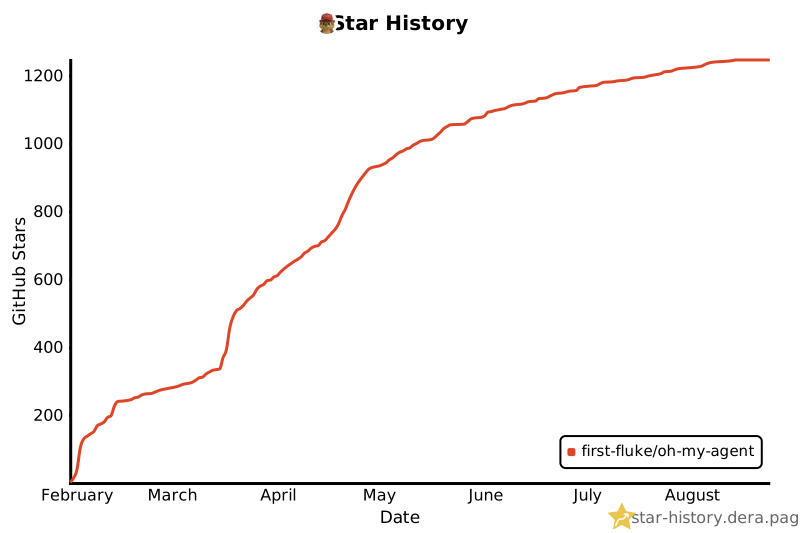
## Star History
[](https://star-history.dera.page/#first-fluke/oh-my-agent&type=date&legend=bottom-right)
## References
<details>
<summary>Research this builds on (7 papers)</summary>
- Li, X., Liu, Y., Chen, W., You, B., Di, Z., He, Y., Zheng, S., Choe, K. W., Sun, J., Wang, S., Tao, C., Li, B., Zhao, X., Geng, H., Wu, X., Zhou, J., Chen, X., Xing, H., Li, Y., … Song, D. (2026). *SkillsBench: Benchmarking how well agent skills work across diverse tasks* (Version 4) [Preprint]. arXiv. https://doi.org/10.48550/arXiv.2602.12670
- Yu, G., & Wang, X. (2026). *Knows: Agent-native structured research representations* (Version 1) [Preprint]. arXiv. https://doi.org/10.48550/arXiv.2604.17309
- Liang, Q., Wang, H., Liang, Z., & Liu, Y. (2026). *From skill text to skill structure: The scheduling-structural-logical representation for agent skills* (Version 4) [Preprint]. arXiv. https://doi.org/10.48550/arXiv.2604.24026
- Chen, C., Yu, Q., Gu, Y., Huang, Z., Li, H., Liu, H., Liu, S., Liu, J., Peng, D., Wang, J., Yan, Z., Meng, F., Qin, E., Che, C., & Hu, M. (2026). *The scaling laws of skills in LLM agent systems* (Version 1) [Preprint]. arXiv. https://doi.org/10.48550/arXiv.2605.16508
- Tang, L., Rashtchian, C., Ferng, C.-S., Tomkins, A., Juan, D.-C., & Vu, T. (2026). *WikiSkill: Compiling agent experience into persistent knowledge for skill evolution* [Preprint]. arXiv. https://doi.org/10.48550/arXiv.2608.27454
- Huang, Z., Xu, J., Yang, Y., Gong, Z., Yang, Q., Tian, M., Wang, X., Lv, C., Gao, X., Dai, Q., Liu, B., Qiu, K., Yang, X., Chen, D., Zheng, X., & Luo, C. (2026). *From raw experience to skill consumption: A systematic study of model-generated agent skills* [Preprint]. arXiv. https://doi.org/10.48550/arXiv.2605.23899
- Hong, D. B., Imani, A., & Ahmed, I. (2026). *From anatomy to smells: An empirical study of SKILL.md in agent skills* (Version 2) [Preprint]. arXiv. https://doi.org/10.48550/arXiv.2607.01456
</details>
## License
MIT
