# join-meeting
**Let any AI agent join and participate in video meetings via voice.**
An [AgentCall](https://agentcall.dev) skill that enables AI coding agents (Claude Code, Cursor, Codex, Gemini CLI, OpenClaw, Windsurf, Junie, and 30+ more) to join Google Meet, Zoom, and Microsoft Teams as a bot with voice conversation, visual avatar, screenshare, and real-time transcription.
## What It Does
Your AI agent joins a meeting as a participant and can:
- **Talk** — respond via text-to-speech (54 voices, 9 languages, <1s latency)
- **Listen** — receive real-time transcripts of what participants say
- **See** — take screenshots of shared screens, slides, presentations
- **Show** — display an animated avatar as the bot's camera feed
- **Present** — screenshare URLs, dashboards, slides dynamically during the call
- **Chat** — send and receive meeting chat messages
- **Collaborate** — use GetSun voice intelligence for natural multi-party conversations
The agent keeps its full session context — it can search code, edit files, run commands, and commit changes while talking in the meeting. The meeting is just another I/O channel.
## Quick Start
### Prerequisites
This is a **skill, not a standalone app** — it runs on top of a coding agent. You'll need:
1. **A coding agent** — one of:
- Claude Code (Anthropic)
- OpenClaw
- Cursor 2.5+
- OpenAI Codex CLI
- Gemini CLI
- Windsurf (Cascade)
- GitHub Copilot (JetBrains / VS Code)
- Junie
2. **Python 3.10+** or **Node.js 18+**
3. **Dependencies**: `pip install aiohttp websockets` (Python) or `npm install ws` (Node.js)
4. **An AgentCall account** — free, and the agent can create it for you. On first
run with no key, the skill registers you via a one-time email code (or paste an
existing key from https://app.agentcall.dev/api-keys). New accounts include free
trial credits.
### Install
Pick your agent. For anything not listed, see *From GitHub (any agent)*.
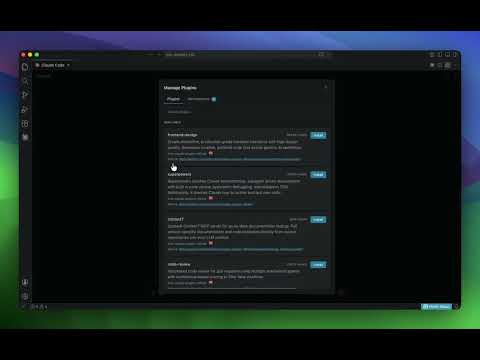
#### Claude Code
```
/plugin marketplace add pattern-ai-labs/agentcall
/plugin install join-meeting@agentcall
```
[](https://www.youtube.com/watch?v=mrwzHWnJMCw)
#### OpenClaw
```
openclaw skills install join-meeting
```
#### Cursor 2.5+
Use `/add-plugin` in the editor, or browse cursor.com/marketplace.
#### OpenAI Codex CLI
Drop the skill into `~/.codex/skills/`, or run `$skill-installer` from your Codex session. (`SKILL.md` is read directly.)
#### Gemini CLI
```
gemini extensions install https://github.com/pattern-ai-labs/agentcall
```
(Run from your terminal, not from inside the interactive CLI.)
#### From GitHub (any agent)
```
git clone https://github.com/pattern-ai-labs/agentcall.git
```
Then point your agent at `agentcall/SKILL.md` (the open Agent Skills standard, supported by 30+ frameworks):
- **Windsurf** — drop folder into `.windsurf/skills/`
- **GitHub Copilot (JetBrains)** — reference from `~/.copilot/agents/*.agent.md`
- **Junie** — `npx skills add pattern-ai-labs/agentcall --agent junie`
- **Claude Code (single-session, no install)** — drop folder into `.claude/skills/`
[](https://www.youtube.com/watch?v=qpgjhRvzP_Q)
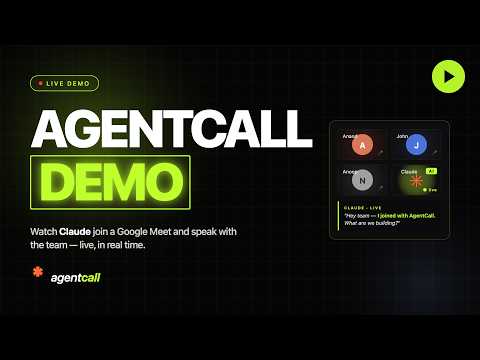
### See it in action
[](https://www.youtube.com/watch?v=d4DD8HP65pU)
### Join a Meeting
Tell your agent: *"Join this meeting: https://meet.google.com/abc-def-ghi"*
## Modes
| Mode | What the bot has | Use case |
|------|-----------------|----------|
| `audio` | Voice only | Simplest — voice conversations, note-taking |
| `webpage-av` | Voice + animated avatar | Visual presence in meetings |
| `webpage-av-screenshare` | Voice + avatar + screenshare | Presentations, sharing content |
## Voice Strategies
| Strategy | How it works | Best for |
|----------|-------------|----------|
| `direct` | Agent controls TTS directly | 1-on-1 conversations, customer support |
| `collaborative` | GetSun voice intelligence handles timing | Group meetings, natural conversation flow |
## Features
- **VAD gap buffering** — combines fragmented transcripts into complete utterances
- **Barge-in prevention** — waits for silence before speaking
- **Auto-interruption** — detects when someone talks over the bot (webpage modes)
- **Sentence tracking** — knows which sentence was interrupted and when
- **WebSocket reconnection** — auto-reconnects on network blips with call status check
- **Crash recovery** — reconnects to active calls after agent restart
- **7 built-in templates** — pattern, orb, ring, avatar, dashboard, blank, voice-agent
- **Screenshots** — capture what's on screen at any time
- **Chat I/O** — send URLs, code, text that's hard to speak
- **API key persistence** — saved to `~/.agentcall/config.json`, asked once
## Agent Frameworks
Works with any agent that can spawn a subprocess and read stdout:
| Framework | Status |
|-----------|--------|
| Claude Code / Agent SDK | Full support (+ Stop Hook for persistent calls) |
| OpenAI Codex | Full support |
| Cursor | Full support (tmux for PTY) |
| Windsurf (Cascade) | Full support |
| Gemini CLI | Full support |
| JetBrains Junie | Full support |
| OpenClaw | Full support |
| GitHub Copilot | Full support |
| Aider | Partial (no subprocess) |
## Network endpoints & credentials
The skill's scripts make outbound connections to these endpoints only:
| Endpoint | Used by | Purpose |
|---|---|---|
| `https://api.agentcall.dev` | `scripts/*/agentcall.*`, `join.*`, bridges | Create and end calls, read call state and transcripts |
| `wss://api.agentcall.dev/v1/calls/{id}/ws` | bridges | Live meeting events in; agent commands (speak, chat, screenshare) out |
| `wss://api.agentcall.dev/internal/tunnel/connect` | `tunnel.*` (webpage modes only) | Outbound tunnel that lets the meeting bot load your local UI page, which is served on `127.0.0.1` only. No inbound port is opened on your machine |
| `https://api.agentcall.dev/v1/auth/email-otp/*` | `register.*` (optional) | One-time email code to create an account and mint an API key |
| `https://raw.githubusercontent.com/pattern-ai-labs/agentcall/main/.claude-plugin/plugin.json` | `check_update.*` (optional) | Reads the published version string to tell you an update exists. Cached for 7 days; sends no data |
`https://app.agentcall.dev` appears only as a link for you to create or manage keys — the scripts never call it. The API base can be overridden with the `AGENTCALL_API_URL` environment variable (or `api_url` in the config file).
**Credentials:** one AgentCall API key (`ak_ac_…`), read from the `AGENTCALL_API_KEY` environment variable or the `api_key` field of `~/.agentcall/config.json`. It is sent only to `api.agentcall.dev` — as an `Authorization` header, and as an `api_key` query parameter on the WebSocket connection. No other credentials, environment variables, or files are read.
**Local files:** `~/.agentcall/config.json` (API key, optional `api_url`; written by `register.*`, merging existing fields) and `~/.agentcall/update-check.json` (version-check cache).
**Install behaviour:** no install or postinstall scripts and no downloaded binaries. `scripts/run.sh` uses an existing Python or Node runtime; if dependencies are missing it prints the `pip install` / `npm install` command for you to run rather than running it.
**Meeting data:** the bot is a visible, named participant. Meeting audio and transcripts stream through `api.agentcall.dev` in real time and are not permanently stored — see the [Privacy Policy](https://agentcall.dev/privacy).
## Documentation
- **[SKILL.md](SKILL.md)** — Complete reference (modes, events, commands, patterns, Claude Code integration)
- **[examples/](examples/)** — 8 working examples (notetakers, support agent, meeting assistants, coding companion, ElevenLabs voice)
- **[references/](references/)** — API reference + guides (collaborative mode, interruption handling, crash recovery, screenshare)
## Pricing
Base plan: 6 hours of meeting time, 1 concurrent call. All features included.
Paid: per-minute billing. See [agentcall.dev](https://agentcall.dev) for details.
## License
MIT — use, modify, redistribute freely.
---
Built by [AgentCall](https://agentcall.dev) (Pattern AI Labs)