<a href="https://ruvnet.github.io/Rash/header/">
<picture>
<source media="(prefers-reduced-motion: reduce)" srcset="https://raw.githubusercontent.com/ruvnet/Rash/main/web/header/rash-header.poster.svg">
<img src="https://raw.githubusercontent.com/ruvnet/Rash/main/web/header/rash-header.svg" alt="Rash: ideas in motion. Design vectors, choreograph animation, direct in 3D and publish to the open web." width="1200">
</picture>
</a>
[Play or pause the explainer](https://ruvnet.github.io/Rash/header/) · [Static header](https://raw.githubusercontent.com/ruvnet/Rash/main/web/header/rash-header.poster.svg) · [Header source](scripts/generate-header.mjs)
# Rash Studio
**Ideas in motion. Built for the open web.**
[Open the studio](https://ruvnet.github.io/Rash/) · [MCP setup](https://ruvnet.github.io/Rash/mcp/connect.html) · [User guide](docs/user-guide.md) · [Compatibility](docs/compatibility.md) · [Flash parity plan](docs/flash-parity.md) · [Architecture](docs/adr/001-svg-scene-and-worker-runtime.md) · [Security](docs/security.md)
Rash is an open source SVG animation studio with a Rust/WebAssembly scripting runtime, a visual timeline, and portable JavaScript embeds. It brings the stage, layers, tools, properties and frame based workflow of classic Flash into a responsive browser editor.
The twenty second header tours design, motion, 3D and publishing. It is a bespoke, script free SVG using Rash’s production geometry projection, with a static reduced motion fallback. It is not an editor project; the six studies below include editable source and unmodified system exports. Reproduce it with `npm run header:generate`, then verify with `npm run test:header`.
**Status: experimental v0.6.0.** Native Rash scripting implements a documented ActionScript inspired subset. It is **not complete ActionScript or Flash API compatibility**. Existing SWFs use a separate, optional Ruffle Rust/WASM compatibility player, with upstream compatibility limits. Source `.as` is not compiled to SWF. See the [compatibility matrix](docs/compatibility.md) and [UI acceptance audit](docs/ui-acceptance.md).
```sh
npx @ruv/rash
```
This starts the complete Studio on `http://127.0.0.1:4173`. Use `npx @ruv/rash mcp` for the local MCP server, or install globally to use the `rash` and `rash-mcp` commands.
## MCP animation workspace
Create, list, edit, render, export and delete validated animations through seven MCP tools. The self contained view adds playback, frame seeking, layer properties, revision aware saves and mobile controls. Local Claude projects use private files; the hosted adapter uses authenticated R2 storage. These are separate stores, with JSON export for portability.
```sh
npm run mcp
```
The Claude plugin launches this server automatically when installed. See the [user guide](docs/user-guide.md#chatgpt-mcp-and-claude), [cloud adapter](cloud/README.md), and [MCP architecture](docs/adr/010-mcp-animation-workspace.md).
Validation: 184 unit and packaging tests and nine MCP browser checks in each of Chromium and WebKit pass. All seven hosted tools were also exercised through a connected ChatGPT plugin. Native visual acceptance and live Claude host acceptance remain separate checks.
The [authenticated Studio](https://rash-svg-studio.ruv.chatgpt.site/studio/) now opens and saves the same hosted MCP projects. Choose **MCP → Manage cloud projects** to browse, open, save a revision, create a copy or delete with confirmation. Device autosave stays local; cloud saves are explicit. Conflicts preserve the editor draft. Public Studio and local Claude storage remain separate. See [shared storage architecture](docs/adr/011-shared-cloud-studio.md) and [export acceptance](docs/export-acceptance.md).
## Your next move
<a href="docs/user-guide.md">
<img src="https://raw.githubusercontent.com/ruvnet/Rash/main/docs/animations/mcp-guide.svg" alt="Open the Rash user guide: edit vectors, reuse symbols, direct 3D motion and publish portable SVG animations." width="1200">
</a>
[Read the user guide](docs/user-guide.md) for the first animation, mobile editing and deletion, shared symbols, cameras, exports and AI host acceptance. This script free workflow illustration respects reduced motion and uses an intrinsic 10:3 aspect ratio. The main animated header above retains its original proportions.
## From a first move to motion graphics
Six real compositions, generated by Rash 0.4.0. Every preview is an unmodified SVG export from the same scene model used by the editor. Start with one animated circle, then build toward cameras, 3D and an art directed title sequence.
[Play the gallery with controls](https://ruvnet.github.io/Rash/examples/) · [Browse all editable projects](web/examples/) · [Reproduce the examples](scripts/generate-examples.mjs)
SVG images below loop. The gallery starts paused and includes playback controls and static posters.
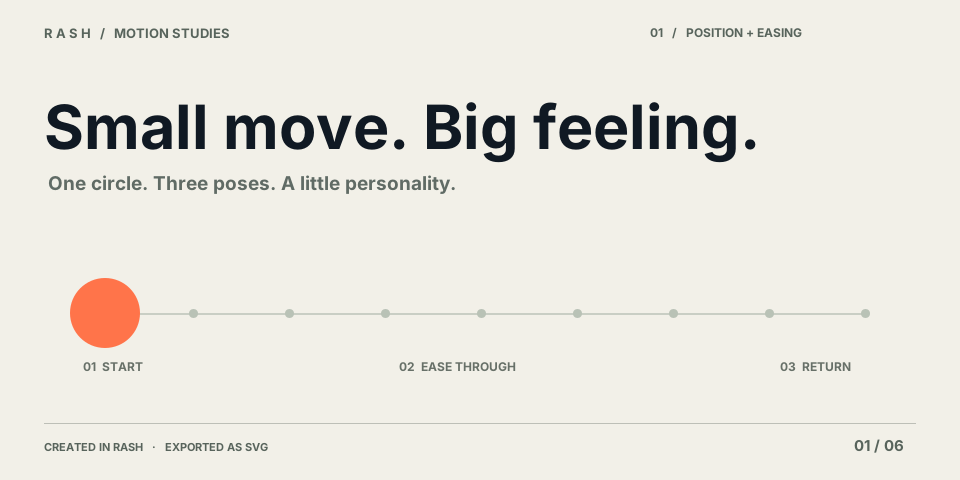
### 01 · The first move
[](https://ruvnet.github.io/Rash/examples/#01-first-move)
Position and scale turn a single circle into a smooth, returning gesture.
**Position · scale · easing** · 5 s · 24 fps · 21 layers · 14.3 KB SVG · 2.5 KB gzip
[Animated SVG](web/examples/01-first-move.svg) · [Editable project](web/examples/01-first-move.rash.json) · [Static poster](web/examples/01-first-move.poster.svg)
### 02 · Type has rhythm
[](https://ruvnet.github.io/Rash/examples/#02-kinetic-type)
Staggered typography and elastic bars create a repeating editorial rhythm.
**Stagger · Bezier timing · elastic easing** · 6 s · 24 fps · 15 layers · 169.7 KB SVG · 27.1 KB gzip
[Animated SVG](web/examples/02-kinetic-type.svg) · [Editable project](web/examples/02-kinetic-type.rash.json) · [Static poster](web/examples/02-kinetic-type.poster.svg)
### 03 · Beyond the surface
[](https://ruvnet.github.io/Rash/examples/#03-reveal-masks)
Two text wipes and a 3D iris share the same portable geometric clipping system.
**Rectangular wipe · elliptical iris · static 3D geometry** · 6 s · 24 fps · 10 layers · 50.3 KB SVG · 5.9 KB gzip
[Animated SVG](web/examples/03-reveal-masks.svg) · [Editable project](web/examples/03-reveal-masks.rash.json) · [Static poster](web/examples/03-reveal-masks.poster.svg)
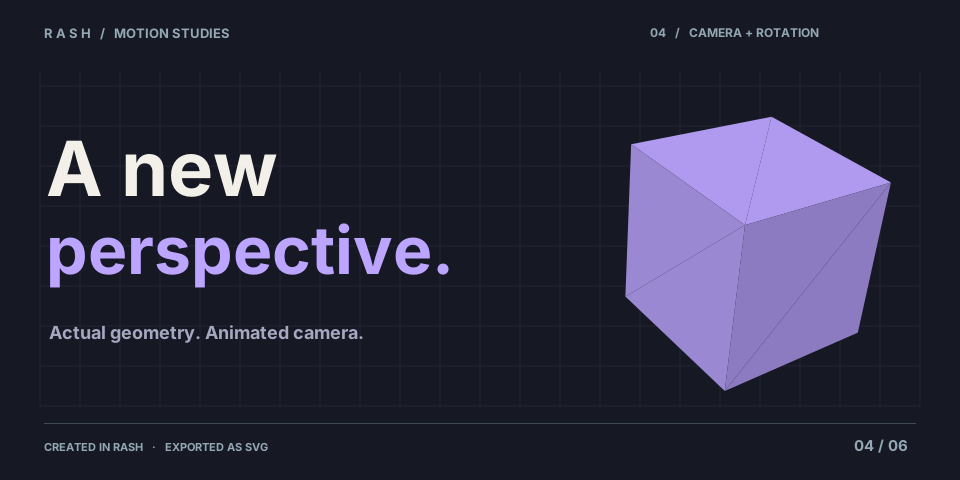
### 04 · A new perspective
[](https://ruvnet.github.io/Rash/examples/#04-camera-study)
A rotating shaded cube combines object rotation with animated camera orbit and distance.
**Three.js box · rotation · camera orbit · depth** · 4 s · 24 fps · 10 layers · 103.7 KB SVG · 11.8 KB gzip
[Animated SVG](web/examples/04-camera-study.svg) · [Editable project](web/examples/04-camera-study.rash.json) · [Static poster](web/examples/04-camera-study.poster.svg)
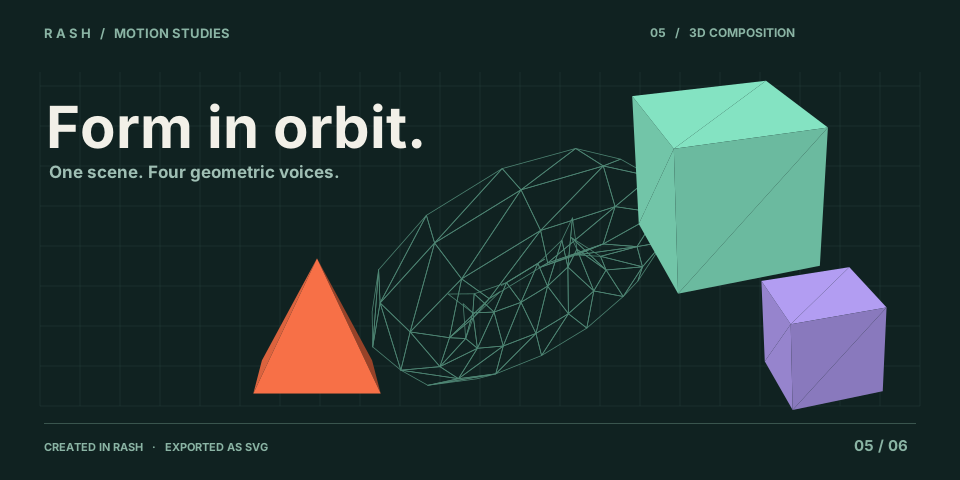
### 05 · Form in orbit
[](https://ruvnet.github.io/Rash/examples/#05-3d-constellation)
Three rotating satellites move around a retained wireframe torus, with layered depth and restrained color.
**Box + pyramid + torus · wireframe · depth · coordinated rotation** · 5 s · 24 fps · 12 layers · 336.0 KB SVG · 30.2 KB gzip
[Animated SVG](web/examples/05-3d-constellation.svg) · [Editable project](web/examples/05-3d-constellation.rash.json) · [Static poster](web/examples/05-3d-constellation.poster.svg)
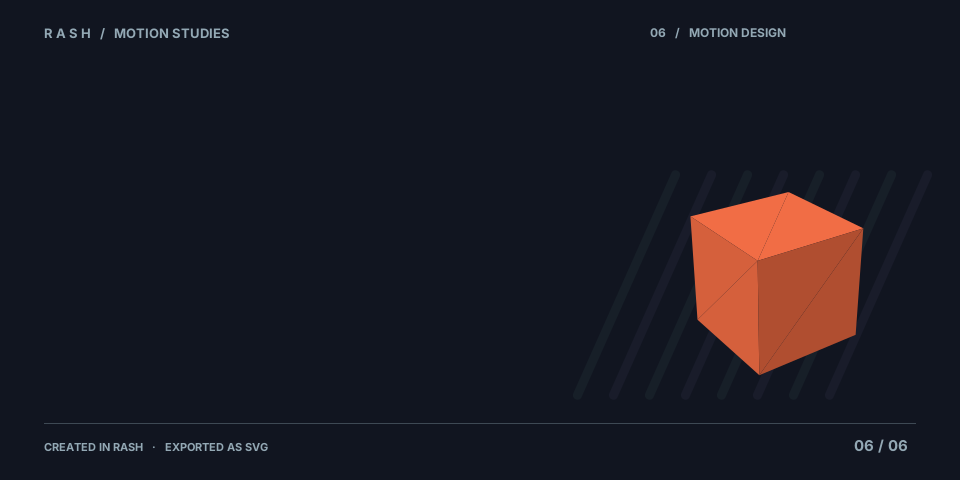
### 06 · Make the next move
[](https://ruvnet.github.io/Rash/examples/#06-studio-sequence)
A complete art directed title loop combines a text wipe, focus reveal, staggered bars, independent curves and glowing 3D geometry.
**Art direction · masks · blur + glow · independent curves · layered 3D** · 6 s · 24 fps · 18 layers · 238.4 KB SVG · 27.5 KB gzip
[Animated SVG](web/examples/06-studio-sequence.svg) · [Editable project](web/examples/06-studio-sequence.rash.json) · [Static poster](web/examples/06-studio-sequence.poster.svg)
### Open an example in the editor
1. Open the [gallery](https://ruvnet.github.io/Rash/examples/) and download **Project JSON** below an example.
2. Open [Rash Studio](https://ruvnet.github.io/Rash/) and choose **File → Open project**. On a phone, use **More → Open project**.
3. Change a layer, curve, camera pose or mask, then export your own version.
All six animated SVGs total **912.3 KB** uncompressed, or **104.9 KB** summed gzip. These are measured file sizes, not a guarantee of CDN transfer encoding. More geometric detail and more sampled frames increase 3D SVG size. The gallery uses the compact projects with the live retained player instead.
The advanced studies combine existing motion design tools. They do not add textures, a shared 3D depth buffer, AEP import or full After Effects compatibility. The [manifest](web/examples/manifest.json) records exact sizes, export hashes and generator source hashes.
Regenerate every SVG, project, poster and manifest with:
```sh
npm run examples:generate
npm run test:examples
```
## Create and publish
<a href="https://ruvnet.github.io/Rash/">
<picture>
<source media="(prefers-reduced-motion: reduce)" srcset="https://raw.githubusercontent.com/ruvnet/Rash/main/docs/animations/authoring.poster.svg">
<img src="https://raw.githubusercontent.com/ruvnet/Rash/main/docs/animations/authoring.svg" alt="Rash authoring: a selected vector animates across the stage while a timeline playhead moves between keyframes." width="960">
</picture>
</a>
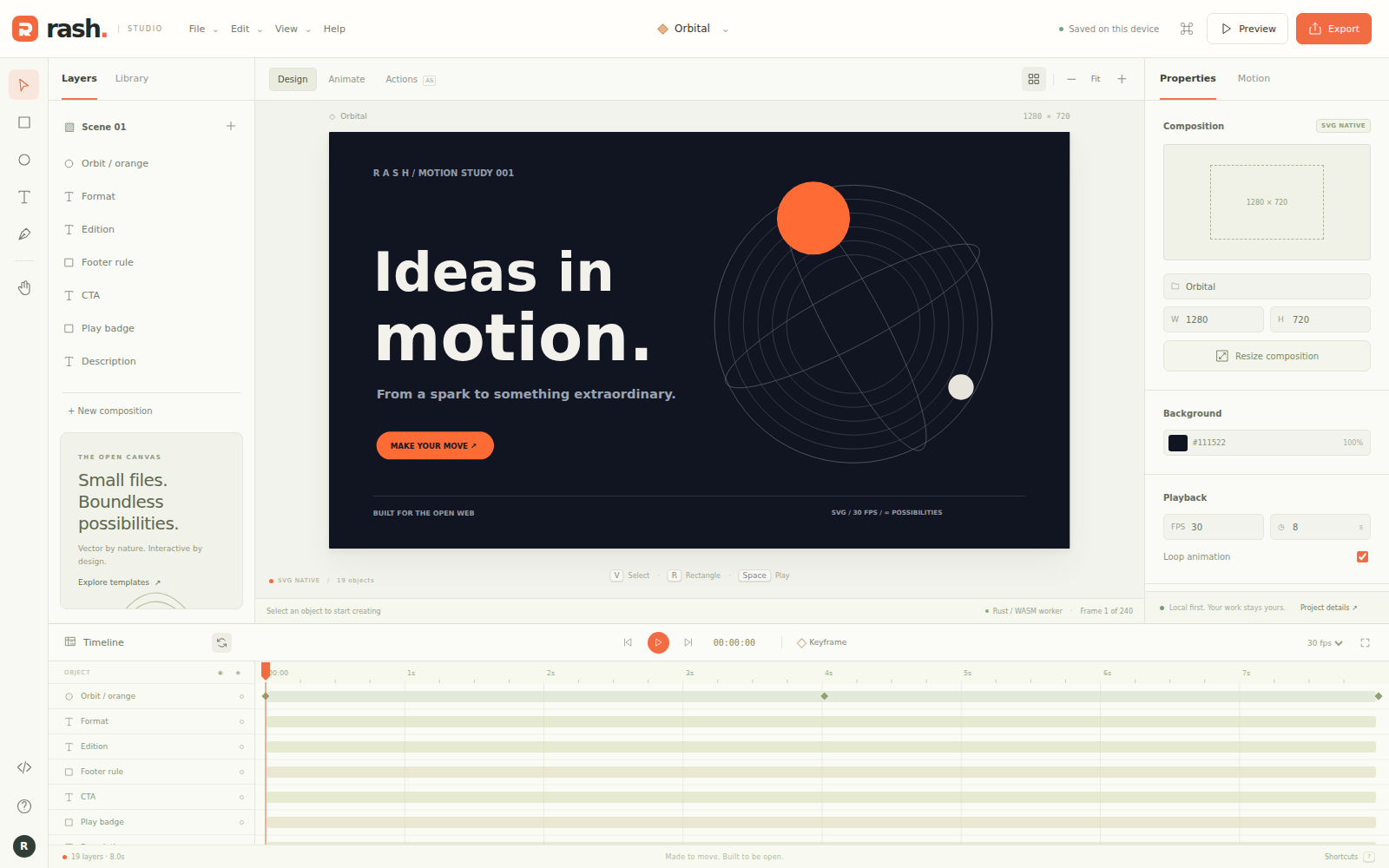
<details>
<summary>View the actual editor</summary>
</details>
1. Open [Rash Studio](https://ruvnet.github.io/Rash/).
2. Pick a template or create a composition in web, social, story, banner, HD, A4 or classic Flash dimensions.
3. Draw vectors, edit text, move objects, change their properties, and add timeline keyframes.
4. Preview the animation or run a bounded script in the Actions editor.
5. Export the project or copy an embed. Local autosave stays in your browser; download project JSON for backup.
| Capability | Implementation |
| :--- | :--- |
| Authoring | SVG stage, 2D vectors and Three.js box/sphere/torus/pyramid layers, inspector, layers, history, zoom |
| Symbols | Shared graphic definitions, nested timelines, loop/once/single frame instances, scoped editing and full document history |
| Animation | Editable motion presets, stagger, per property Bezier curves, animated cameras, bounce/elastic easing, 3D rotation, animated rectangle/ellipse masks, blur, glow, blend modes |
| Templates | Mask reveal, Beyond 3D motion, orbital product story, launch, social story, kinetic typography, collector game, blank |
| Native scripts | Rust parser/interpreter in a dedicated worker; typed variables, arithmetic, conditions, loops, trace, scene properties, timeline controls |
| Legacy content | Isolated, optional self hosted Ruffle SWF player; no universal compatibility claim |
| Search | Lazy loaded real RuVector WASM, deterministic lexical feature vectors, explicit JavaScript fallback |
| Resources | Allowlisted local `rash://project/current`, `rash://node/ID`, `rash://symbol/ID`, `rash://template/orbit`, `rash://help/welcome` |
| Exports | Animated SVG, GIF, PNG, raster PDF, self contained animated HTML, project JSON, browser supported MP4 |
| Embedding | Independent `<rash-player>` instances, shadow DOM styles, responsive layout, controls, reduced motion |
| Developer tools | Claude plugin manifest, marketplace, author/verify skills, MetaHarness evidence script |
<a href="https://ruvnet.github.io/Rash/">
<picture>
<source media="(prefers-reduced-motion: reduce)" srcset="https://raw.githubusercontent.com/ruvnet/Rash/main/docs/animations/exports.poster.svg">
<img src="https://raw.githubusercontent.com/ruvnet/Rash/main/docs/animations/exports.svg" alt="Rash exports: SVG, GIF, HTML and supported MP4 animation; PNG and raster PDF stills; editable project JSON." width="960">
</picture>
</a>
GIF is capped at 640 pixels and 120 sampled frames. MP4 is a real time browser recording, capped at 1920 pixels and 60 seconds; unsupported browsers report an explicit error. PDF exports frame zero as a raster image. These limits keep the static application bounded and honest.
The four workflow illustrations in this README explain authoring, exports, embeds and scripting. They are editorial SVG artwork, separate from the six editable system exports above. Together they add **21.5 KB** of animated SVG, or **6.9 KB** summed gzip. Each selects a static poster when reduced motion is requested. [View all posters and the size manifest](docs/animations/) · [Reproduce the artwork](scripts/generate-readme-art.mjs) with `npm run readme:generate`; verify with `npm run test:readme-art`.
### Reusable symbols and nested timelines
Convert a selected layer with **Properties → Convert to symbol**, give it a name, then open **Library** to place more instances. **Edit symbol** opens its own stage and timeline. A shared definition edit updates every instance. Convert a layer inside that definition to nest another symbol; the breadcrumb returns to its parent or Scene.
Each instance supports **Loop**, **Play once** and **Single frame**, with first frame and parent start offsets. Definitions have their own dimensions, camera and duration, and share the document FPS. Save, Undo, autosave, SVG export and embeds preserve the whole project while a definition is open. On phones, **More → Convert to symbol**, the inspector and Library expose the same operations. Delete an instance with the visible selection toolbar; a definition can be deleted after its references are removed.
These are deterministic graphic symbols. Independent MovieClip clocks, button states and frame scripts remain on the [Flash parity plan](docs/flash-parity.md). Symbol documents use schema version 2; older players reject them. Instance blur and glow are unavailable; apply those effects to artwork inside the definition. [Symbol architecture](docs/adr/009-symbols-and-nested-timelines.md) · [Release verification](docs/release-0.5.0.md).
### 3D and motion design
Open **3D** to add a box, sphere, torus or pyramid. Use **Scene camera** to adjust perspective and orbit. Choose a frame and **Set camera keyframe** to save a pose; move to another frame and save another pose. Camera keys appear in the timeline and can be removed from the camera dialog. The inspector exposes X/Y rotation, depth, wireframe, blur, glow and blending. In **Motion**, apply Fade, Rise, Pop, 3D revolution, Float or Focus reveal, then edit the generated keys and easing curves. Choose **Motion property** to give opacity, position, rotation or effects their own easing at a shared keyframe. **All properties** explicitly resets those overrides. Existing timing is retained when a preset shares a keyframe with another property.
Start with the **Beyond / 3D motion** template for an animated composition. On phones, **More → 3D objects and camera** provides the same controls. Three.js geometry is projected into SVG; editor, embeds and exports share that renderer. The pinned Three.js module adds 25.3 KB gzip.
These are motion design tools inspired by After Effects, with no AEP import, expressions, feathered masks or shared depth buffer between objects. Animated 3D SVG samples geometry and can be large: the eight second Beyond template exports approximately 3.45 MB. Limits are 32 mesh layers, 4,096 source triangles and 16 MB per SVG export. [Design and limits](docs/adr/006-three-svg-motion.md) · [Camera and timing design](docs/adr/007-camera-and-property-timing.md) · [Release verification](docs/release-0.4.0.md).
### Reveal masks
Select any text, vector or 3D layer and open **Properties → Reveal mask**. Choose Rectangle or Ellipse, then edit local position, dimensions and rotation. Numeric mask values animate at the current frame. **Animate mask** opens Wipe reveal; Iris reveal is also available. The **Mask reveal** template demonstrates both effects. Set independent mask easing in **Motion**.
**Fit mask to layer** resets the mask to the evaluated layer bounds at the current frame. **Remove mask**, or choosing None, clears mask tracks in one undoable edit and preserves other animation. A zero size mask hides content completely; select that layer from **Layers** to edit it again. Masks use hard clipping with no feathering, inversion or layer references. Stage, embeds, PNG and animated SVG share the evaluated geometry. Older players ignore masks and show unclipped content.
### Edit on a phone
1. Tap an object on the canvas, or choose it from **Layers**.
2. Use the visible **Edit**, **Duplicate**, or **Delete** actions above the canvas. Corner handles resize shapes; the inspector provides exact sizes and rotation.
3. For text, choose **Edit**, then **Edit text content**. Multiline text is preserved in the SVG and exports.
4. Use **Undo** and **Redo** above the canvas. **More** exposes saving, importing, exports, scripts, resources, and help without a keyboard.
5. In **Motion**, enter an exact frame to add, edit, or remove a keyframe. Changing FPS preserves keyframe timing in seconds, subject to frame rounding.
The browser keeps one current composition. Download project JSON before replacing it. Creating a new composition asks you to confirm replacement when there is existing work. The Orbit Collector demo supports touch and keyboard controls in the editor and JavaScript embed. Playback uses temporary game state and leaves the authored scene intact. This demo is not a general game engine.
## Run locally
```sh
git clone https://github.com/ruvnet/Rash.git
cd Rash
npm ci --ignore-scripts
npm run setup:legacy
npm run dev
```
Open `http://localhost:4173`. Prebuilt WASM is included. To rebuild the Rust runtime:
```sh
rustup target add wasm32-unknown-unknown
npm run build:wasm
cargo test --locked
npm test
npx playwright install --with-deps chromium webkit
npm run test:ui
npm run test:mobile
npm run test:workflows
RASH_BROWSER=webkit npm run test:workflows
npm run test:motion
RASH_BROWSER=webkit npm run test:motion
npm run test:camera
RASH_BROWSER=webkit npm run test:camera
npm run test:masks
RASH_BROWSER=webkit npm run test:masks
npm run test:rollback
npm run test:embed-game
node tests/exports-browser.mjs
node tests/runtime-browser.mjs
npm run bench
npm run build
```
`dist/` is a static site. The GitHub Actions workflow runs Rust, JavaScript and browser checks before publishing GitHub Pages. It does not require Cloudflare or a paid service.
## Embed anywhere
<a href="docs/embed.md">
<picture>
<source media="(prefers-reduced-motion: reduce)" srcset="https://raw.githubusercontent.com/ruvnet/Rash/main/docs/animations/embeds.poster.svg">
<img src="https://raw.githubusercontent.com/ruvnet/Rash/main/docs/animations/embeds.svg" alt="Rash embeds: desktop and phone players animate independently inside responsive frames." width="960">
</picture>
</a>
Export a project as `scene.rash.json`, host it on your site, and use:
```html
<script type="module" src="https://ruvnet.github.io/Rash/embed.js"></script>
<rash-player src="/scene.rash.json" controls autoplay loop
style="display:block;width:100%;aspect-ratio:16/9"></rash-player>
```
The editor also generates an embed with inline, safely encoded project data. CORS and your site's content security policy must permit the hosted player and any fetched scene. See [embedding](docs/embed.md).
## Write a script
<a href="docs/compatibility.md">
<picture>
<source media="(prefers-reduced-motion: reduce)" srcset="https://raw.githubusercontent.com/ruvnet/Rash/main/docs/animations/runtime.poster.svg">
<img src="https://raw.githubusercontent.com/ruvnet/Rash/main/docs/animations/runtime.svg" alt="Rash scripting: bounded ActionScript inspired source runs in a Rust and WASM worker, then validated commands update the SVG stage." width="960">
</picture>
</a>
```actionscript
var total:Number = 0;
for (var i:int = 0; i < 10; i++) {
total += i;
}
trace(total);
stop();
```
Use `getNode("layer-id").x = 120;` to modify a scene object. Execution has instruction, source, memory, recursion and output budgets. A failed run discards its commands. Scripts cannot access the DOM, browser storage, network, or operating system. This is a purpose built interpreter, never JavaScript `eval`.
## Claude plugin and skills
```text
/plugin marketplace add ruvnet/Rash
/plugin install rash@rash-tools
```
The repository contains `.claude-plugin/` and `skills/rash-author` / `skills/rash-verify`. Validate installation against your Claude host version. The package contains authoring and verification guidance, with no automatic command hooks or remote credential handling.
## Architecture and governance
The [ADRs](docs/adr/) document scene ownership, rendering, worker isolation, local resource addresses, search, evaluation and packaging. [MetaHarness](scripts/metaharness-evaluate.mjs) records a static repository score and measured search checks. It does not certify quality or demonstrate self improvement.
Ruflo AI Team records task ownership; concurrent Codex workers implement isolated modules. ruOS provides deployment and independent execution evidence. Federation was unavailable during the initial build, so no federation execution or successful claims are asserted.
The product target is a complete Flash authoring and runtime replacement. The [delivery plan](docs/flash-parity.md) defines eight milestones with executable acceptance gates. FLA import, full AS1/AS2/AS3 semantics and Flash APIs, independent MovieClips, Stage3D, synchronized audio/video, collaborative storage and a general game engine remain unfinished. SVG rendering alone does not establish compatibility.
MIT for Rash. Vendored Three.js, RuVector and Ruffle retain their original licenses and provenance.