# ghcrawl
[](https://github.com/pwrdrvr/ghcrawl/actions/workflows/ci.yml)
[](https://www.npmjs.com/package/ghcrawl)
[](https://www.npmjs.com/package/ghcrawl)
[](./LICENSE)
`ghcrawl` is a local-first GitHub issue and pull request crawler for maintainers.

## Install
Install the published CLI package:
```bash
npm install -g ghcrawl
```
That package exposes the `ghcrawl` command directly.
If you are working from source or maintaining the repo, use [CONTRIBUTING.md](./CONTRIBUTING.md).
## Requirements
Normal `ghcrawl` crawl use needs:
- a GitHub personal access token
OpenAI is optional and only needed when you run summary or embedding workflows. Deterministic sync, fingerprinting, and clustering can run without it.
## Quick Start
```bash
export GITHUB_TOKEN=github_pat_...
ghcrawl configure
ghcrawl doctor
ghcrawl refresh owner/repo
ghcrawl tui owner/repo
```
`ghcrawl` reads bare tokens from environment variables, `.env.local`, or `~/.config/ghcrawl/config.json`. No setup wizard or external secret provider is required.
`ghcrawl refresh owner/repo` is the main pipeline command. It pulls the latest open GitHub issues and pull requests, summarizes changed items only when the active embedding basis depends on summaries, refreshes vectors, and rebuilds the clusters you browse in the TUI.
## One-Time Migration
Upgrading to this release changes the local vector and cluster pipeline:
- vectors now use a persistent `vectorlite` sidecar index
- the active vector is one vector per open thread
- old multi-row `document_embeddings` are removed after the first successful rebuild
For an existing repo, the one-time migration command is:
```bash
ghcrawl refresh owner/repo
```
Important notes:
- `refresh` performs the migration; plain `sync` does not
- with the default `title_original` basis, the migration rebuilds vectors and clusters without running LLM summaries
- if you switch to `title_summary`, `refresh` also runs the summarize step before embedding
- after the first successful migration refresh, ghcrawl removes legacy embeddings, compacts the local DB, and rebuilds clusters from the current vectors
## Typical Commands
```bash
ghcrawl configure
ghcrawl doctor
ghcrawl refresh owner/repo
ghcrawl tui owner/repo
```
`refresh`, `sync`, and `embed` call remote services and should be run intentionally.
`cluster` does not call remote services, but it is still time consuming. It now uses a persistent `vectorlite` index instead of exact in-memory scans, so large-repo rebuilds are materially faster, but still not instant.
`clusters` explores the clusters already stored in the local SQLite database and is expected to be the fast, read-only inspection path.
## CLI Help And Machine Output
Every public command now supports both:
```bash
ghcrawl help refresh
ghcrawl refresh --help
```
For agent-facing and script-facing commands, prefer explicit machine mode:
```bash
ghcrawl configure --json
ghcrawl doctor --json
ghcrawl threads owner/repo --numbers 42,43,44 --json
ghcrawl clusters owner/repo --min-size 5 --limit 20 --sort recent --json
```
Contract notes:
- `doctor` keeps a human-readable TTY default unless you pass `--json`
- JSON-oriented commands accept `--json` explicitly; current JSON-by-default behavior is still available as a compatibility path
- machine payloads are written to `stdout`
- progress logs and error messages are written to `stderr`
- use `--config-path <path>` to force a specific persisted config file
- use `--workspace-root <path>` to force `.env.local` and workspace-local DB discovery
### Refresh Command Example
```bash
ghcrawl refresh owner/repo
```

### TUI Screenshots
| Issue/PR list modal | Refresh modal |
| --- | --- |
|  |  |
| Browse open issue and PR records from local SQLite. | Press `g` to open the GitHub/embed/cluster refresh modal. |
| Closed members in a cluster | Fully closed cluster |
| --- | --- |
|  |  |
| Closed members stay visible in gray so overlap is still easy to inspect. | A cluster with no open members is grayed out as a whole until you hide closed items. |

Press `l` on wide screens to toggle the stacked layout with the cluster list on the left and members/detail stacked on the right.
## Controlling The Refresh Flow More Intentionally
Most users should run `ghcrawl refresh owner/repo` and let it do the full pipeline in the right order.
If you need tighter control, you can run the three stages yourself:
```bash
ghcrawl sync owner/repo # pull the latest open issues and pull requests from GitHub
ghcrawl summarize owner/repo # optional explicit summary refresh when using title_summary
ghcrawl embed owner/repo # generate or refresh the single active vector per thread
ghcrawl cluster owner/repo # rebuild local related-work clusters from the current vectors (local-only, but can take ~10 minutes on a ~12k issue/PR repo)
```
Run them in that order. If your embedding basis is `title_summary`, `refresh` automatically inserts the summarize stage before embed for you. With the default `title_original` basis, `refresh` does not summarize unless you run `summarize` explicitly.
## Tokens And Doctor
First run:
```bash
export GITHUB_TOKEN=github_pat_...
ghcrawl doctor
```
Token loading order:
- environment variables: `GITHUB_TOKEN`, `OPENAI_API_KEY`
- workspace `.env.local`
- user config: `~/.config/ghcrawl/config.json`
GitHub token guidance:
- recommended: fine-grained PAT scoped to the repositories you want to crawl
- repository permissions:
- `Metadata: Read-only`
- `Issues: Read-only`
- `Pull requests: Read-only`
- if you use a classic PAT and need private repositories, `repo` is the safe fallback scope
`doctor` checks:
- config file presence and path
- local DB path wiring
- GitHub token presence
- OpenAI key presence for optional summary and embedding commands
- `vectorlite` runtime readiness
## Configure
Use `configure` to inspect or change the active summary model and embedding basis:
```bash
ghcrawl configure
ghcrawl configure --summary-model gpt-5.4
ghcrawl configure --embedding-basis title_original
```
Current defaults:
- summary model: `gpt-5.4`
- embedding basis: `title_original` (`title + original body`)
- vector backend: `vectorlite`
Changing the summary model or embedding basis makes the next `refresh` rebuild vectors and clusters for that repo.
If you opt into `title_summary`, ghcrawl summarizes before embedding and uses `title + dedupe summary` as the active vector text. On `openclaw/openclaw`, that improved non-solo cluster membership by about 50% versus `title_original`, but it adds OpenAI spend. A first summarize of roughly `18k` open issues and PRs in that repo typically costs about `$15-$30` with `gpt-5-mini`; later refreshes are usually much cheaper because only changed items need summaries.
## Using The CLI To Extract JSON Data
These commands are intended more for scripts, bots, and agent integrations than for normal day-to-day terminal browsing:
```bash
ghcrawl threads owner/repo --numbers 42,43,44 --json
ghcrawl threads owner/repo --numbers 42,43,44 --include-closed --json
ghcrawl close-thread owner/repo --number 42 --json
ghcrawl close-cluster owner/repo --id 123 --json
ghcrawl clusters owner/repo --min-size 5 --limit 20 --json
ghcrawl clusters owner/repo --min-size 5 --hide-closed --json
ghcrawl durable-clusters owner/repo --member-limit 10 --json
ghcrawl cluster-detail owner/repo --id 123 --json
ghcrawl cluster-detail owner/repo --id 123 --hide-closed --json
ghcrawl cluster-explain owner/repo --id 123 --member-limit 20 --event-limit 50 --json
ghcrawl search owner/repo --query "download stalls" --json
ghcrawl optimize owner/repo --json
```
Use `threads --numbers ...` when you want several specific issue or PR records in one CLI call instead of paying process startup overhead repeatedly.
## Portable Git Sync Export
The main SQLite database is a local cache and can grow large because it stores raw GitHub payloads, documents, FTS data, vectors, comments, run history, and other rebuildable evidence. Do not put `~/.config/ghcrawl/ghcrawl.db` directly into a git file sync workflow.
Use `export-sync` to write a compact portable core DB:
```bash
ghcrawl export-sync owner/repo --profile lean --manifest --output ./owner__repo.sync.db --json
ghcrawl validate-sync ./owner__repo.sync.db --json
ghcrawl portable-size ./owner__repo.sync.db --json
ghcrawl sync-status owner/repo --portable ./owner__repo.sync.db --json
```
The export keeps the syncable state: repository metadata, issue/PR metadata, bounded body excerpts, latest revisions, deterministic fingerprints, LLM key summaries, sync/pipeline state, and durable cluster identities/memberships/overrides. It intentionally excludes bulky or rebuildable caches such as raw JSON blobs, comments, documents/FTS, vectors, code snapshots, cluster event history, run logs, and similarity edge evidence.
Default body excerpts are capped at `512` characters per thread. Use `--profile lean` for a smaller `256` character excerpt budget, `--profile review` for `1024`, or `--body-chars <count>` when you need an explicit value. `--manifest` writes a JSON sidecar with the export SHA256, table counts, validation status, profile, and repository identity.
Use `import-sync` to hydrate a configured local store from a portable DB:
```bash
ghcrawl import-sync ./owner__repo.sync.db --json
```
Import preserves richer existing live-cache data where possible. For example, an existing full thread body is not replaced by a portable excerpt, and raw GitHub JSON is not invented beyond a minimal placeholder for newly imported rows.
External CI or worker systems should call these commands from outside this repository. This repo intentionally does not include a scheduled sync workflow.
By default, cluster JSON commands show locally closed clusters. Use `--hide-closed` when you only want active clusters. Thread list commands still hide locally closed issues/PRs unless `--include-closed` is passed.
Use `close-thread` when you know a local issue/PR should be treated as closed before the next GitHub sync catches up. If that was the last open item in its cluster, `ghcrawl` automatically marks the cluster closed too.
Use `close-cluster` when you want to locally suppress a whole cluster from default JSON exploration without waiting for a rebuild.
Use `optimize` after heavy sync, embedding, clustering, or close/archive sessions. It checkpoints WAL files, refreshes planner stats, runs SQLite optimize, and vacuums the main database. When passed `owner/repo`, it also optimizes that repo's vector SQLite store and reports the `.hnsw` sidecar size without rebuilding it.
## Durable Cluster Governance
The durable cluster commands operate on stable cluster identities, not one-off run snapshots:
```bash
ghcrawl durable-clusters owner/repo --member-limit 10 --json
ghcrawl cluster-explain owner/repo --id 123 --json
ghcrawl exclude-cluster-member owner/repo --id 123 --number 42 --reason "false positive" --json
ghcrawl include-cluster-member owner/repo --id 123 --number 42 --reason "same root cause" --json
ghcrawl set-cluster-canonical owner/repo --id 123 --number 42 --reason "best root issue" --json
ghcrawl merge-clusters owner/repo --source 123 --target 456 --reason "same incident" --json
ghcrawl split-cluster owner/repo --source 123 --numbers 42,43 --reason "separate root cause" --json
ghcrawl cluster owner/repo --number 42 --json
```
Use `cluster-explain` when you need to answer why a durable cluster exists. It returns the stable slug, aliases, governed memberships, overrides, event history, and pairwise evidence sources such as deterministic fingerprints, hunk overlap, and vector-backed edges.
Maintainer overrides are sticky. If you exclude a thread from a durable cluster, future clustering records that decision and will not silently re-add it to the same cluster. `cluster --number` refreshes only one durable neighborhood, which is the cheaper path after a small sync or a manual governance edit.
## Cost To Operate
The main variable costs are summarization and embeddings. Embedding pricing is published by OpenAI here: [OpenAI API pricing](https://developers.openai.com/api/docs/pricing#embeddings).
On a real local run against roughly `12k` issues plus about `1.2x` related PR and issue inputs, [`text-embedding-3-large`](https://developers.openai.com/api/docs/pricing#embeddings) came out to about **$0.65 USD** total to embed the repo. Treat that as an approximate data point for something like `~14k` issue and PR inputs, not a hard guarantee.
For one-time summary migration planning on a repo around the size of `openclaw/openclaw` (`~20k` issues and PRs), `ghcrawl configure` reports these operator estimates using the April 1, 2026 USD pricing assumptions for this release:
- `gpt-5.4`: not estimated locally in this release
- `gpt-5-mini`: about **$12 USD** one time
- `gpt-5.4-mini`: about **$30 USD** one time
`gpt-5.4` is the default summary model. The mini model estimates are kept as operator planning references for lower-cost migrations.
This screenshot is the reference point for that estimate:

## Agent Skill
This repo ships an installable skill at [skills/ghcrawl/SKILL.md](./skills/ghcrawl/SKILL.md).
For installation and usage conventions, point users at [vercel-labs/skills](https://github.com/vercel-labs/skills).
Install the CLI first, then install the skill:
```bash
npm i -g ghcrawl
npx skills add -g pwrdrvr/ghcrawl
```
The skill is built around the stable JSON CLI surface and is intentionally conservative:
- default mode assumes no valid API keys and stays read-only
- API-backed operations only need the relevant bare token in env, `.env.local`, or config JSON
- even then, `refresh`, `sync`, `embed`, and `cluster` should only run when the user explicitly asks for them
- cluster JSON commands show closed clusters by default; use `--hide-closed` for active-only cluster views
```bash
ghcrawl doctor --json
ghcrawl refresh owner/repo
ghcrawl optimize owner/repo --json
ghcrawl runs owner/repo --limit 20 --json
ghcrawl threads owner/repo --numbers 42,43,44 --json
ghcrawl clusters owner/repo --min-size 5 --limit 20 --sort recent --json
ghcrawl cluster-detail owner/repo --id 123 --member-limit 20 --body-chars 280 --json
ghcrawl cluster-explain owner/repo --id 123 --member-limit 20 --event-limit 50 --json
```
### Video Walkthrough
[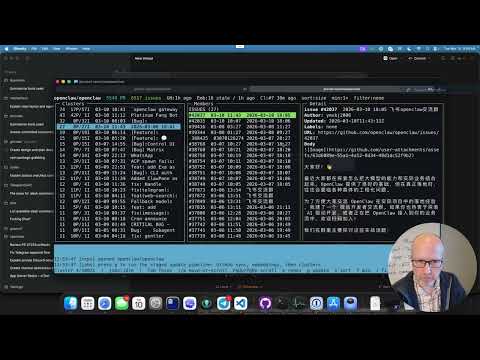](https://www.youtube.com/watch?v=xqgDcy3WDUI)
GitHub README links cannot force a new tab, but clicking the preview above will open the YouTube walkthrough from the repo page.
The agent and build contract for this repo lives in [SPEC.md](./SPEC.md).
## Current Caveats
- `serve` starts the local HTTP API only. The web UI is not built yet.
- `sync` only pulls open issues and PRs.
- a plain `sync owner/repo` is incremental by default after the first full completed open scan for that repo
- `sync` is metadata-only by default
- `sync --include-comments` enables issue comments, PR reviews, and review comments for deeper context
- `embed` defaults to `text-embedding-3-large` with `dimensions=1024`
- `embed` maintains one active vector per thread, stored in a persistent `vectorlite` sidecar index
- `embed` stores an input hash per thread and will not resubmit unchanged text for re-embedding
- the default embedding basis is `title + original body`; use `ghcrawl configure --embedding-basis title_summary` if you want to summarize before embedding
- `sync --since` accepts ISO timestamps and relative durations like `15m`, `2h`, `7d`, and `1mo`
- `sync --limit <count>` is the best smoke-test path on a busy repository
- `tui` remembers sort order and min cluster size per repository in the persisted config file
- the TUI shows locally closed threads and clusters in gray; press `x` to hide or show them
- on wide screens, press `l` to toggle between three columns and a wider cluster list with members/detail stacked on the right
- if you add a brand-new repo from the TUI with `p`, ghcrawl runs sync -> summarize-if-needed -> embed -> cluster and opens that repo with min cluster size `1+`
## Responsibility Attestation
By operating `ghcrawl`, you accept that you, and any employer or organization you operate it for, are fully responsible for:
- obtaining GitHub and OpenAI API keys through legitimate means
- monitoring that your use of this tool complies with the agreements, usage terms, and platform policies that apply to those keys
- storing those API keys securely
- any misuse, theft, unexpected charges, or other consequences resulting from those keys being exposed or abused
- monitoring spend and stopping or reconfiguring the tool if usage is higher than you intended
The creators and contributors of `ghcrawl` accept no liability for API charges, account actions, policy violations, data loss, or misuse resulting from operation of this tool.