# OpenEnroth
[](https://github.com/OpenEnroth/OpenEnroth/actions/workflows/build_release.yml)
[](https://github.com/OpenEnroth/OpenEnroth/actions/workflows/lint.yml)
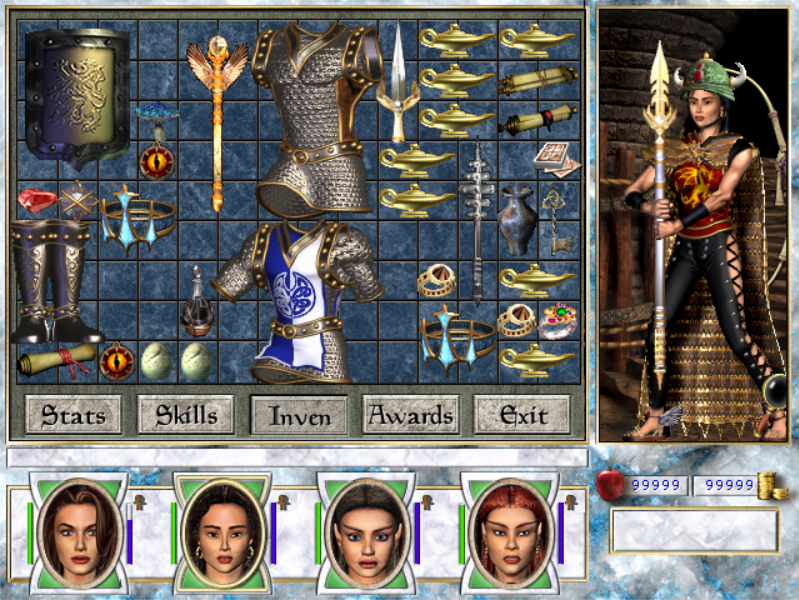
OpenEnroth is an open-source reimplementation of the Might & Magic VI-VIII game engine, allowing you to play the
original games on modern platforms. It uses the original game data, so you will need a copy of the game to play.
Currently only MM7 is playable. MM6 and MM8 support is planned — check the
[milestones](https://github.com/OpenEnroth/OpenEnroth/milestones) to see where we're at.
Supported platforms: **Windows**, **Linux**, **macOS**, and **Android** (experimental).

# Download
Prebuilt binaries are available from our [releases page](https://github.com/OpenEnroth/OpenEnroth/releases).
Currently only nightly builds are available, which may have bugs. A stable release is in progress — see the
[v0.1 milestone](https://github.com/OpenEnroth/OpenEnroth/milestone/1).
# Discord
Join our Discord to discuss, track progress, or get involved in development.
[](https://discord.gg/jRCyPtq)
# Getting Started
You will need two things: the OpenEnroth binary and the original Might and Magic VII game data.
## Getting the game data
You can buy Might and Magic VII from [GOG.com](https://www.gog.com/en/game/might_and_magic_7_for_blood_and_honor).
Copies from other sources (e.g. an original retail disc) should also work.
At the very least, OpenEnroth requires the `ANIMS`, `DATA`, `MUSIC` and `SOUNDS` directories from the game data.
### Non-GOG versions
Install or extract your copy of the game as normal.
### GOG Version
#### Windows
On Windows, run the GOG installer to extract the game data to your computer.
#### Linux and macOS
The installer cannot be run directly on Linux and macOS, but you can use `innoextract` to extract its contents.
* On macOS, install [Homebrew](https://brew.sh/) if you don't have it already and run `brew install innoextract`
* On Linux, the exact command depends on your distribution:
* Ubuntu or Debian-based (including Linux Mint, Pop!OS, etc): `sudo apt install -y innoextract`
* Fedora or other RedHat-based (*except* "immutable" distributions like Bazzite): `sudo dnf install -y innoextract`
* For other systems, [Repology](https://repology.org/project/innoextract/versions) lists the package name for most distributions.
Once you have innoextract, run:
`innoextract -e -d <new game data directory> <path to GOG installer .exe>`
### Game Assets Path Override
You can set an environment variable called `OPENENROTH_MM7_PATH` to point to the location of the game data.
If set, OpenEnroth will look for game assets only in that location. You may want to add this to your shell
profile (e.g. `~/.profile` on Linux or `~/.zshrc` on Mac):
```
export OPENENROTH_MM7_PATH="<path-to-mm7-game-assets>"
```
## Installing OpenEnroth
### Windows
1. Download `OpenEnroth_nightly_Windows_x86_64_RelWithDebInfo.zip` (`x86` for 32-bit Windows) from the
[releases page](https://github.com/OpenEnroth/OpenEnroth/releases).
2. Unzip `OpenEnroth.exe` and `OpenEnroth.pdb` into the directory containing the game data.
3. Run `OpenEnroth.exe`.
### macOS
1. Move the game data to `~/Library/Application Support/OpenEnroth`, creating this directory if needed.
2. Download `OpenEnroth_nightly_macOS_arm64_RelWithDebInfo.dmg` (`x86_64` for Intel Macs) from the
[releases page](https://github.com/OpenEnroth/OpenEnroth/releases), open it and drag `OpenEnroth.app` into
`Applications`.
3. Run `xattr -rc /Applications/OpenEnroth.app`. This clears the quarantine flag — macOS will refuse to
launch unsigned binaries without this step.
4. Run `OpenEnroth.app`.
### Linux
OpenEnroth ships for Linux as a Flatpak package.
1. Check for Flatpak support:
* Run `flatpak --version`. If you get a version number, you're ready; otherwise visit
[https://flatpak.org/setup/](https://flatpak.org/setup/) for setup instructions.
2. Install OpenEnroth:
* Download the `OpenEnroth_nightly_Linux_x86_64_RelWithDebInfo.flatpak` package from the [releases page](https://github.com/OpenEnroth/OpenEnroth/releases).
* Run `flatpak install --user /path/to/OpenEnroth_nightly_Linux_x86_64_RelWithDebInfo.flatpak`.
* Create `~/.var/app/io.github.openenroth.openenroth/data/mm7/data/`
* Move the game data (at least `ANIMS`, `DATA`, `MUSIC` and `SOUNDS`) into this new directory.
3. Run OpenEnroth from your application menu or using `flatpak run io.github.openenroth.openenroth`.
### Android (Experimental)
Android is not actively tested by the dev team — expect issues and be prepared to troubleshoot.
1. Download `OpenEnroth_nightly_Android_universal_RelWithDebInfo.apk` from the [releases page](https://github.com/OpenEnroth/OpenEnroth/releases).
2. Install the APK on your device (you will need to allow installation from unknown sources in your device settings).
3. Copy the game data (`ANIMS`, `DATA`, `MUSIC` and `SOUNDS`) to
`/sdcard/Android/data/io.github.openenroth.openenroth/files/` on your device.
# Development
See [HACKING.md](HACKING.md) for build instructions, code style guidelines, and contribution guidelines.
# Screenshots